GDPR and CRM: How to Protect Client Data and Avoid Fines
Practical GDPR guide for CRM users: obligations, risks, Row Level Security, consent management and how to choose a compliant-by-design CRM.

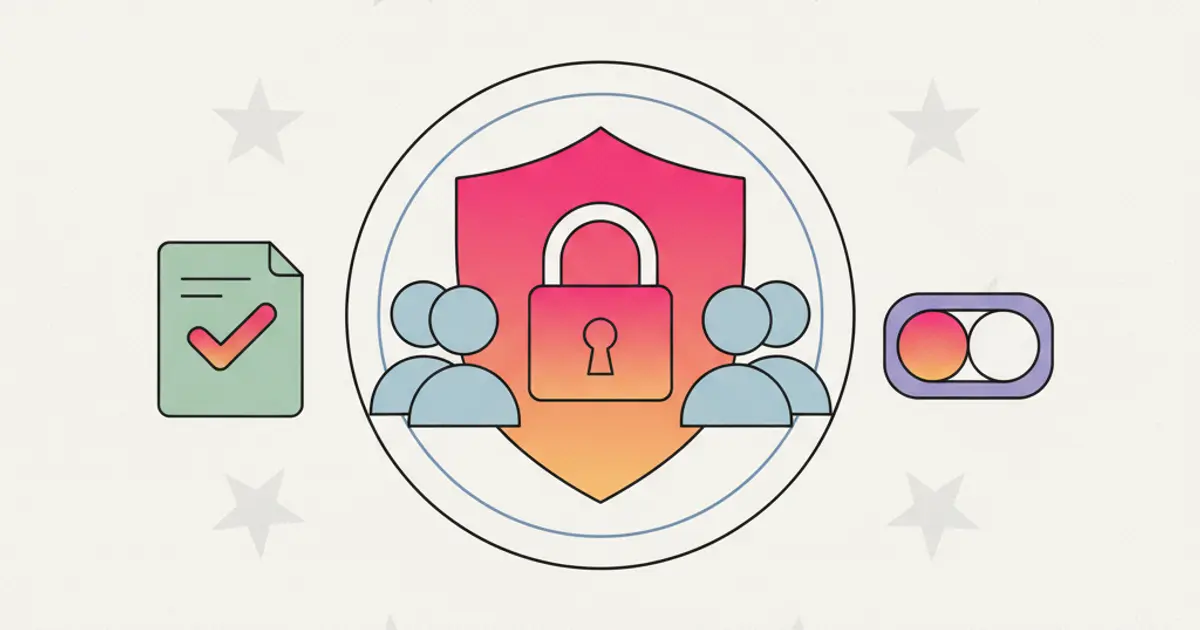
GDPR is no longer new — it has been in force since 2018. Yet in 2026, many SMEs still manage client data in ways that would horrify a Data Protection Officer. Excel spreadsheets shared on Google Drive without access controls. Client contacts on a sales rep's personal WhatsApp. Backups on USB drives in a desk drawer. And the legal basis for processing? "The client gave us their business card."
This is not fear-mongering — it is the reality of many businesses that have never seriously addressed the issue. And the problem is not just the risk of a fine, which can reach up to 4 percent of annual revenue: it is the reputational risk. A data breach, a complaint to the Data Protection Authority, and the trust built over years dissolves in a single press release.
A CRM does not automatically solve every GDPR compliance problem, but a CRM designed with privacy at its core gives you the tools to manage data correctly without going insane. Tracked consents, controlled access, deletable data, complete audit trails. Let us see what you really need.
GDPR Obligations: What You Need to Know If You Use a CRM
Understanding GDPR is not about memorizing the entire regulation — it is about knowing the principles that directly affect how you collect, store, and use client data in your daily work.
The starting point is legal basis for processing. Every piece of client data in your CRM must have a valid reason for being there. In many B2B contexts, that reason is legitimate interest — you have a genuine business relationship with the client, and processing their data is necessary to maintain it. In B2C contexts, or when you want to send marketing communications, you typically need explicit consent. The distinction matters because consent must be freely given, specific, informed, and revocable, while legitimate interest requires a documented balancing test. Getting this wrong is one of the most common GDPR violations among small businesses.
Data minimization is the second principle that directly affects CRM usage. GDPR requires you to collect only the data you actually need, not "everything because it might be useful someday." If you do not need a client's date of birth for your business process, do not collect it. Every additional data point you store increases your compliance burden and your risk in the event of a breach.
Data subjects — your clients and contacts — have specific rights under GDPR: the right to access their data, the right to have it corrected, the right to have it deleted, the right to receive it in a portable format, and the right to object to processing. Your CRM needs to support all of these rights operationally, not just theoretically. When a client asks "what data do you have on me?", you need to be able to answer completely and promptly.
The regulation also requires a Record of Processing Activities — a documented register of what data you process, why, where it is stored, who has access, and how long you keep it. For many SMEs, the CRM is the primary repository of personal data, which makes it the logical place to maintain this record.
Finally, Data Protection by Design and by Default is not a suggestion — it is a legal requirement. Systems that handle personal data must be built with privacy in mind from the ground up, not retrofitted as an afterthought. And the breach notification obligation gives you just 72 hours to report a data breach to the supervisory authority, which means you need procedures, contact information, and documentation templates ready before an incident occurs. You cannot build an incident response plan during the incident.
The Risks of Improvised Solutions
Excel and Shared Spreadsheets
The humble spreadsheet is the tool that most businesses default to before adopting a CRM, and from a GDPR perspective, it is a compliance nightmare. There is no access control — anyone with a link or access to the shared drive sees every contact's information. There is no audit trail, so you cannot determine who changed what and when. The data sits in plaintext, accessible to anyone with physical or remote access to the device. And because spreadsheets get copied, emailed, and saved locally with casual abandon, there is no way to guarantee that deleting the "original" actually removes all copies.
When a client exercises their right to erasure, you need to be able to delete their data from every system where it exists. With spreadsheets scattered across laptops, cloud drives, and email attachments, this is practically impossible to guarantee. That gap between "we deleted it" and "we actually deleted it everywhere" is exactly where GDPR violations live.
Personal WhatsApp
Using personal WhatsApp for business communication creates a particularly dangerous data protection gap. Client contacts live on the employee's personal phone, intermingled with their personal messages. When the employee leaves the company, those contacts — and the entire conversation history — leave with them. The company has no control over this data: it cannot audit it, cannot ensure deletion, and cannot respond to a data subject access request with complete information because it does not know what was said in those personal conversations. If you use WhatsApp as a business channel, doing so through a CRM-integrated solution is the only way to maintain compliance.
CRM Without Compliance
Not every CRM is built with GDPR in mind. Some store data on servers outside the European Union without adequate safeguards, making data transfers legally questionable. Others offer no integrated consent management, no mechanism for systematic data deletion, and permissions so broad that every user can see every contact's complete information regardless of their role. Choosing the wrong CRM does not solve your GDPR problem — it just moves the risk from a spreadsheet into a different, slightly more organized system that is equally non-compliant.
Row Level Security: Database-Level Protection
One of the most powerful data protection mechanisms in a well-architected CRM is Row Level Security, commonly abbreviated as RLS. Unlike application-level access controls — where the software decides what to show each user — RLS enforces data access rules at the database level itself. This means that even if there is a bug in the application code, a misconfigured API endpoint, or an unauthorized access attempt, the database will not return data that the user is not entitled to see.
In practical terms, RLS means that a sales rep sees only the clients assigned to them, while their manager sees the team's clients, and the company administrator sees everything. This is not just a visual filter in the interface — it is a fundamental constraint enforced by the database engine. The data that a user is not authorized to access does not even reach the application layer. It is as if those rows simply do not exist for that user.
For multi-tenant CRM platforms — where multiple companies use the same system — RLS provides complete organization isolation. Company A's data is invisible to Company B, not because the application hides it, but because the database enforces the boundary. This is a level of data protection that most spreadsheet-based or simple CRM solutions cannot offer.
Every data access through an RLS-protected system is also traceable and auditable, which directly supports your GDPR accountability obligations. You can demonstrate exactly who accessed what data and when — a requirement that becomes critical in the event of a Data Protection Authority investigation. For a broader understanding of how roles and permissions should be structured in your CRM, that guide covers the organizational side of this equation.
Consent Management and Right to Erasure
Consent Collection
Proper consent collection is the foundation of GDPR-compliant marketing and communication. Every form — whether it is a website contact form, a lead capture page, or a newsletter subscription — needs granular checkboxes that clearly distinguish between different types of consent: marketing communications, commercial offers, profiling, and third-party sharing.
Each consent event must be recorded with a timestamp and proof: when consent was given, through which form, for which specific purpose, and the exact text the user agreed to. This record is your evidence in the event of a complaint or audit. "The client gave us their business card" is not proof of marketing consent; a timestamped record in your CRM of the client checking a specific checkbox on a specific form is.
Double opt-in — where the contact confirms their subscription via a confirmation email — is not strictly required by GDPR, but it is widely considered best practice because it provides unambiguous evidence that the person who gave consent is actually the owner of that email address. Most CRMs that handle email marketing support double opt-in natively.
Consent Lifecycle Management
Collecting consent is only the beginning. You also need to manage it throughout its entire lifecycle. A consent dashboard for each contact shows exactly which consents are active, when they were given, and whether any have been revoked. When a contact revokes a specific consent — say, marketing communications — the system immediately blocks the related processing. No manual intervention, no risk of accidentally sending a campaign to someone who has opted out.
Periodic renewal reminders ensure that consents remain current. Consent given three years ago may not reflect the contact's current preferences, and proactively asking for confirmation demonstrates respect for your contacts' autonomy while keeping your data fresh and your compliance posture strong.
Right to Erasure
When a contact exercises their right to be forgotten, you need the ability to delete all of their personal data from your CRM with a single action. A well-designed system handles this comprehensively — removing the contact's information from all related records, conversations, and linked data.
In cases where complete deletion is not possible due to legal retention obligations — fiscal records, for example, must be kept for the legally required period — anonymization serves as the alternative. The contact's personal identifiers are replaced with generic placeholders, preserving the statistical data you need for reporting while making it impossible to identify the individual.
Deletion must also propagate to all connected systems. If your CRM feeds data into email marketing tools, analytics platforms, or integrated services, the erasure request must reach those systems as well. A compliant CRM provides documentation confirming that deletion was completed, giving you the evidence you need to respond to the data subject and to demonstrate compliance to regulators.
Compliant-by-Design CRM: The Checklist
When evaluating a CRM for GDPR compliance, there are several non-negotiable requirements you should verify before committing.
EU-based servers are the starting point. Your client data should reside within the European Union, eliminating the legal complexity of international data transfers. While transfer mechanisms like Standard Contractual Clauses exist for non-EU storage, keeping data within the EU is the simplest and safest approach for most SMEs.
Encryption must cover data both in transit — using TLS for all communications between the user's browser and the server — and at rest, using AES-256 or equivalent encryption for stored data. This ensures that even in the event of a physical server breach, the data is unreadable without the encryption keys.
Row Level Security at the database level, integrated consent management as a core feature rather than an add-on, and a complete audit trail logging every data access and modification are essential technical safeguards. Backup and recovery procedures should be documented and regularly tested, and the CRM provider should offer a Data Processing Agreement that clearly defines the responsibilities of both the controller (you) and the processor (the CRM provider).
Native tools for data deletion and portability — allowing you to fulfill data subject rights without manual workarounds — round out the checklist. If your CRM cannot perform these operations smoothly, you will either spend excessive time on manual compliance or, more likely, fall behind on your obligations.
How to Evaluate Your Current Setup
Before choosing a new CRM or evaluating your existing one, it is worth conducting an honest assessment of where you stand today. Start by auditing your data flows: make a complete list of every system, spreadsheet, device, and application where client data currently lives. Most businesses are surprised by how many locations they find — the official CRM, plus three spreadsheets, plus email, plus personal phones, plus a backup drive.
For each processing activity, verify that you can point to a valid legal basis. If you are sending marketing emails, do you have documented consent for each recipient? If you are relying on legitimate interest, have you conducted and documented the balancing test?
Test your deletion process by attempting to delete all data for a test contact. Can you actually do it? Across all systems? Can you prove that you did it? If the answer to any of these questions is "not really," you have a compliance gap that needs to be addressed.
Review your breach response plan. Do you have one? Has it been tested? Does your team know who to contact, what information to collect, and how to notify the supervisory authority within 72 hours? If not, creating this plan should be a priority — because building it after a breach has occurred is far too late.
Finally, examine your vendor agreements. Does your CRM provider offer a DPA? Where are their servers? What happens to your data if you cancel your subscription? These questions might seem administrative, but they are exactly the questions a Data Protection Authority will ask in the event of an investigation. Having clear answers ready is far better than scrambling to find them under pressure. For a broader evaluation framework, our guide on how to choose the right CRM for your SME includes a compliance-focused checklist.
Share this article
Written by
Flusia Team
Related articles
How to Configure Your CRM in the First 30 Days: Complete Checklist
A step-by-step checklist to set up your CRM properly in the first 30 days: data import, pipeline, automations and team onboarding.
Your CRM Is a Spreadsheet? Here's Why You're Limiting Growth
Understand the real cost of managing clients in Excel and when it is time to switch to a proper CRM for your growing SME.
Free CRM vs Paid CRM: What You Really Lose with Free
Free CRMs look tempting, but what do you actually give up? We analyze hidden limits, missing features and the real cost of free tools.