CRM Newsletters: How to Send Your First Campaign
How to send a newsletter from your CRM: authenticate your sending domain, build a segment, write and test the email, schedule it and read the results.

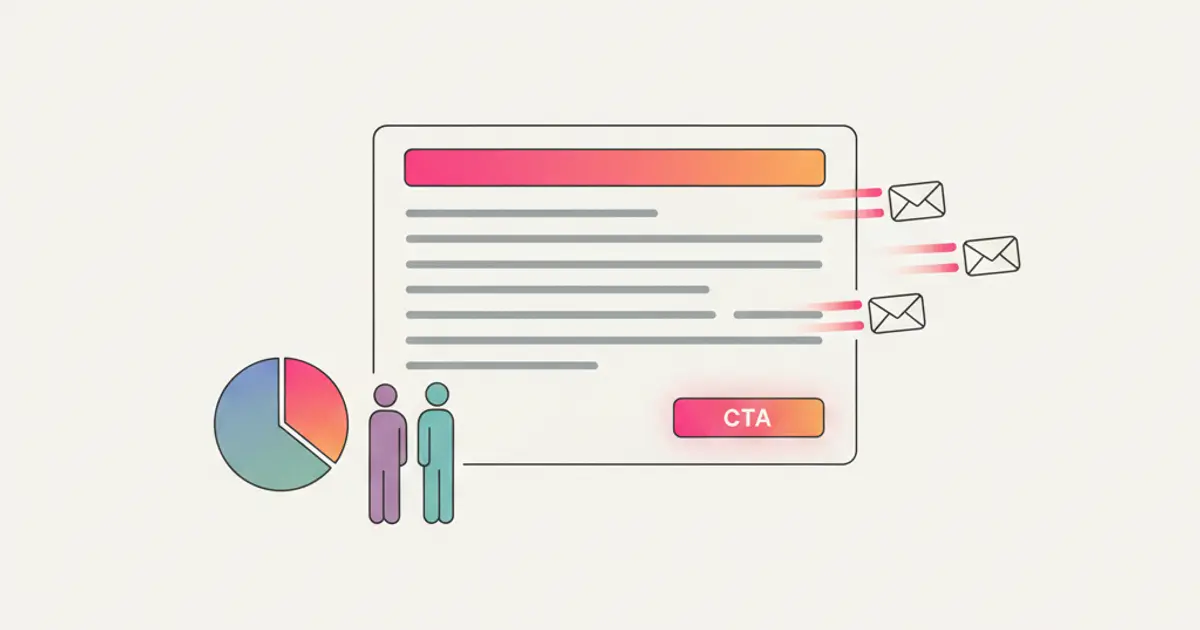
To send a newsletter from your CRM you build a segment from the contacts you already have, write the email in the template editor, send yourself a test, and schedule the delivery. There is no export and no import, because the contacts and the sending tool live in the same place, and every message sent appears on the contact record afterwards.
The part most people skip is the one that decides whether the email lands in the inbox or in the spam folder: authenticating your sending domain. This guide covers the whole sequence, from that first technical setup to the analytics you read the morning after, and by the end you will have sent a first campaign you can actually repeat every month.
Why you should run email marketing from your CRM
The most compelling reason to manage email marketing from within your CRM is the elimination of data fragmentation. When your contacts live in one system and your email tool lives in another, you are constantly exporting, importing, deduplicating, and reconciling. Every synchronization point is a potential failure point: a contact who unsubscribed in one system but not the other, a new lead who was added to the CRM but never made it to the mailing list.
Running email marketing from your CRM gives you a single source of truth for contacts. There is no export step because the contacts are already there. Segmentation is based on real, live data, not a CSV snapshot from last Tuesday. You can build a segment based on pipeline stage, purchase history, lead source, or any combination of fields in your CRM, and the segment updates automatically as data changes.
Personalization goes far beyond inserting a first name. Because your email tool has access to the full client record, you can use merge tags that insert the company name, the last product purchased, or the name of the assigned salesperson. Each recipient sees a message that feels individually written, even though it went out to hundreds of people at once.
Every email you send also appears on the contact's timeline, alongside meeting notes, deal updates, and WhatsApp conversations, so whoever picks up the phone next can see what that client has already received.
Finally, consent management, unsubscribe handling, and data deletion requests all happen in one place, which removes the most common source of mistakes: an unsubscribe registered in the email tool but never reflected in the CRM. For a broader look at data protection, our guide on GDPR and CRM compliance covers the regulatory landscape in detail.
What you need before your first send
Four things, and it is worth having all of them ready before you write a single line of copy.
Access to your sending domain's DNS records. Not the CRM, the domain: usually the panel of whoever registered it. You will need to add a few records there, and if that access sits with an external consultant, request it now rather than the evening before the send.
A verified list of contacts with a lawful basis for contacting them. People who left you a business card at a trade show two years ago are not a mailing list. As a general rule under the GDPR, you should be able to show when and how each contact agreed to receive commercial communications; if you are unsure about your list, ask your privacy advisor before the first send.
A real reply address that someone reads. Sending from an address that nobody monitors is a wasted opportunity: some of your most useful replies to a newsletter are simply people answering it.
Your logo and brand colours, in a decent resolution. Ten minutes spent on the header now saves you from redoing every template later.
Getting into the inbox: authenticate your domain first
This is the step that separates newsletters that get read from newsletters that get filtered, and it is entirely technical, so you only do it once.
When you send from yourcompany.com through any sending platform, receiving servers ask a reasonable question: is this platform allowed to send on behalf of this domain? The answer is given by three DNS records.
| Record | What it does | Where you add it |
|---|---|---|
| SPF | Lists which servers may send email for your domain | DNS of your domain |
| DKIM | Signs each message cryptographically so it cannot be forged | DNS of your domain |
| DMARC | Tells receiving servers what to do when a check fails | DNS of your domain |
The sequence is always the same, whatever platform you use:
- Open the sending domain section of your CRM and add the domain you will send from. The system generates the exact records you need to publish.
- Copy the records into your domain's DNS panel, one by one. They are usually TXT records, and the value must be pasted whole, without extra spaces at either end.
- Wait for propagation and run the verification. It typically takes minutes but can take hours. The domain must show as verified before you schedule anything.
- Send a test to two different mailboxes, ideally on different providers, and check the message actually lands in the main inbox rather than in promotions or spam.
Do not send from a free mailbox. A newsletter sent from a generic free address will be filtered by most providers, because you cannot authenticate a domain you do not control. Always use an address on your own domain.
Sending your first newsletter, step by step
Once the domain is verified, the campaign itself takes less than an hour.
- Build the recipient list first, not last. Create the segment before you write, because who you are writing to changes what you write. Start narrow: your active clients, or the leads created in the last three months.
- Choose a template and set the header once. Add your logo, company details, and the physical address required in commercial emails. Saved in the template, it carries over to every future send.
- Write the subject line before the body. Keep it under about fifty characters so it does not get cut off on phones, and say what is inside rather than teasing it.
- Write the body around a single action. One newsletter, one thing you want the reader to do. Put that link both in the middle and near the end.
- Add the unsubscribe link. It is legally required and it protects your reputation: people who cannot unsubscribe mark you as spam instead, which is far more damaging.
- Send yourself a test and read it on your phone. Check the sender name, the subject, images with images disabled, and every link. Most mistakes are caught here.
- Schedule the send. For B2B audiences mid-morning on a weekday tends to work; avoid Monday first thing and Friday afternoon.
- Come back after 48 hours and read the numbers, which is what the last section of this guide is about.
Professional email templates
A poorly formatted email, one with broken images or a layout that collapses on a phone, gets deleted before the first sentence is read. This is why a decent template system matters more than the writing itself.
Start from a pre-built layout for the case you need, whether that is a product announcement, a monthly newsletter, an event invitation, or a seasonal promotion. These come with the basics already handled: they adapt to any screen, the buttons are visible, and the text is readable without zooming.
The drag-and-drop editor then lets you adapt the layout without touching code. Set the header and footer once, with your logo, company details, and links, and they carry across every template you build afterwards. When you are happy with a result, save it as a reusable template: the next similar email starts from there instead of from a blank page.
Four design rules cover most situations. Design for phones first, because that is where most emails are opened. Keep the main action visible without scrolling. Use a single column. Stick to your brand colours rather than adding new ones for each campaign.
Smart contact segmentation
Sending the same email to your entire contact list is the fastest way to ensure mediocre results. A message that speaks to the specific situation of the person reading it gets opened and acted on more often than a generic announcement, which is the whole point of segmentation: sending the right message to the right people.
Your CRM holds the data you need to segment effectively. Static segments are manually curated lists, for example, attendees of a specific event or members of a referral program. They do not change unless you edit them. Dynamic segments are built from rules that evaluate automatically. A dynamic segment defined as "all leads in the negotiation stage who were created in the last 30 days" updates itself in real time as leads enter or leave that criteria.
Because the CRM already holds your business data, the segmentation criteria go well beyond a simple address list. You can segment by status (active leads, paying customers, former customers), by source (website form, WhatsApp, trade show, referral), by industry or interest, by pipeline stage (in negotiation, proposals sent, deals won in the last month), or by engagement (who opened the last email, who has not opened anything in three months).
Creating a segment typically takes just a few clicks. You select the criteria, preview the matching contacts, and save the segment with a descriptive name. The next time you send a newsletter, you choose which segment receives it instead of blasting your entire database.
Segmented campaigns tend to perform better than undifferentiated mass sends on every metric that matters, opens and clicks included, and they generate fewer unsubscribes, because your contacts feel you are speaking to their situation. If you are looking for ways to further refine how you handle leads across segments, our article on automatic lead scoring pairs naturally with this approach.
Scheduling and programmed sends
An email arriving at eight on a Tuesday morning does not perform like the same email arriving at ten on a Saturday night. Scheduled sends let you write today and deliver at the moment that suits your audience, which also means you can write several newsletters in one sitting and space them out over the following weeks.
Getting the frequency right is a balancing act. Send too often and people start ignoring you or unsubscribing; send too rarely and they forget who you are. For most B2B audiences a fortnightly or monthly rhythm works, while B2C audiences tolerate weekly sends when the content is genuinely useful. What matters most is picking a cadence and keeping it.
Behind the scenes, the send queue does something you should know about: it spreads a large send over time instead of firing everything at once, which is what keeps your sender reputation healthy. Invalid addresses are handled automatically, with permanently failed ones removed from future sends.
Unsubscribe handling is both a legal requirement and a trust signal. When a contact clicks the unsubscribe link, the CRM immediately updates their record and excludes them from future sends. There is no lag, no manual step, and no risk of accidentally emailing someone who has opted out. This one-click process protects your sender reputation and keeps you compliant with GDPR and anti-spam regulations. For a broader look at automating manual tasks across your team, including email workflows, we have a dedicated guide.
Analytics and optimization
Four numbers are worth reading after every send, and each one answers a different question. The open rate tells you whether the subject line earned attention. The click-through rate tells you whether the content persuaded anyone to act. The unsubscribe rate tells you whether you are writing too often or to the wrong people. The bounce rate tells you the state of your list.
What counts as a good number depends heavily on your industry and on how the list was built, so the useful comparison is not against a published benchmark but against your own previous sends. A campaign that does worse than your usual is telling you something; a campaign that does worse than an industry average you read somewhere may just mean your audience is different.
Click maps show which links attracted attention, which is the fastest way to learn what your readers actually care about. Conversion tracking goes further and connects a click to what happened next, when the contact came back to the site and filled in a form, which is only possible because the email and the CRM pipeline share the same data.
The loop is simple: send, read the numbers, change one thing, send again. Changing one variable at a time is what makes the comparison meaningful. To measure broader business performance beyond email, pair this with custom dashboards and sales reports.
What to check before choosing a CRM with newsletters built in
"Newsletter included" covers a wide range, from a plain sender that mails a saved list to a full campaign tool with segments and reporting. Before you commit, six specific questions tell you which one you are looking at, and each of them costs you real work later if the answer is the wrong one.
| What to check | The question to ask | Why it matters |
|---|---|---|
| Sending domain | Can I authenticate my own domain with SPF, DKIM and DMARC? | Without it a share of every campaign is filtered, whatever the editor looks like |
| Segment source | Are segments built on live CRM fields, or on a list I upload? | An uploaded list is only as fresh as the day you uploaded it |
| Consent record | Where is an unsubscribe written, in one place or two? | Two places is where compliance mistakes begin |
| Template reuse | Can I save a layout and start the next campaign from it? | Rebuilding the header every month is why newsletters quietly stop |
| Reporting depth | Do opens and clicks land on the contact record, or only in a campaign summary? | Per contact data is the part your sales people actually use |
| Sending volume | How many messages are included, and what happens above that? | The answer decides what growing your list will cost |
Two of these deserve a note. Segmentation on live fields is the whole reason to run email from the CRM rather than beside it: if the tool only accepts an uploaded file, you are back to exporting, deduplicating and reconciling every month, which is the work you were trying to remove. The consent record matters more than it sounds, because an unsubscribe registered in one system and not the other produces a list that drifts slowly and a problem you discover a year later.
The other question worth asking is the boring one about volume. Most sending is priced either on the number of contacts you keep or on the number of messages you send, and the two behave very differently once your list doubles. Ask which model applies and what happens when you pass the threshold, before the list grows rather than after. If you want to see how the editor, the segments and the sending side fit together in one place, the newsletter features page goes through them in order.
From single campaigns to automated sequences
A monthly newsletter is the starting point, not the destination. The same sending engine can also deliver messages that leave on their own when something happens in the CRM: a lead arrives from the website, a deal moves to a new stage, a client has not been contacted in ninety days. The first one takes about twenty minutes to set up, and the sequence below is the one to start with.
- Pick one trigger and one message. The welcome email to a new lead is the easiest, because the trigger is unambiguous and the content is short. Resist the urge to design a five step journey on day one.
- Write it as if a person had sent it. Two short paragraphs, one link, a real signature. Automated messages that read like a brochure get treated like a brochure.
- Set the delay deliberately. Immediate works for a confirmation, but a commercial message often does better after a few hours, when the person is no longer clicking through your site.
- Define the exit condition. Decide what stops the sequence: a reply, a booked call, a stage change. Without it, someone who has already answered you keeps receiving the follow up.
- Switch it on for one segment first. Run it for a week on a narrow group, read what came back, then widen it.
Once the first sequence runs by itself, the pattern repeats for the rest: every message that someone on your team currently sends by hand at a predictable moment is a candidate, and each one you move over is time your team stops spending every week.
Frequently asked questions
Do I really need SPF and DKIM, or can I just start sending? You can technically send without them, but a good share of your messages will land in spam or be rejected outright, and you will spend weeks wondering why the campaign performed badly. Publishing the records takes a few minutes and only has to be done once per sending domain.
How many contacts do I need before a newsletter is worth doing? There is no minimum that makes it worthwhile. A monthly email to two hundred well-qualified clients is more useful than a quarterly one to five thousand addresses collected without a clear reason. Start with the list you can honestly say agreed to hear from you.
What do I do with contacts who never open anything? After several consecutive campaigns with no opens, either try one last email with a different subject line, or remove them from the regular list. Inactive addresses damage your sender reputation and inflate your numbers without producing anything.
Can I keep using a separate email tool alongside the CRM? You can, and some teams do while they migrate. The cost is the reconciliation work: consents, unsubscribes, and new contacts have to stay aligned in both systems, and it is precisely where mistakes happen. If you keep both, decide which one holds the authoritative consent record.
Share this article
Written by
Luca Bosso
Founder of Flusia
Related articles
Integrated Team Chat: Stop Using Separate Messaging Apps
Discover why an integrated team chat in your CRM eliminates message fragmentation and improves collaboration by linking conversations to deals and projects.
WhatsApp as a Sales Channel: It's Not Just Customer Support
WhatsApp isn't just customer service: learn how to use it as a sales channel with automations, AI agents and CRM integration to qualify leads and close deals.
WhatsApp Multi Agent: One Shared Number for Your Team
How several people can answer from the same business WhatsApp number: chat assignment, internal notes, roles and a shared history inside your CRM.