How to Choose the Right CRM for Your SME: Complete 2026 Guide
A practical guide to choosing the right CRM for your Italian SME in 2026: features, pricing models, red flags and what actually matters.

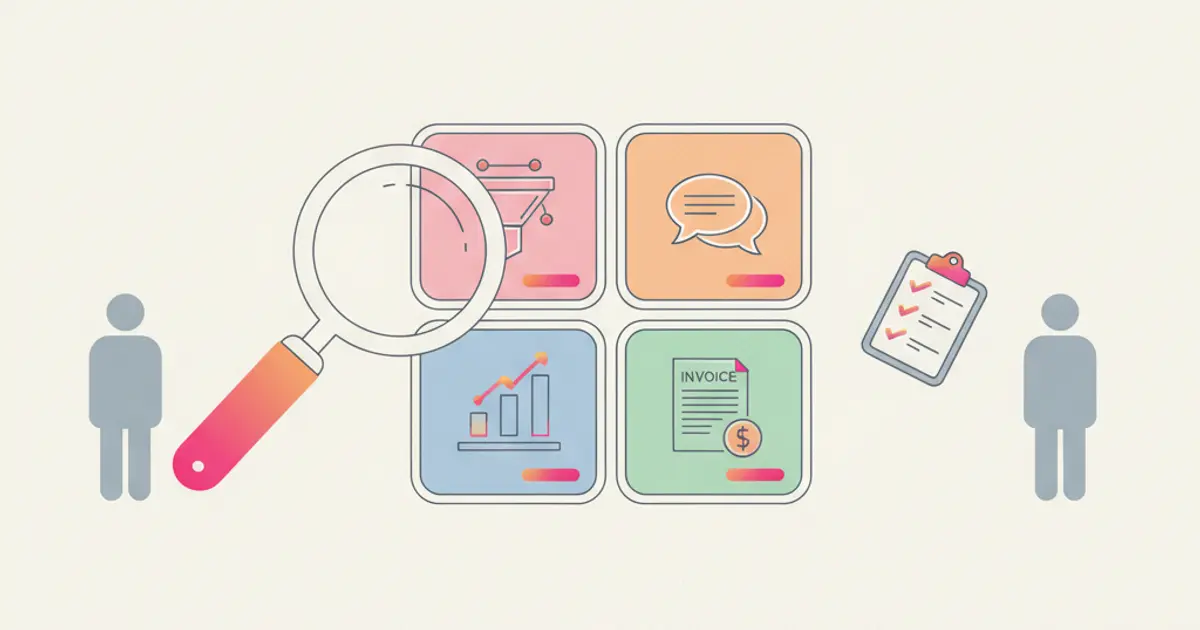
Choosing a CRM feels overwhelming. You search online and find hundreds of options, each claiming to be the perfect fit for small businesses. One has a slick demo video. Another has impressive reviews. A third one offers a free plan that seems too good to be true — because it usually is.
The real problem is not the lack of options. It is the lack of clarity about what your business actually needs. Most SMEs end up choosing a CRM based on brand recognition or a friend's recommendation, only to discover six months later that it does not fit their workflow, the Italian invoicing integration is missing, or the pricing scales in ways they never expected.
This guide cuts through the noise. We will walk you through the criteria that actually matter for SMEs in 2026, the questions to ask before committing, and the red flags that should make you run in the other direction.
Why most CRM choices go wrong
The demo trap catches more businesses than any other factor. Every CRM looks fantastic in a controlled presentation where a polished sales representative walks you through the ideal scenario with perfect data and a rehearsed workflow. What you do not see is the setup time, the edge cases, the moments when real-world messiness collides with the software's assumptions. A demo is marketing, not evaluation.
Feature overload is the second most common pitfall. Enterprise-grade CRMs offer hundreds of features, and it is tempting to choose the one with the longest feature list. But for an SME with five to twenty employees, most of those features will never be used. Worse, they add complexity to the interface, slow down the learning curve, and often increase the price. You need a tool that does twenty things well, not two hundred things adequately.
The "free plan" illusion deserves special attention. Many CRMs offer a free tier, and at first glance it seems like a perfect starting point. But the limitations are designed to frustrate: caps on contacts, restrictions on automations, inability to remove branding, missing integrations. By the time you hit the ceiling — and you will — switching to a paid plan comes with sticker shock, and switching to a different CRM means starting the migration process all over again. If this sounds familiar, you might want to read our analysis of what free CRMs actually cost you.
For Italian businesses specifically, ignoring market-specific requirements is a critical error. Electronic invoicing is mandatory. Fiscal codes and VAT numbers are part of every client record. GDPR compliance is not optional. A CRM built primarily for the American or Asian market may never support these requirements properly, no matter how many features it has.
And finally, most businesses underestimate the cost of switching later. Once your team has adopted a CRM, migrated data, built workflows, and integrated other tools, moving to a different platform is a major undertaking. Choosing well the first time saves not just money, but months of disruption.
The 8 criteria that actually matter
1. Ease of use
If your team needs a week of training to perform basic tasks, adoption will fail. The best CRM in the world is useless if nobody wants to use it. Apply the five-minute test: can a new user create a contact and a deal within five minutes of logging in? If not, the interface is too complex for an SME team that has a business to run and little patience for software learning curves.
Pay attention to the language support as well. A CRM that claims to support Italian but delivers a machine-translated interface full of awkward phrasing will frustrate your team daily. Proper localization matters.
2. Italian invoicing integration
This is non-negotiable for any business operating in Italy. Your CRM should integrate directly with Fatture in Cloud or another Italian invoicing platform, handling VAT, withholding tax, stamp duty, and SDI submission seamlessly. The ability to generate an invoice automatically when a deal closes eliminates one of the biggest administrative bottlenecks in Italian SMEs.
If a CRM vendor tells you "we do not integrate with Italian invoicing tools, but you can use our API to build something," walk away. That is a project, not a solution.
3. Multichannel communication
Email alone is no longer sufficient. Your clients communicate on WhatsApp, by phone, and through social media. A CRM that treats email as the only channel forces you to manage the rest outside the system, creating the exact information silos you were trying to eliminate.
Look for built-in WhatsApp integration, calling capabilities or phone system integration, and a unified conversation history that shows all interactions across all channels on a single client timeline. When a salesperson opens a contact record, they should see everything — not just the emails.
4. Automation capabilities
Workflow automation is what transforms a CRM from a database into an active business tool. Look for a visual, no-code workflow builder that uses trigger-condition-action logic. Can you automatically assign leads based on rules? Send follow-up sequences? Notify the team when a deal changes stage? Create tasks when certain conditions are met?
The difference between basic and advanced automation is significant. Basic automation handles simple "if this, then that" rules. Advanced automation supports branching logic, conditional paths, multi-step sequences, and integration triggers. For an SME, basic automation delivers immediate value, but the ability to grow into more sophisticated workflows ensures the CRM scales with your business.
5. Customization
Your business has its own terminology, its own process, and its own data requirements. A CRM that forces you to adapt your workflow to its structure — rather than the other way around — creates friction that never goes away. Look for custom fields that let you capture industry-specific data, customizable pipeline stages that match your actual sales process, and views that can be tailored to each team member's role.
Permissions and roles should be granular enough to match your team structure without being so complex that setting them up requires a consultant.
6. Pricing transparency
The pricing page should tell you exactly what you will pay, not lead you into a conversation with a salesperson who "needs to understand your needs first." Per-user pricing is common, but for small teams a flat-rate model can be more cost-effective and predictable.
Pay special attention to hidden costs: storage limits, integration fees, premium support tiers, and charges for features that seem basic but are locked behind higher plans. Calculate the total cost of ownership over 12 months for your current team size and your projected team size. A CRM that costs 30 euros per user per month seems reasonable until you realize that 15 users means 5,400 euros per year — and that is before add-ons.
7. Data ownership and security
Your client data is one of your most valuable business assets. You need to know where it is stored — EU servers are essential for GDPR compliance and data sovereignty. You need to be able to export all your data at any time in a standard format. And you need security features that go beyond a password: two-factor authentication, role-based access controls, audit trails, and encryption.
Ask the vendor directly: "If we leave, can we take all our data with us?" The answer should be an unambiguous yes. Any hesitation is a red flag for data protection.
8. Support and onboarding
The quality of support is invisible until you need it — and when you need it, it is everything. Is support available in your language? What are the response times — hours or days? Is there a guided onboarding process with a real person who walks you through the setup, or is it "here is the documentation, good luck"?
For an SME without a dedicated IT team, the difference between being stuck for an hour and being stuck for a week is the difference between successful adoption and abandonment. The CRM vendor should be a partner in your success, not just a software provider.
Red flags to watch for
Some warning signs should make you seriously reconsider a CRM, regardless of how good the features look on paper.
No free trial is the most obvious one. If the vendor only offers a guided demo with a salesperson controlling the screen, they do not want you to experience the product on your own terms. A confident product invites you to try it with your real data and your real team.
Annual contracts with no monthly option lock you in before you know whether the tool works for your business. The first three months are critical for adoption — forcing a 12-month commitment before that period is a gamble the vendor is asking you to take.
Dramatic pricing jumps between tiers suggest that the lower tiers are intentionally crippled to force upgrades. If the jump from "basic" to "professional" triples your cost and unlocks features that seem fundamental (like reporting or custom fields), the pricing structure is designed to extract maximum revenue, not to serve your needs.
The absence of an API or integration marketplace means the CRM exists in isolation. In 2026, no business tool should be an island. You need your CRM to connect with your invoicing platform, your email system, your communication channels, and potentially dozens of other tools.
And be wary of "coming soon" features that have been advertised for more than six months. Roadmaps are aspirational; delivered features are real. Make your decision based on what exists today, not on promises about tomorrow.
How to evaluate in practice
Start by listing your top five non-negotiable needs. These are the specific problems you need the CRM to solve — not generic features, but concrete outcomes. "I need to stop losing leads from WhatsApp," "I need to issue invoices automatically when a deal closes," "I need my team to see each other's deal status." These non-negotiables will filter out 90% of options immediately.
Shortlist three CRMs maximum. More than three creates analysis paralysis. Less than two means you are not comparing enough.
For each shortlist candidate, run a real pilot with actual data — not the vendor's demo data. Import 50 real contacts, create 10 real deals, set up your actual pipeline stages, and use the system for a week. You will learn more in five days of real use than in ten hours of reading reviews.
Involve your team in the evaluation. The people who will use the CRM every day are the best judges of whether it feels right. If they find it confusing, slow, or frustrating during the pilot, they will not use it after launch — no matter how enthusiastic you are about the features.
Finally, compare the total cost of ownership over 12 months. Include the subscription, any setup fees, estimated integration costs, and the time your team will spend on initial configuration. The cheapest CRM per month is not always the cheapest CRM per year, and the most expensive is not always the best value. The right choice balances capability, usability, and cost in a way that makes sense for where your business is today — and where you want it to be in 12 months and beyond.
Share this article
Written by
Luca Bosso
Founder of Flusia
Related articles
How to Configure Your CRM in the First 30 Days: Complete Checklist
A step-by-step checklist to set up your CRM properly in the first 30 days: data import, pipeline, automations and team onboarding.
Your CRM Is a Spreadsheet? Here's Why You're Limiting Growth
Understand the real cost of managing clients in Excel and when it is time to switch to a proper CRM for your growing SME.
Free CRM vs Paid CRM: What You Really Lose with Free
Free CRMs look tempting, but what do you actually give up? We analyze hidden limits, missing features and the real cost of free tools.