Integrated Team Chat: Stop Using Separate Messaging Apps
Discover why an integrated team chat in your CRM eliminates message fragmentation and improves collaboration by linking conversations to deals and projects.

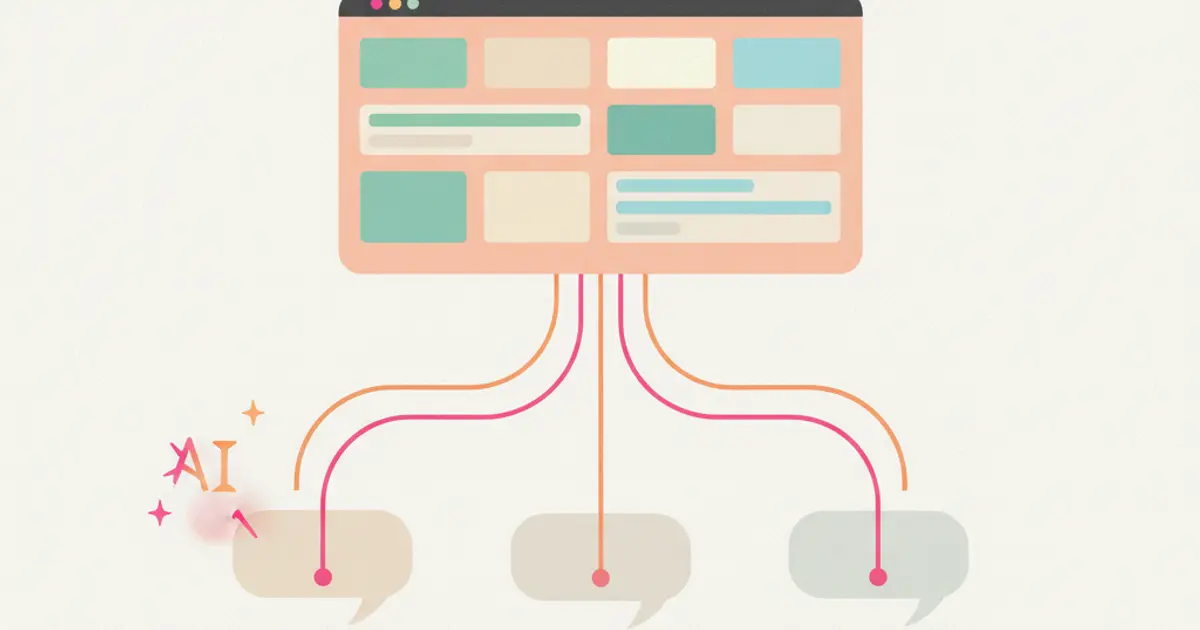
One app for internal messages. Another for video calls. WhatsApp for quick updates. The CRM for deal notes. And that important message about client X? Was it in a chat app or on WhatsApp? Or maybe in an email? If your workday is a treasure hunt across messaging apps, you are not alone — it is the number one business communication problem in 2026.
The cost of this fragmentation is not just the time spent searching for messages. It is the context that gets lost. When you discuss a deal on WhatsApp but the notes end up in the CRM, the colleague who comes in later has no history. When you comment on a project in one app but the update needs to go in the project manager, something gets lost in transit. Every jump between applications is a point where information can fall through the cracks.
The solution is not to add another chat app — it is to eliminate three. An integrated team chat inside the CRM is not just another place to write messages. It is a place where every conversation is linked to business context. Talking about a deal? The conversation lives in the deal. Talking about a project? It lives in the project. Let us see why this changes everything.
The Scattered Messages Problem: What It Really Costs
Research consistently shows that the average knowledge worker spends roughly 28 percent of their workday managing email and messages across different platforms. That is more than two hours every day spent not on productive work, but on the meta-work of finding information, switching between apps, and mentally reconstructing context that was scattered across multiple tools.
The cost of searching is particularly insidious because it feels small in the moment. "Where was that message?" takes two minutes to answer, but it happens dozens of times a day. Over a week, those two-minute searches add up to hours. Over a month, they add up to entire workdays lost to what is essentially an organizational failure, not a productivity failure.
The impact on new team members is even worse. When someone joins your company and needs to get up to speed, they have to learn four different communication tools, figure out which conversations happen where, and somehow reconstruct the history of decisions that were made across platforms they may not even have access to yet. What should be a two-week onboarding process stretches to a month or more because the institutional knowledge lives in fragments across half a dozen apps.
There is also a security dimension that many teams overlook. When business conversations happen on personal messaging apps, sensitive client information ends up on devices that the company does not control. When an employee leaves, they take those conversations — and the client intelligence they contain — with them. For companies that need to take GDPR compliance seriously, this is not just inconvenient; it is a compliance risk.
Integrated Chat in the CRM: How It Works
An integrated team chat inside the CRM provides all the features you expect from a modern messaging tool — thematic channels organized by team, project, or topic; direct one-on-one messages; group conversations — but with a fundamental difference: every conversation exists within the context of your business data.
When your sales team discusses a deal, that conversation can be linked directly to the deal record. When your delivery team talks about a project, the messages live alongside the project's tasks, timeline, and documents. This means that anyone who opens that deal or project later sees not just the structured data — stages, dates, values — but also the unstructured thinking that shaped the decisions along the way. "Why did we give this client a discount?" The answer is right there in the conversation thread, linked to the deal, not buried in a chat app that half the team has already archived.
Messages are delivered in real time with push notifications on desktop and mobile, so the experience feels as immediate as any standalone chat tool. But unlike those standalone tools, every conversation is saved and searchable forever. Six months from now, when you need to find what was discussed about a specific client or project, you type a search query and the answer appears — with full context about which deal or project the conversation was connected to.
AI Summary: Don't Read 200 Messages, Read the Summary
One of the most practical features of a CRM-integrated chat is AI-powered conversation summaries. We have all experienced the dread of returning from a day off to find two hundred unread messages in a busy channel. Reading through all of them takes twenty minutes or more, and half of those messages are reactions, tangents, or messages that were resolved before you even saw them.
AI changes this entirely. You select a time period — yesterday, the last three days, the past week — and the AI generates a structured summary highlighting key decisions, action items, and unresolved questions. What took twenty minutes of reading is reduced to thirty seconds of scanning a concise digest.
The real magic happens when the AI extracts action items from conversations. When someone says "let us schedule a call with the client next Tuesday" in a chat thread, the AI flags it as an actionable item that can be converted into a task with one click. Decisions made in the flow of conversation get captured and tracked, instead of evaporating into the stream of messages like they do in standalone chat tools. For teams that rely on automatic workflows, these AI-extracted actions can even trigger automated processes.
Mentions, Files, and Reactions: Fluid Collaboration
Mentions and Notifications
The @mention system works exactly as you would expect: @name to get a specific person's attention, @channel to notify everyone in the group. But the intelligence lies in the notification logic. You receive alerts when you are specifically mentioned or when there is an update relevant to your deals and projects, not for every single message posted in every channel you belong to. This distinction is critical — it is the difference between a notification system that helps you stay informed and one that trains you to ignore everything because there is too much noise.
File Sharing
Sharing files in the chat is as simple as drag and drop, with inline previews for images, PDFs, and common document formats so recipients can see the content without downloading anything. The unique advantage of CRM-integrated file sharing is that documents shared in a chat thread are also accessible from the associated project or deal. You share a proposal draft in the team chat for feedback, and that same file appears in the project's document section — no need to upload it twice or remember which channel it was shared in.
Reactions and Threads
Emoji reactions handle the "quick acknowledgment" problem that plagues group chats — when ten people need to say "got it" or "looks good," reactions convey the message without generating ten separate notifications. Threaded replies allow parallel conversations to develop without derailing the main channel, so you can have a detailed discussion about a specific point while the broader conversation continues uninterrupted.
Connection to Tasks and Projects: The Real Advantage
This is where integrated chat truly separates itself from standalone tools, and it is the reason this capability matters so much for teams that take project management seriously.
The message-to-task conversion is deceptively simple but transformative. Someone mentions in the chat that a client needs a revised proposal by Friday. Instead of hoping someone remembers to create a task for it, you click a button and that message becomes a tracked task, assigned to the right person, with a deadline attached. The connection between the original conversation and the resulting task is preserved, so there is always a clear trail from "we discussed this" to "someone is doing this."
When a task changes status — from in progress to completed, for example — the linked chat channel receives an automatic notification. This closes the loop that typically breaks in organizations using separate tools: the task gets done in the project manager, but the team only finds out when someone remembers to post about it in the chat. With integration, the update is immediate and automatic.
The bridge between team chat and task comments is equally valuable. A conversation that starts in a team channel about how to approach a specific task can flow seamlessly into the task's comment section, where it becomes part of the permanent record. No information gets lost between "we discussed this in chat" and "I wrote it in the project." The two contexts are connected, and the team can work in whichever feels most natural at the moment.
Why a Standalone Chat App Is Not Enough
A dedicated messaging application is excellent at one thing: sending and receiving messages. It knows nothing about your deals, your projects, your clients, or your pipeline. When you discuss a deal in a standalone chat, that conversation exists in a vacuum — disconnected from the CRM data that gives it meaning.
The context switching problem is well documented. A widely cited study from the University of California, Irvine, found that it takes an average of twenty-three minutes to fully regain focus after switching between tasks or applications. Every time your team jumps from the chat app to the CRM and back, they pay this cognitive tax. Over a day, the accumulated cost is substantial. Over a year, it is staggering.
There is also a financial argument. Paying for a separate chat tool, a separate CRM, and a separate project management platform means three subscriptions per user, three tools to maintain, three sets of permissions to manage, and three places where data can fall out of sync. A single platform that combines chat, CRM, and project management into one environment simplifies your technology stack and reduces costs — while actually improving the user experience because everything is connected. If you are evaluating your tool landscape and wondering what belongs where, our guide on how to choose the right CRM covers this consolidation question in depth.
Perhaps most importantly, decisions made in external chat never make it into the CRM record. Your sales team discusses a pricing strategy in a messaging app, agrees on an approach, and then someone forgets to update the deal record. Three months later, nobody remembers why that price was set, because the reasoning lived in a chat application that has since been flooded with thousands of other messages.
Real-World Impact: What Changes After the Switch
Teams that consolidate their communication into a CRM-integrated chat consistently report approximately a 40 percent reduction in internal email volume — not because people communicate less, but because conversations that previously required formal emails now happen in real time within the appropriate context.
Onboarding time drops by half because new hires have access to the full conversation history from day one. Instead of asking colleagues "what happened with this client?" and getting incomplete verbal summaries, they read the actual discussions, see the decisions that were made, and understand the reasoning behind them. This is institutional knowledge preservation at its most practical.
Decision-making speeds up because context is already present. When you need to decide how to handle a client situation, you do not need to reconstruct the history from five different sources — it is all there, in the chat threads linked to the deal or project. The team discusses, decides, and moves on, instead of spending the first fifteen minutes of every discussion figuring out what has happened so far.
Accountability improves because every conversation is linked to a deal, project, or task. Nothing is "off the record" in the way that personal messaging app conversations often are. And for businesses with compliance requirements, having all business communication in one auditable platform simplifies regulatory obligations dramatically — a point that becomes especially relevant when you consider data protection requirements under GDPR and similar frameworks.
Share this article
Written by
Flusia Team
Related articles
Email Marketing and Newsletters from Your CRM: Step-by-Step Guide
Learn how to manage email marketing and newsletters directly from your CRM with templates, segmentation, scheduling and built-in analytics.
WhatsApp as a Sales Channel: It's Not Just Customer Support
WhatsApp isn't just customer service: learn how to use it as a sales channel with automations, AI agents and CRM integration to qualify leads and close deals.
Answering Clients on WhatsApp at 3 AM? There's a Better Way
Learn how to integrate WhatsApp into your CRM with an AI Agent that responds 24/7, keeps full history and frees up your time.