Late Invoices? How to Automate Billing and Get Paid Faster
Learn how to automate invoicing in your SME with automatic queues, Fatture in Cloud integration and smart payment reminders.

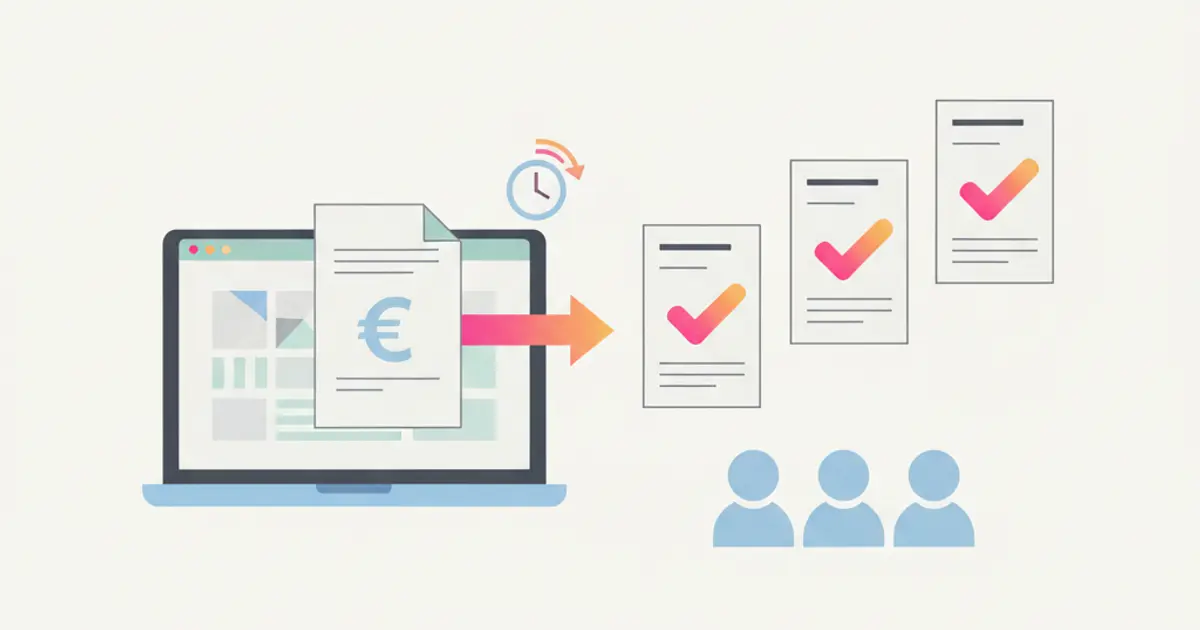
You closed the deal, delivered the work, the client is happy. And yet the invoice goes out two weeks later because "you did not have time." Another two weeks pass and the client still has not paid because the invoice got buried in their inbox. A month of work, zero cash collected. And the cycle repeats.
Late invoicing is one of the most underestimated problems in SMEs. It is not an accounting issue — it is a process issue. When billing depends on someone's memory, delays become the norm. And late payments follow right behind, creating cash-flow pressure that could be avoided entirely.
The solution is not hiring another person in administration. It is connecting the moment of sale to the moment of invoicing with an automatic flow that never forgets. Here is how to make it happen.
The real cost of invoicing delays
Every business has a number called DSO — Days Sales Outstanding. It measures the average number of days between completing a sale and actually receiving payment. For many SMEs, this number is shockingly high — often 60 to 90 days, sometimes more. And a significant portion of that delay is not because the client is slow to pay, but because the invoice was slow to be issued in the first place.
The impact on cash flow is direct and dangerous. Even profitable companies can face liquidity crunches when money owed sits uninvoiced. You have paid your suppliers, covered salaries, and invested in materials — but the revenue from those efforts is trapped in a pipeline of administrative delay. Meanwhile, you might be taking on debt or missing growth opportunities simply because the cash is not in the bank yet.
The pattern is almost always the same. A deal closes, but the salesperson does not notify accounting. Or they do, but the information is incomplete — missing fiscal codes, incorrect addresses, unclear payment terms. Accounting requests clarifications, days pass, the invoice finally goes out, the client takes their standard payment window on top of the delay, and you end up waiting months for money that should have arrived weeks ago.
This is not a problem you solve by telling people to be faster. It is a problem you solve by removing the manual steps between closing a deal and issuing an invoice.
The automatic invoicing queue
The concept is elegantly simple. Every time a deal is marked as won in your CRM, the system automatically generates an entry in the invoicing queue — a pre-filled invoice draft that contains all the information needed: client details, fiscal data, services rendered, amounts, VAT calculations, and payment terms. The administration team does not create invoices from scratch; they review and confirm them.
This shift — from "creating invoices" to "reviewing and confirming" — changes everything. The administrative workload drops dramatically. Human error (wrong amounts, missing data, incorrect tax rates) is virtually eliminated because the invoice pulls directly from the deal record. And the time between closing and invoicing shrinks from days or weeks to minutes.
For businesses with instalment billing, the system is equally powerful. When a deal involves multiple payments — say, 30% upfront, 40% at delivery, and 30% after 30 days — each instalment is pre-scheduled in the queue. The system creates the invoice draft at the right time, without anyone needing to remember the payment calendar.
The CRM pre-fills client fiscal data automatically, drawing from the contact record. Company name, VAT number, fiscal code, certified email address, billing address — all pulled in without manual transcription. If the data was entered correctly once, every invoice from that point forward is accurate by default. For Italian businesses dealing with electronic invoicing requirements, this alone saves hours of tedious data entry each month.
Integration with Fatture in Cloud
For Italian SMEs, Fatture in Cloud has become the de facto standard for electronic invoicing and fiscal management. It handles SDI submission, progressive numbering, and tax compliance — all the things that an accounting system needs to do well. The question is how to connect it to your sales process so the two systems work as one.
A CRM-to-Fatture in Cloud integration creates a bidirectional sync. Invoices generated in the CRM automatically appear in Fatture in Cloud, complete with all fiscal details and ready for SDI submission. Conversely, payments recorded in Fatture in Cloud flow back into the CRM, updating the deal record and the client's payment status.
The integration handles the full complexity of Italian fiscal requirements automatically. VAT calculations adjust based on the client's tax regime. Withholding tax and INPS contributions are applied where applicable. Stamp duty is added when required by law. And for businesses dealing with international clients under article 7-ter, the system applies the correct reverse-charge treatment without manual intervention.
Sequential numbering — a legal requirement for Italian invoices — is managed automatically. The system assigns the next number in sequence, ensures no gaps, and submits to SDI with the correct format. For businesses that issue dozens of invoices per month, this alone eliminates a significant source of stress and potential fiscal penalties.
The result is a flow where the salesperson closes the deal, the CRM generates the invoice, Fatture in Cloud processes it, SDI receives it, the client gets it — and the entire chain happens with minimal human intervention. Your accounting team focuses on exceptions and strategy, not on data entry.
Automatic payment reminders
Sending payment reminders is one of those tasks that everyone agrees is important and nobody wants to do. It feels uncomfortable to chase a client for money, especially when the relationship is good. So the reminder gets postponed, and postponed again, and before you know it, the invoice is 60 days overdue.
Automatic reminders remove the emotional friction entirely. The system sends professional, pre-written messages at defined intervals — a gentle reminder at 7 days past due, a firmer follow-up at 14 days, and an escalation at 30 days. The tone is always professional and courteous because the templates are crafted in advance, not written in frustration at 5 PM on a Friday.
The timing can be customized to match your business norms and client relationships. Some businesses send a courtesy notice a few days before the due date — a "heads up" that actually improves on-time payment rates significantly. Others start with a soft touch at one week overdue and gradually escalate. The key is consistency: every overdue invoice gets attention, not just the ones that happen to catch someone's eye.
Meanwhile, the sales team receives automatic notifications when a client falls behind on payments. This is crucial information for anyone managing the relationship. If a salesperson is about to propose a new project to a client who has not paid their last three invoices, they need to know. The CRM surfaces this context automatically, preventing awkward situations and protecting your cash position.
The entire workflow can be configured without technical expertise. You define the timing, choose the template, set the escalation rules, and the system handles the rest — week after week, without fail.
Payment reconciliation and analytics
Issuing invoices and collecting payments are only half the equation. Understanding where your money stands at any given moment is what turns billing from an administrative function into a strategic tool.
A financial dashboard inside your CRM shows the numbers that matter in real time: total invoiced this month, total collected, total outstanding, and — critically — total overdue. You can drill down by client to see who pays on time and who consistently delays. You can analyze by salesperson to understand which team members close deals that actually turn into cash and which close deals that turn into collection headaches.
Per-deal margin analysis becomes possible when invoicing data lives alongside deal data. If you know the deal value, the costs incurred, the commissions paid, and the actual amount collected, you can calculate true profitability per deal, per client, and per salesperson. This is the kind of insight that transforms how you price services and allocate resources.
Cash-flow forecasting draws from two sources: your sales pipeline (deals likely to close in coming weeks) and your upcoming invoice due dates (money already billed but not yet collected). Together, they give you a forward-looking view of your financial position — not a backward-looking accounting report, but a prediction of where you will be next month. For business owners who lose sleep over cash flow, this visibility is transformative.
Automatic monthly reports can be generated and sent to the owner, the accountant, and any other stakeholder who needs to see the numbers. No more scrambling to pull together a financial update for the Monday meeting. The data is always current, always accurate, and always available through your custom dashboards.
From manual billing to automated cash flow
The journey from manual invoicing to an automated billing system is not a massive overhaul. It starts with connecting your sales process to your billing process — making sure that when a deal closes, an invoice is born automatically. From there, you add payment tracking, reminders, and analytics layer by layer.
The payoff is immediate and measurable. DSO drops because invoices go out on time. Cash flow improves because reminders ensure timely collection. Administrative time shrinks because the team reviews instead of creates. And financial visibility appears for the first time in many businesses, enabling smarter decisions about pricing, hiring, and investment.
If your invoicing process today depends on someone remembering to send an email to accounting, you are leaving money on the table — literally. Every day an invoice is delayed is a day your cash is stuck in no-man's land. The tools to fix this exist, they work, and they integrate with the systems you already use. The only question is how many more months of delayed payments you are willing to accept before making the switch. If you are ready to configure your CRM for the first time, invoicing automation should be near the top of your setup list.
Share this article
Written by
Flusia Team
Related articles
Fatture in Cloud + CRM: Why Native Integration Makes the Difference
Discover how native Fatture in Cloud integration with your CRM eliminates double data entry, automates invoicing and saves hours every week.
Your Team Wastes 5 Hours a Week on Manual Tasks: Here's How to Automate
Discover which repetitive tasks drain your team's time and how workflow automation can give you back 5+ hours every week.

AI in CRM: 10 Things Artificial Intelligence Does for You (While You Work)
Discover 10 practical ways AI inside your CRM automates tasks, scores leads, transcribes meetings and helps your team sell smarter in 2026.