Fatture in Cloud: Quotes, Bank Reconciliation and CRM
How Fatture in Cloud handles quotes, purchase orders, bank reconciliation and payment tracking, and what native CRM integration adds for Italian SMBs.

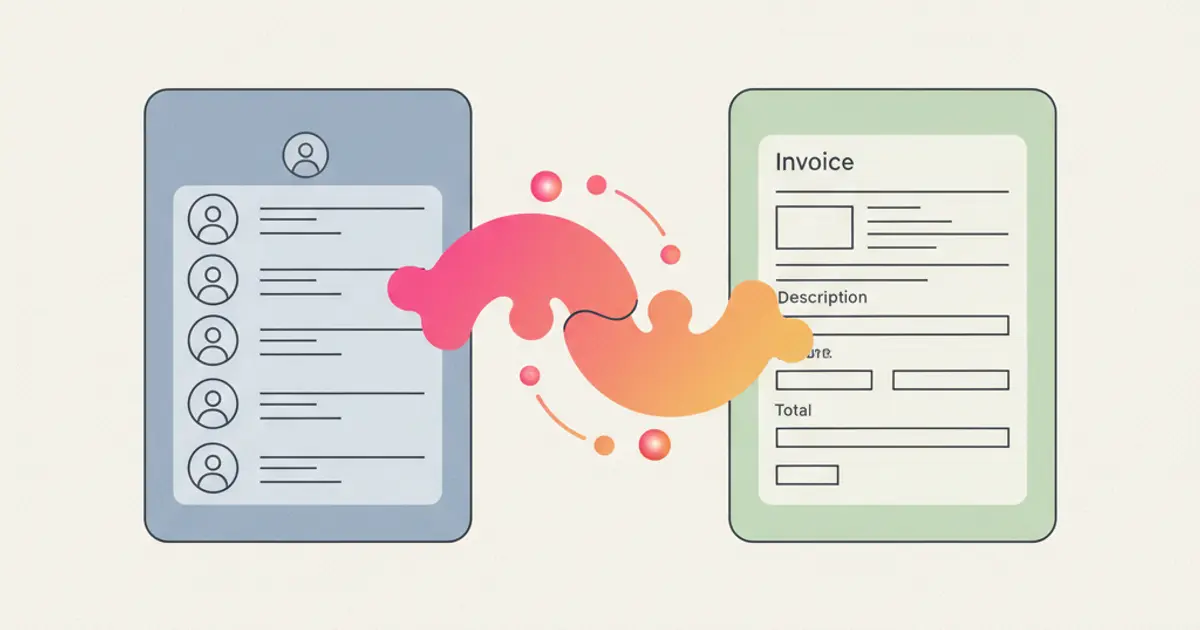
If your sales team closes deals in the CRM and your accounting team creates invoices in Fatture in Cloud, you're running two parallel universes that should be one. Every time someone copies a client's VAT number from one system to the other, every time a sales rep asks "has this invoice been paid?" and waits for accounting to check: that's not just inefficiency. It's a structural problem that compounds as your business grows.
Fatture in Cloud is widely used by Italian SMEs and freelancers, and for good reason. It handles electronic invoicing, SDI submissions, receipts, and fiscal compliance with remarkable ease. But Fatture in Cloud is an invoicing tool, not a CRM. It doesn't track leads, manage pipelines, assign tasks, or automate follow-ups. You need both, and more importantly, you need them connected.
Native integration means your CRM and Fatture in Cloud share data automatically, without third-party middlemen or CSV exports. When the client signs the quote, the invoice is queued with its lines already set. When a payment lands, the CRM shows it on the client record. This article explores what native integration actually looks like, why it matters more than you think, and how to stop treating invoicing and sales as separate departments.
The problem: two systems, zero connection
When your CRM and your invoicing platform operate independently, the friction accumulates in ways that are easy to overlook individually but devastating in aggregate. The most obvious symptom is duplicate data entry. Every client that exists in your CRM must also be created in Fatture in Cloud, with the same VAT number, the same address, the same fiscal details. Every time one of these fields changes (a new address, an updated SDI code), it must be updated in both systems.
Beyond the time this consumes, the real danger is data inconsistency. When the same client has slightly different records in two systems (a typo in the VAT number, an outdated address in one but not the other), invoices go out with incorrect information. This creates compliance issues with electronic invoicing requirements and, in the worst cases, rejected invoices that need to be corrected and resubmitted.
The sales team suffers from a visibility gap. A sales representative who wants to know whether a client's last invoice has been paid must ask the accounting team, who must log into Fatture in Cloud, look up the client, check the payment status, and report back. This back-and-forth takes minutes per inquiry and happens dozens of times per week in a busy organization. Meanwhile, the sales rep delays a follow-up call because they do not want to push for a new deal when a previous payment is outstanding.
The accounting team, for their part, deals with an invoicing bottleneck. They cannot create an invoice until they receive the deal details from sales. Those details often arrive late, incomplete, or in an informal format: a chat message, an email, a verbal request. The result is invoices that are created days or even weeks after the deal closes, harming cash flow and creating month-end reconciliation headaches. For teams interested in improving their overall sales pipeline management, fixing the invoicing gap is often the highest-leverage improvement available.
What native integration actually means
The term "integration" is used loosely in the software world, and not all integrations are created equal. Understanding the difference between direct bidirectional sync and other approaches is important before you invest in a solution.
A batch import means someone periodically exports data from one system and imports it into the other. This is not integration: it is manual synchronization with all the delays and errors that implies. A third-party automation connector is a step up: it can trigger actions in one system based on events in the other. But these middleware connections introduce an external dependency, add one more piece to maintain, and can stop working when data formats change or API rate limits are hit.
Native integration is fundamentally different. The CRM and Fatture in Cloud communicate directly through their APIs, with the logic built into the CRM itself. Data flows in both directions without intermediate services. Customers can be imported and exported between the two systems with one click. When an invoice is paid in Fatture in Cloud, the main events arrive in the CRM via webhook, and an automatic sync runs every hour.
The data that flows automatically includes customers (imported and exported in both directions, with their fiscal details), invoice preparation (a signed quote puts an invoice in the queue with services, quantities, VAT and instalments already set, ready for you to review and issue), and payment tracking (the payment status read from Fatture in Cloud is visible on the client record in the CRM).
Key benefits for your business
Time savings
The most immediate benefit is time, and you can measure it yourself. Removing double data entry, manual invoice preparation and payment status inquiries frees hours that today go into copying and checking. Count them for two weeks before the connection and two weeks after: the difference is your real number, not an industry average.
Copy-paste errors disappear because there is no copy-pasting. The client's VAT number is entered once and carried across by the customer sync. Invoice line items are pulled from the deal record, not retyped from memory or a screenshot. This elimination of manual steps does not just save time: it eliminates an entire category of errors that previously required time to detect and correct.
Month-end closing becomes faster because the data is already reconciled. The CRM and Fatture in Cloud agree on which invoices exist, which are paid, and which are outstanding. There is no scramble to match records, no hunting for discrepancies, no late-night spreadsheet reconciliation.
Better cash flow visibility
When payment data flows into the CRM, your sales team gains something they have never had before: up-to-date visibility into outstanding payments without leaving their primary workspace. A sales rep preparing for a client call can see at a glance whether the last invoice has been paid, whether there are overdue amounts, and what the client's overall payment history looks like.
This visibility enables smarter sales conversations. You would not push for a new engagement with a client who has three unpaid invoices without addressing the payment situation first. Conversely, a client with a perfect payment history is someone you can confidently upsell, knowing the commercial relationship is healthy.
Payment status reaches the CRM within the hour, so the people following the client and your automated workflows work from the same up-to-date picture. When an invoice becomes overdue, whoever follows the client sees the unpaid invoice straight away on the client record in the CRM and can write to them personally, by email or WhatsApp, before the next call. When a large payment lands, the account manager sees it on the client record and can send a personal thank-you. This connects the financial side of the business to the relationship side in ways that were previously impossible without manual monitoring.
Compliance without effort
For Italian businesses, electronic invoicing compliance is not optional. Every invoice must be formatted as XML, submitted through the SDI (Sistema di Interscambio), and stored for the legally required period. With the integration, this stays where it already works: Flusia prepares the invoice with its lines, VAT rates, stamp duty and payment terms, and Fatture in Cloud numbers it, signs it and transmits it to the SDI. The rules that apply to your case are a matter for your accountant.
This is particularly valuable for businesses that issue a high volume of invoices. Manual compliance checking is feasible when you send ten invoices a month. When you send a hundred, automated compliance is not a convenience: it is a necessity.
How the integration works in practice
Connecting your CRM to Fatture in Cloud is a short process. The Fatture in Cloud integration in Flusia works exactly this way, and the page lists field by field what travels in each direction. The setup involves authorizing the connection through Fatture in Cloud with OAuth, importing or exporting your existing customers to align the records, and deciding how queued invoices are grouped.
What syncs includes clients (bidirectional), invoices (prepared in the CRM, issued on Fatture in Cloud) and payment status (Fatture in Cloud to CRM). The signed quote puts the invoice in a queue with its lines already set, and a person reviews it before it is issued: you can consolidate the lines for the same client into a single invoice, or let each instalment generate its own invoice when due.
The same logic applies upstream, when orders come from an online shop rather than from a deal. With WooCommerce and the CRM in sync there is a single catalogue and stock updates on confirmed orders, so the data you later bill from does not have to be copied out of a second system. Setting up that connection, from the API keys to field mapping, is covered in the guide to warehouse management and WooCommerce sync.
Less common cases follow the same logic. Invoices for B2B, B2C and public administration clients are created from the CRM on Fatture in Cloud with their VAT rates, stamp duty and payment terms, and multi-line invoices are composed from the deal's service lines. For consultants and freelancers who rely on Fatture in Cloud for their entire billing workflow, the integration removes much of the copying between sales and billing.
How to connect Fatture in Cloud to Flusia, step by step
Flusia is an Italian CRM for SMEs and small teams that keeps leads, clients, quotes and WhatsApp conversations in one place, and connects them to the invoicing software you already use. Before you start, check two things. The integration is part of the Matrix plan, and you need an active Fatture in Cloud subscription: Flusia does not replace your invoicing software, it connects it to the CRM. Fatture in Cloud keeps numbering the invoices and sending them to the SDI, exactly as it does today.
- Open Settings → Integrations in Flusia and pick Fatture in Cloud. Sign in with your Fatture in Cloud credentials. It is an OAuth connection, so Flusia never stores your password. Once you confirm, the integration shows as connected, and you can revoke it at any time from Flusia or from the Fatture in Cloud panel.
- Bring your customers across with one click. Use the import and export of customers between Flusia and Fatture in Cloud: the customer sync works in both directions. When the import finishes, the clients you already invoice appear in the CRM with their fiscal details, ready to be linked to quotes and jobs.
- Complete the missing data before the contract. When you prepare a contract for a client whose record is incomplete, search for that client on Fatture in Cloud from Flusia and fill in the missing fields. The result is a record with VAT number, SDI code or PEC already in place, so the invoice does not stop at the first check.
- Let the signed quote fill the invoice queue. When the client signs the quote online, Flusia queues the invoice with services, quantities, VAT and instalments already set. If the quote foresees a deposit and instalments, each instalment generates its own invoice when it falls due; the guide on setting up a quote with deposit and instalments shows how to build that quote. You will see the new invoice waiting in the queue, not yet issued.
- Choose single invoice if you bill once a month. With the single invoice mode, the queued lines for the same client are consolidated into one document instead of one invoice per line. You get one invoice per client for the period.
- Review and issue. Check each queued invoice and issue it on Fatture in Cloud, which numbers it and sends it to the SDI. If you prefer, process the queue in bulk at month end. The issued invoice then appears in Fatture in Cloud with its number, and you can view it from the CRM on the client record.
- Follow the payment from the client record. An automatic sync runs every hour, and the main events (invoice paid, invoice changed) arrive immediately via webhook. If you need fresh data at once, start a manual sync from the Invoicing page. On the client record you will see which invoices are paid and which are not.
One point to keep clear with the team: editing an invoice that has already been issued happens in Fatture in Cloud. From the CRM you view issued invoices and link them to the client, but corrections are made where the invoice lives. The Fatture in Cloud integration page describes the same flow and what travels in each direction. If Fatture in Cloud is only one of the systems you need to connect, the guide on how to connect your CRM to your management software covers contract data and the other tools in the chain.
Common mistakes to avoid
The most frequent mistake is connecting the two systems without first cleaning up duplicate contacts. If the same client exists in both systems with slightly different data, the sync will either create duplicates or merge records incorrectly. Take the time to deduplicate before you activate the integration. It is a one-time effort that prevents ongoing headaches.
Field mapping deserves careful attention. Your CRM may use different field names or structures than Fatture in Cloud. Verifying that each field maps correctly (company name, VAT number, SDI code, PEC address) prevents invoices from going out with missing or misplaced information.
Training the team on the new workflow is essential. If your sales reps are accustomed to sending an email to accounting when a deal closes, they need to understand that this step is now automated. If your accountants are used to manually creating every invoice, they need to trust that the system is doing it correctly. Change management matters as much as the technical setup.
Finally, do not expect integration to fix broken processes. If your deal records are incomplete (missing line items, vague descriptions, no VAT rate specified), the integration will faithfully generate incomplete invoices. The integration automates your existing process; it does not improve it. Clean up your data and your process first, then automate.
Is it worth it? The ROI calculation
The return on investment for native invoicing integration is among the easiest to calculate in the CRM world. On the before side, count the hours spent on duplicate data entry, manual invoice creation, payment status inquiries, and error correction. Multiply by the loaded hourly cost of the people involved. Add the cost of delayed invoicing on your cash flow: even a few days' delay on a significant invoice has a real working-capital impact.
On the after side, the flow is automated. Client data syncs once and stays current. Invoices generate from deal data. Payment status is updated every hour, and immediately for the main events. Errors from manual transcription are eliminated. Put your own numbers on both sides before deciding: they are the only ones that count for your business. For a broader view of how automatic invoicing fits into your business operations, and to learn more about choosing a CRM that includes these capabilities, our guide on how to choose a CRM for SMEs in 2026 is a useful starting point.
If you already work with Fatture in Cloud, the shortest way to judge all this is to look at the real flow: see how the integration works, then try it on your own clients during the 30 day trial. These are general indications: for your specific case, check with your accountant.
Frequently asked questions
Who issues the invoice, the CRM or Fatture in Cloud? Fatture in Cloud. Flusia prepares the invoice in the queue from the signed quote, with services, quantities, VAT and instalments; you review it and issue it on Fatture in Cloud, which numbers it and sends it to the SDI. Corrections to issued invoices are also made in Fatture in Cloud.
Which Flusia plan includes the integration? The Matrix plan. You also need your own Fatture in Cloud subscription, because Flusia connects your invoicing software to the CRM rather than replacing it.
How quickly does a payment show up in the CRM? The main events, such as an invoice marked as paid or an invoice changed, arrive immediately via webhook, and a full automatic sync runs every hour. If you need to check right away, you can start a manual sync from the Invoicing page.
Share this article
Written by
Luca Bosso
Founder of Flusia
Related articles
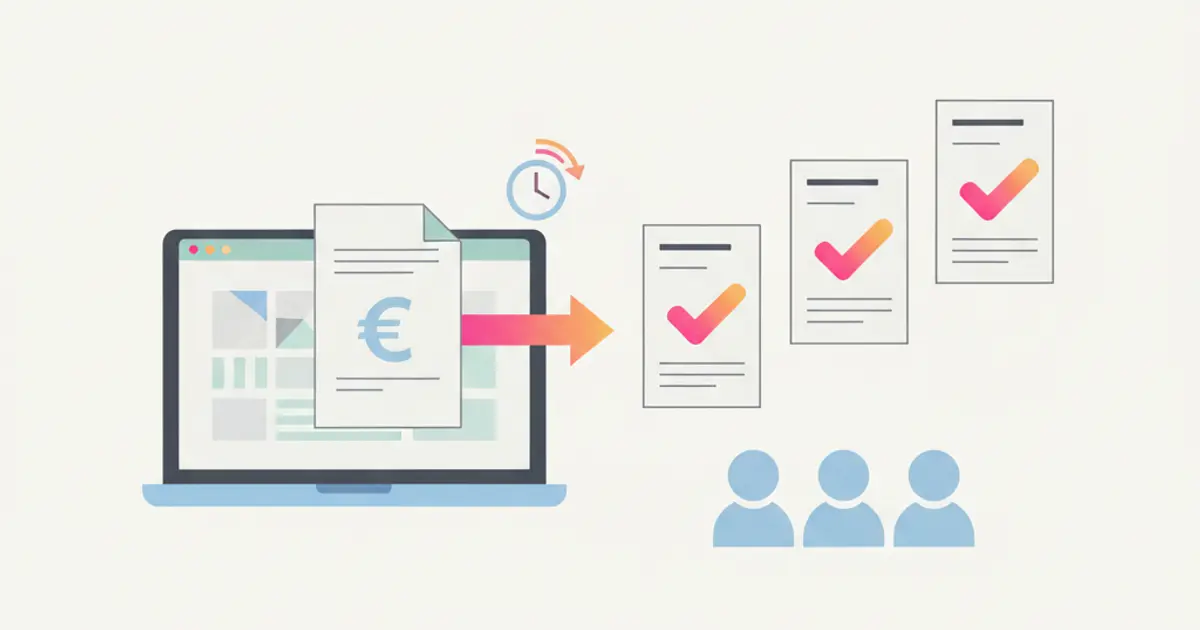
Late Invoices? How to Automate Billing and Get Paid Faster
Learn how to automate invoicing in your SME with automatic queues, Fatture in Cloud integration and smart payment reminders.

AI in CRM: 10 Things Artificial Intelligence Does for You (While You Work)
Discover 10 practical ways AI inside your CRM automates tasks, scores leads, transcribes meetings and helps your team sell smarter in 2026.
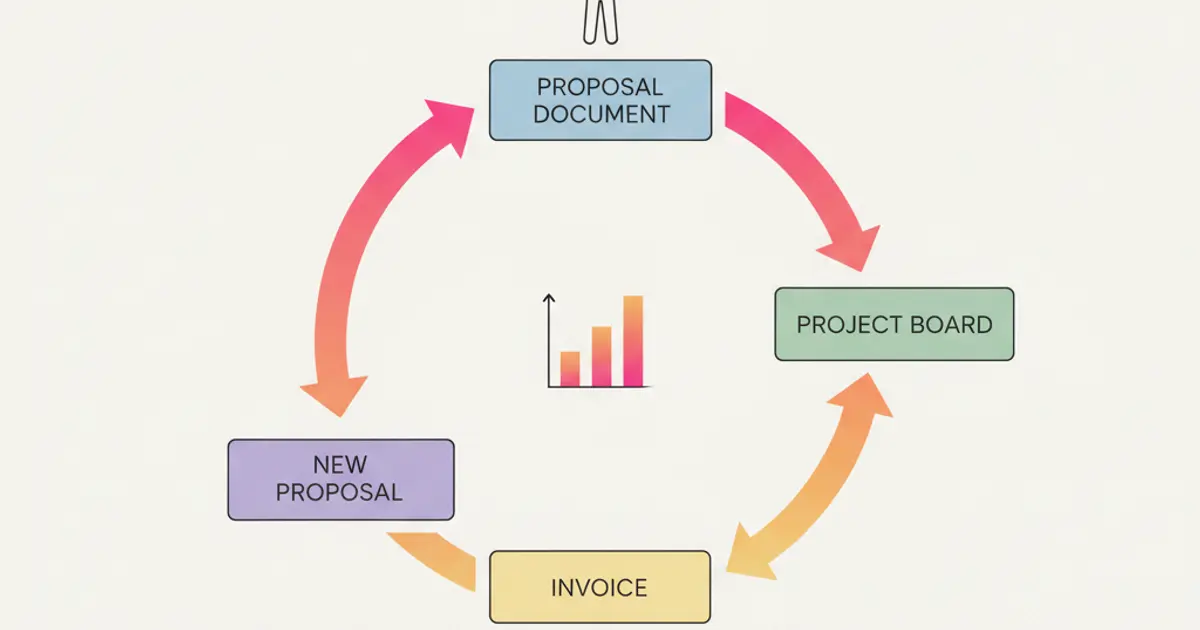
CRM for Consultants: From Proposal to Invoice in One Flow
How freelancers and consultants use a CRM to manage leads, send proposals, track projects and automate invoicing in a single streamlined workflow.