Sales Pipeline: Why Your Business Needs One (and How to Build It)
Learn what a sales pipeline is, why spreadsheets fall short, and how to build a structured sales process for your SME.

Imagine driving a car with no dashboard. No speedometer, no fuel gauge, no warning lights. You drive on gut feeling, hoping to reach your destination. Absurd, right? Yet that is exactly what most SMEs do with their sales.
Without a structured pipeline, every deal lives inside a salesperson's head. You have no idea how many opportunities are in play, what stage they are at, or which ones are about to stall. The result? Revenue forecasts become guesswork, deals die silently, and the end of the month is always full of surprises.
A sales pipeline is not a concept reserved for large enterprises with 50-person commercial departments. It is a practical tool that even a team of three can — and should — adopt. In this guide we cover what a pipeline is, how to build one from scratch, and how to turn it into the engine that drives your sales forward.
What is a sales pipeline
At its core, a sales pipeline is the visual path every deal follows from the moment a potential client first shows interest to the moment the deal closes — won or lost. Think of it as a map of your sales process, laid out in stages that reflect the real journey a prospect takes with your company.
It is worth clarifying a common confusion: a pipeline is not the same as a sales funnel. The funnel describes the broad journey of many leads narrowing down to fewer customers. The pipeline, on the other hand, tracks individual deals through specific stages. The funnel is about volume and percentages. The pipeline is about what is happening with each opportunity right now.
Why does this matter for your SME? Because the pipeline becomes the operational dashboard of your sales team. At a glance, you can see how many deals are active, which stage each one is in, and where the bottlenecks are forming. A service-based company might have stages like "discovery call, proposal sent, contract review, signed." A product-based company might use "demo scheduled, trial started, pricing discussed, order placed." The stages change, but the principle remains: you gain predictability, control, and speed.
The immediate benefits are tangible. You can forecast revenue with confidence because you see what is likely to close this month. You spot stalled deals before they die. And you can coach your team on exactly where they need help — not with vague advice, but with data showing that deals consistently stall at the proposal stage, for example.
Why spreadsheets are not enough
Spreadsheets are the gateway drug of business management. They are flexible, familiar, and free. Every SME starts there, and for the first ten or twenty deals, a spreadsheet works just fine. The problems creep in slowly — and by the time they become obvious, you have already lost deals because of them.
The first issue is concurrency. The moment two people try to update the same spreadsheet, you have a conflict. Even with cloud-based spreadsheets, simultaneous edits lead to overwritten data, merged cells that break formulas, and the dreaded "which version is correct?" conversation. In a CRM, every team member works on the same live data without conflicts because each deal is a structured record, not a row in a grid.
Then there is the complete absence of automation. A spreadsheet cannot remind you to follow up with a lead. It cannot send a notification when a deal has been stuck for two weeks. It cannot automatically assign a new inquiry to the right salesperson. Everything depends on someone remembering to check the file, update the row, and take action. In practice, that means things fall through the cracks — often the most important things, because those are the ones that require the most attention at the busiest times.
The hidden cost is enormous. A typical salesperson spends three to five hours per week updating spreadsheets instead of selling. That is time spent formatting cells, scrolling through tabs, and cross-referencing data that could be spent on the phone with a prospect. When you multiply that across a team, the lost productivity is staggering. If your team is still running on spreadsheets, here is a deeper look at why and when to switch.
The 5 stages of the ideal pipeline
Every business is different, but most sales processes can be mapped to five fundamental stages. You can customize the names and add stages later, but starting with these five gives you a solid, functional pipeline from day one.
Stage 1: First contact
This is where every deal begins. A lead has expressed interest — they filled out a form, sent a WhatsApp message, called your office, or was referred by an existing client. The goal at this stage is simple: register the lead and make initial contact quickly. Capture the minimum essential information — name, company, contact details, source, and what they are looking for. The clock starts ticking the moment the lead arrives. Research shows that responding within five minutes dramatically increases your chances of moving to the next stage.
Stage 2: Qualification
Not every lead deserves equal attention. Qualification is the stage where you determine whether this prospect is genuinely worth pursuing. A simplified framework works well for most SMEs: Does the prospect have a real need your product or service solves? Do they have the budget to afford it? Do they have the authority to make the decision? And is the timing right — are they looking to buy now or in six months?
Marking a lead as qualified in your CRM is a deliberate act that signals to the rest of the team: this is a real opportunity. It also helps with lead scoring, where qualified leads automatically receive higher priority.
Stage 3: Proposal
Once a lead is qualified, it is time to present your solution. This stage involves creating a quote or proposal, ideally using reusable templates that speed up the process while maintaining a professional appearance. A CRM linked to your deal record can pre-fill client information, pricing, and terms, turning a 30-minute task into a 5-minute one.
Tracking whether the proposal has been opened and read is invaluable. If the prospect opened your proposal three times in two days, that is a buying signal. If they have not opened it in a week, it is time for a follow-up. This kind of intelligence is impossible with a spreadsheet and standard email.
Stage 4: Negotiation
The proposal is on the table, and now the conversation shifts to terms, pricing adjustments, and handling objections. This is where detailed notes and conversation history inside the CRM become critical. Every call, every email, every objection raised — all logged against the deal. If a colleague needs to step in, they have full context.
Watch for signals that a deal is going cold: long gaps between responses, vague commitments, or repeated delays on the prospect's side. A well-configured pipeline can automatically flag deals that have been in negotiation too long, prompting your team to take action before the opportunity dies quietly.
Stage 5: Close (won or lost)
Every deal ends here, and both outcomes are valuable. When you win, the close triggers the next phase — automatic invoicing, onboarding tasks, welcome emails, and project setup. When you lose, the reason matters enormously. Was it price? Timing? A feature gap? Recording this data consistently allows you to analyze patterns and improve your process over time.
How to automate the pipeline
A pipeline without automation is a pipeline that depends entirely on human discipline — and human discipline is unreliable at scale. The good news is that most pipeline activities are highly predictable and therefore perfect candidates for workflow automation.
Entry automations route new leads to the right salesperson automatically. You can define rules based on geography, deal size, product type, or a simple round-robin rotation. The lead arrives, and within seconds it has an owner — no manual assignment needed.
Stage automations keep deals moving. When a deal has been sitting in the same stage for longer than your defined threshold — say, five days in "proposal sent" — the system sends an alert to the salesperson and optionally their manager. Stale deals get attention before they become lost deals.
Close automations are where things get really powerful. The moment a deal is marked as won, the CRM can generate an invoice draft, send a welcome email to the new client, create delivery tasks for the operations team, and schedule an onboarding call. All without anyone clicking a button. You define the workflow once, and it executes flawlessly every time.
Kanban vs. list: which view to choose
Most modern CRMs offer two primary views of your pipeline: kanban (a visual board with columns) and list (a table with rows and filters). Both have their place, and the best approach is usually to use both depending on the context.
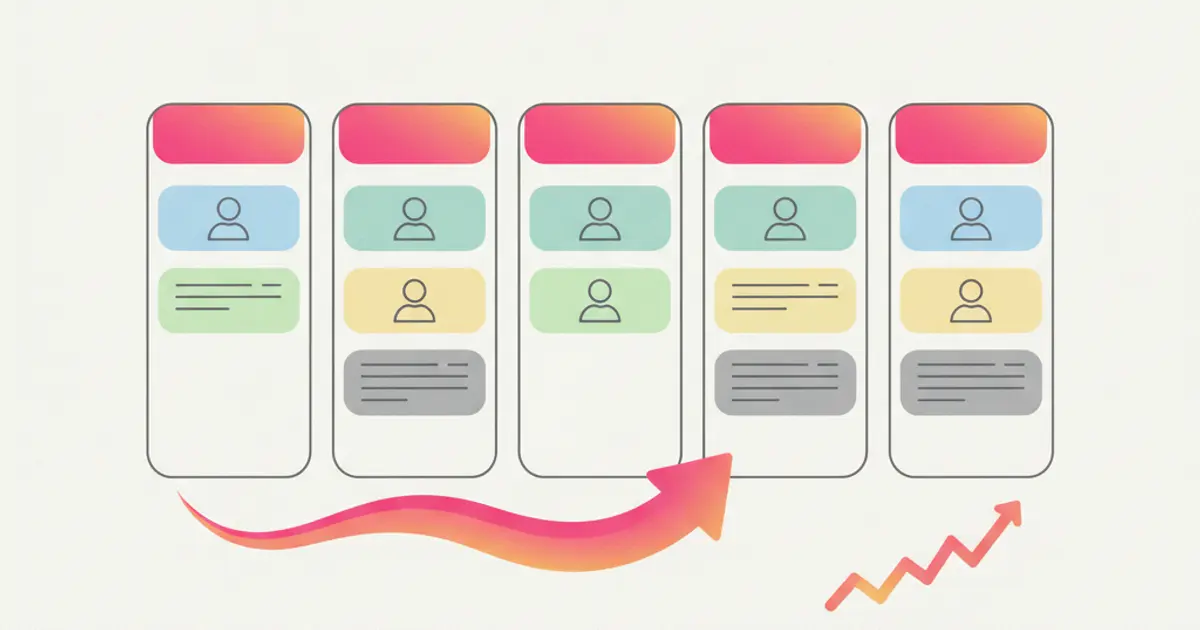
The kanban view is ideal for visual thinkers and teams with fewer than 50 active deals. Each column represents a pipeline stage, and each card represents a deal. You can drag a deal from one stage to the next in a single motion. It is intuitive, fast, and gives you an instant sense of where things stand. The visual impact of seeing 20 deals piled up in "proposal sent" and only 2 in "negotiation" tells a story that no spreadsheet ever could.
The list view excels when you need to work with high volumes or advanced filters. Sorting deals by close date, filtering by salesperson, or exporting a subset for a meeting — all of these are faster in list mode. It is also the preferred view for managers who need to slice and dice the data.
The ability to switch between views without losing context is key. Customize your kanban columns to match your exact sales process, and make sure both views reflect the same underlying data. There should never be a "kanban version" and a "list version" of the truth.
Metrics to monitor
A pipeline is only as useful as the insights you extract from it. There are five metrics every SME should track from day one.
Conversion rate by stage tells you where deals are getting lost. If 80% of leads pass qualification but only 30% survive the proposal stage, you know exactly where to focus your improvement efforts.
Average time in each stage reveals bottlenecks. If deals spend an average of two days in first contact but three weeks in negotiation, your negotiation process needs attention.
Average deal value helps you understand what your pipeline is actually worth and whether your team is pursuing the right opportunities.
Velocity — the average number of days from first contact to close — is the single most powerful metric for forecasting. If your velocity is 45 days and you have 20 deals in the pipeline, you have a clear picture of what the next six weeks look like.
Finally, revenue forecast combines pipeline status with historical conversion rates to predict future income. A well-built dashboard shows all of these metrics in real time, giving you the confidence to make decisions based on data rather than hope. Setting up your pipeline properly is one of the first things you should do when configuring your CRM, and the payoff is immediate.
Share this article
Written by
Luca Bosso
Founder of Flusia
Related articles

How to Manage Leads Without Losing Them: 7 Mistakes Costing Your SME Sales
Discover the 7 most common lead management mistakes and how a structured CRM can help your SME stop losing sales opportunities.
How to Calculate Sales Commissions for Agents
A practical guide to sales commission calculation: rates, tiers, referrers, margin based plans and how to make the CRM run the numbers for you.
Automatic Lead Scoring: How to Prioritize the Right Clients
Learn how automatic lead scoring in your CRM helps you focus on the hottest leads, automate qualification and close more deals faster.