Your CRM Is a Spreadsheet? Here's Why You're Limiting Growth
Understand the real cost of managing clients in Excel and when it is time to switch to a proper CRM for your growing SME.

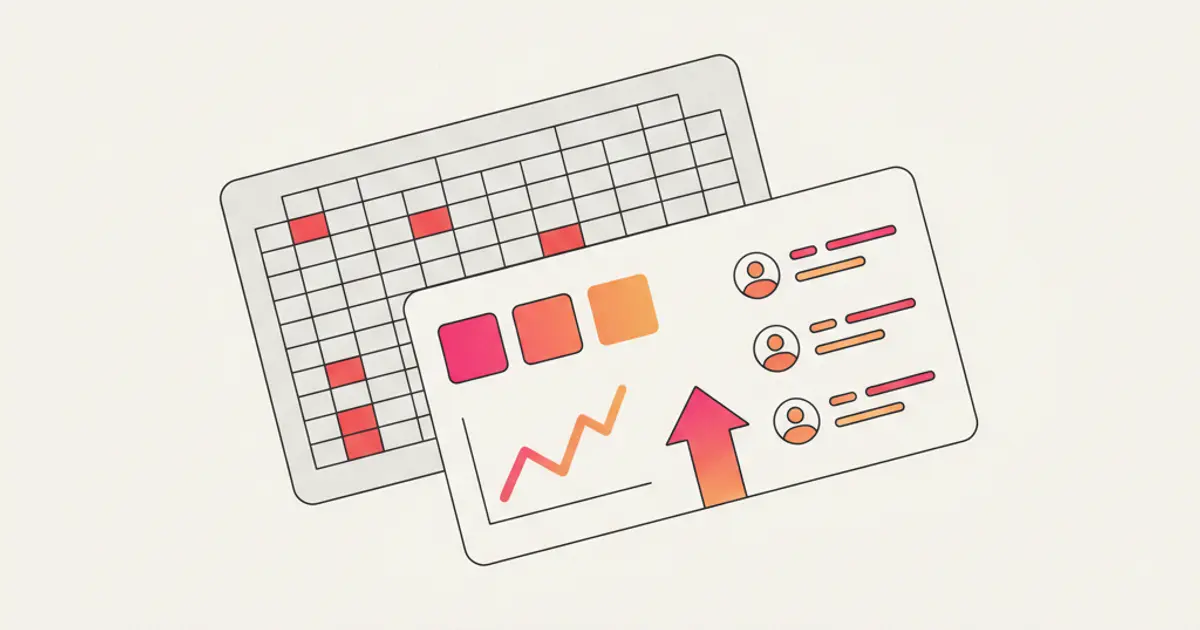
There is a spreadsheet somewhere in your company. It has been around for years. It started with three columns — name, phone number, notes — and now it has 47 tabs, conditional formatting that nobody remembers setting up, and a macro that breaks every time someone adds a row. It is your CRM. And deep down, you know it is holding you back.
Spreadsheets are brilliant tools for what they were designed to do: calculate numbers. But they were never built to manage relationships, track conversations, automate follow-ups, or give you a real-time view of your sales pipeline. The moment your business grows beyond a handful of clients, the spreadsheet becomes a bottleneck — one that costs you deals, time and sanity.
If you have ever lost a lead because someone overwrote a cell, missed a follow-up because the reminder was a highlighted row, or spent a Friday afternoon merging duplicate entries, this article is for you. Let us look at why the switch matters and how to make it painlessly.
What a spreadsheet actually costs you
The visible cost is the easiest to quantify. How many hours does your team spend each week on manual data entry, updating rows, fixing broken formulas, and scrolling through tabs to find the information they need? For most SMEs, this number falls between three and five hours per person per week. That is time explicitly not spent selling, serving clients, or growing the business.
But the invisible cost is far greater. These are the leads that slip through because nobody saw the new row in a crowded sheet. The follow-ups that never happened because there is no alert system — just a highlighted cell that everyone learned to ignore. The deal that died silently because the salesperson who was handling it left the company, and their notes were in a personal column that nobody knew how to interpret.
Data integrity is a constant battle in spreadsheets. Duplicate rows proliferate because there is no deduplication mechanism. Phone numbers appear in three different formats. Someone accidentally deletes a formula and the entire "revenue forecast" column shows zeros. Each of these issues is small on its own, but collectively they erode trust in the data — and when you cannot trust your data, every decision based on it becomes a gamble.
Collaboration in a spreadsheet is a polite fiction. Even cloud-based tools that allow simultaneous editing create problems at scale. Two people updating the same client's row at the same time, conflicting edits that overwrite each other, the perpetual question of "which version is correct?" In a CRM, every field is a structured, versioned record. Two people can work on the same client without ever conflicting, because each interaction — a note, a call log, an email — is a separate entry in a shared timeline.
Then there is security. Your entire client database — names, phone numbers, email addresses, deal values, notes about personal preferences — sits in a single file that can be downloaded, forwarded, or accidentally shared with anyone. There are no access controls, no audit trails, and no way to know who saw what. In the age of data privacy regulations, this is not just a business risk — it is a legal one.
What a CRM actually does differently
The fundamental difference is this: in a spreadsheet, a client is a row. In a CRM, a client is a living record with history, notes, tasks, documents, conversations, and relationships — all connected and all accessible in context.
Automation is perhaps the single biggest differentiator. A CRM can send follow-up reminders, assign new leads to the right salesperson, notify managers when deals stall, and trigger entire workflows based on events. A spreadsheet can do none of these things. Every action depends on someone looking at the right row at the right time and remembering to do something about it.
Pipeline visibility means you can see every deal at every stage, always up to date, without asking anyone for a status update. A visual kanban board shows you at a glance where opportunities are clustering, where they are stalling, and where your team should focus. Try doing that with a spreadsheet — it involves pivot tables, manual updates, and a prayer that the data is current.
Team collaboration in a CRM is native, not bolted on. Every team member sees the same data in real time. Activity logging, shared notes, and conversation history mean that anyone can pick up where a colleague left off. There are no locked files, no merge conflicts, and no "I was working on that" moments.
Permissions control who sees what, down to the field level if needed. A junior salesperson sees their own deals. A manager sees the team's performance. An intern cannot export the entire database. This is not about distrust — it is about appropriate access and regulatory compliance.
And mobile access means your data is available everywhere — in a client meeting, on the commute, at a trade show. Not as a clunky spreadsheet on a phone screen, but as a proper mobile interface designed for quick updates and lookups.
The 5 signs it is time to switch
1. You are losing track of conversations
Clients mention things you should already know. A prospect references a call from two weeks ago and nobody on your team recalls the details. Team members ask each other "did anyone follow up on this?" with increasing frequency. When your institutional memory depends on individual recall rather than a shared system, you are operating on borrowed time. One sick day, one busy week, and the thread is lost.
2. Follow-ups depend on memory
There is no system that reminds anyone to call back. The only trigger is someone's mental to-do list, which is already overloaded with a hundred other things. Leads go cold not because your team does not care, but because they genuinely forgot — and the spreadsheet certainly was not going to remind them.
3. Reporting takes hours
Every month, someone spends half a day assembling a sales report from the spreadsheet. They copy data into a presentation, create charts manually, and reconcile numbers that never quite match last month's format. Meanwhile, a CRM generates the same report in seconds, with real-time data, every time. The hours saved on reporting alone often justify the switch.
4. Onboarding a new team member is painful
"Just look at the spreadsheet" is not a training plan. New hires spend weeks trying to understand the data structure — which columns matter, which tabs are current, what the color codes mean, and why some rows have notes and others do not. In a CRM, the interface is self-explanatory, the data is structured, and a new team member can be productive within a day, not a month.
5. You have more than 100 active contacts
At a certain volume, scrolling through rows stops being viable as a management strategy. Finding, filtering, and segmenting contacts — "show me all leads from Milan who inquired about service X in the last 30 days" — is a multi-step exercise in a spreadsheet and a one-click operation in a CRM. If your contact list has grown beyond what fits comfortably on a single screen, you have outgrown the spreadsheet.
How to migrate without chaos
The fear of migration keeps many SMEs stuck in spreadsheet purgatory long after they should have switched. The concern is understandable — years of data, established habits, the risk of losing something in the transition. But the process is far simpler than most people imagine.
Start by cleaning your data before moving it. This is actually a gift: migration forces you to deduplicate, standardize formats, and discard outdated information. That spreadsheet from 2019 with 500 contacts? Half of them probably have changed jobs. Clean first, import second.
Map your spreadsheet columns to CRM fields. Name becomes name. Phone becomes phone. That mysterious column labeled "notes 2 (old)" either gets consolidated or deleted. Most CRMs offer an import wizard that lets you match columns visually.
Import in batches, not all at once. Start with your current active clients and deals. Verify that the data looks correct. Then import historical data in phases. This approach lets you catch issues early without overwhelming the system or your team.
Run both systems in parallel for one week. Tell the team to use the CRM as the primary tool but keep the spreadsheet accessible as a reference. After seven days, most people will have naturally shifted to the CRM because it is simply faster and more capable. That is when you make the clean cut.
The most common fear — "we will lose data" — is almost always unfounded. Modern CRMs let you export everything at any time. Your data is actually safer in a structured system with backups, version history, and access controls than it ever was in a shared spreadsheet.
What changes in the first month
The changes are visible almost immediately. Time saved on data entry and reporting is the first thing teams notice. Tasks that used to take 30 minutes — generating a weekly report, looking up a client's history, creating a follow-up list — now take seconds.
Visibility appears for the first time in many businesses. When you set up your pipeline and populate it with active deals, you suddenly see the full picture: how many opportunities are open, where they stand, and which ones need attention. For many business owners, this is a revelation — and a wake-up call about deals that were silently dying.
Accountability is a natural byproduct of a CRM. Every lead has an owner and a next action. There is no ambiguity about who is responsible for what. This does not create a surveillance culture — it creates clarity, and clarity reduces stress for everyone.
And there is the morale factor. When a team stops dreading the spreadsheet — the formatting issues, the merge conflicts, the Friday data cleanup rituals — and starts working with a tool that actually supports their workflow, the energy shifts. People feel more professional, more organized, and more confident. That intangible shift often produces the biggest long-term impact on revenue and client satisfaction.
Share this article
Written by
Flusia Team
Related articles
How to Choose the Right CRM for Your SME: Complete 2026 Guide
A practical guide to choosing the right CRM for your Italian SME in 2026: features, pricing models, red flags and what actually matters.
Why 79% of Italian SMEs Don't Use a CRM (and What They're Missing)
79% of Italian SMEs don't use a CRM. Discover the 5 most common objections, how much NOT having a CRM costs, and when to start.

How to Configure Your CRM in the First 30 Days: Complete Checklist
A step-by-step checklist to set up your CRM properly in the first 30 days: data import, pipeline, automations and team onboarding.