How to Turn a Quote into an Invoice
How to turn an accepted quote into an invoice without retyping: client details, line items, VAT and instalments, with steps for single and staged payments.

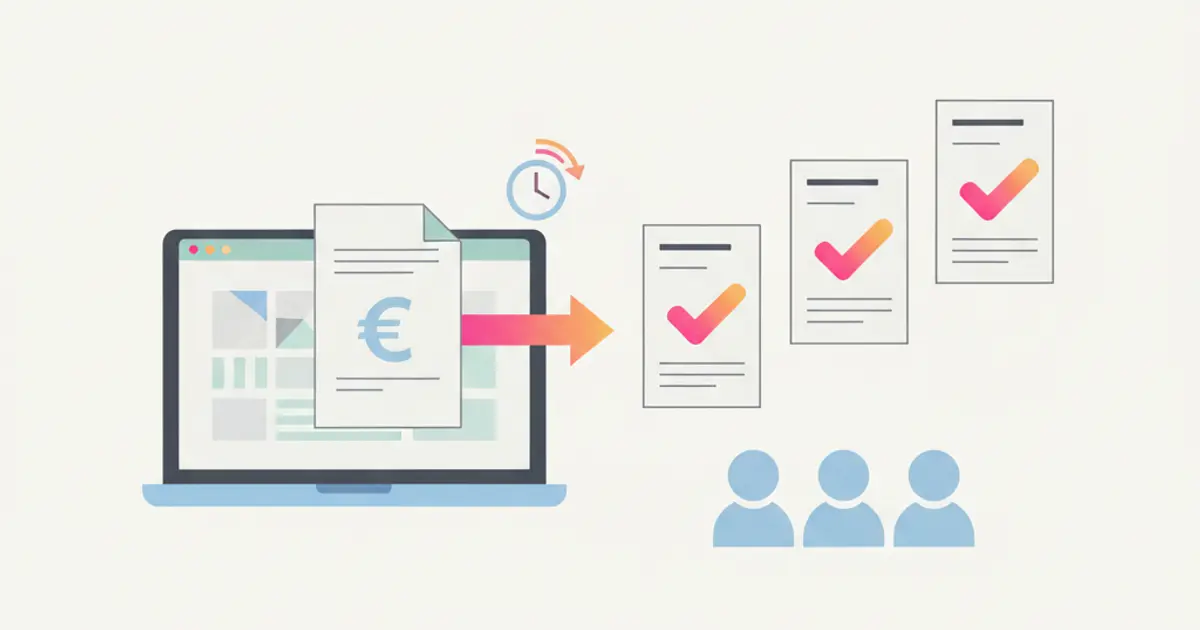
To turn a quote into an invoice, start from the version the client actually accepted and carry its data across unchanged: client billing details, line items with quantities and prices, the VAT rate of each line and the payment schedule. A single-payment quote becomes one invoice; a quote with a deposit and instalments becomes one invoice per instalment, issued when each falls due. It pays to let the invoice start from the quote data, because every retyped number is a number that can drift away from what was signed.
If today you finish a quote, wait for the yes and then copy items, VAT and instalments by hand into your invoicing software, by the end of this guide you will have a repeatable procedure for every type of quote and a short list of checks that catch errors before the invoice reaches the client.
What you need before you start
- A quote that has really been accepted. A signature, a signed PDF or a written acceptance that you can find again. A "sounds good" on the phone is a starting point for a conversation, not for an invoice.
- Complete client billing details. Legal company name, tax or VAT number, full address, and whatever your country requires to deliver an invoice. In Italy that means the recipient code or a certified email address (PEC) for e-invoicing. Collect them before the signature, not after: once the client has signed, they answer with less urgency.
- Line items with quantities, prices and VAT rates. Each service on its own line, with its own rate. If the quote is one line with one number, the invoice will be too, and the client will struggle to match them. The structure of a clear quote is covered in the guide on how to write a professional quote.
- The payment plan. Single payment, or deposit plus instalments with their due dates. The plan decides how many invoices you will issue and when.
- Your invoicing software, ready to receive the data. Whatever you use to number invoices and, where required, send them to the tax authority's system. A quote is not a tax document: the issued invoice is.
How to turn a quote into an invoice, step by step
This is the general procedure. The variants below adapt it to the most common cases.
- Open the signed version of the quote, not the last draft. If you sent three versions, only the one the client accepted counts. You should see its number, date and the client's acceptance.
- Copy or confirm the client's billing details. Check them against the quote and against any previous invoice the client has already received without complaints. At this point the header of the invoice is complete.
- Bring over the line items as they are. Same names, same quantities, same unit prices, same discounts. Add to each line the period or milestone it refers to and the quote reference, so the client's accounts team can match the invoice easily.
- Assign the VAT rate line by line. Different services can have different treatments, and clients abroad often follow different rules from domestic ones. You now see the taxable amount, the tax and the total.
- Decide which part of the quote this invoice covers. The whole quote, the deposit, or a specific instalment. The amount of the invoice has to match that part to the cent.
- Set the due date and the payment method. The due date of an instalment says when you issue the invoice; the payment terms say how many days the client has to pay after that. Keep them separate.
- Compare the invoice with the quote before issuing it. Total, number of lines, rates, client data. Once it is issued and sent, correcting it usually takes a credit note, so the check belongs here, not afterwards.
- Issue and send it, then record that it was issued. Mark the quote or the instalment as invoiced, so that nobody issues it a second time and nobody forgets the next one.
Variant 1: a quote with a single payment
This is the simplest case: a fixed-price service, a one-off consultancy, a training day. One quote, one invoice.
The procedure is the one above, with two points of attention. The first is timing: decide whether you invoice at signature, at delivery or at a set date, and write it in the quote, so the client is not surprised. The second is completeness: if the client added a small extra by email after signing, it is not part of the signed quote. Either issue an updated version of the quote that both sides accept, or invoice the extra separately with its own reference.
Variant 2: a quote with a deposit and instalments
Project work is often paid in stages. A typical plan is a deposit at signature, a second instalment at a milestone and a balance on delivery. Here a quote becomes several invoices, one per instalment, each issued when its due date arrives.
Imagine, as an example, a small marketing agency that signs a 9,000 euro project, before tax, with 40% at signature, 30% at approval of the creative concept and 30% at launch:
| Invoice | Amount | When you issue it |
|---|---|---|
| Deposit | 3,600 euro | On signature |
| Second instalment | 2,700 euro | On approval of the concept |
| Balance | 2,700 euro | On launch, or by a fallback date |
Three things to watch. Each invoice should say which quote and which instalment it refers to. The sum of the invoices should end up equal to the total signed. And the instalments that depend on a milestone need someone, or something, that notices when the milestone is reached: this is where instalments get forgotten. How to design the plan itself, percentages and fallback dates included, is covered in the guide on setting up a quote with deposit and instalments.
A deposit can also have tax consequences of its own, and the rules depend on the country and on the type of service. In Italy, as a general rule for services, receiving a deposit normally leads to an invoice for that amount; the official reference is the Agenzia delle Entrate.
Variant 3: several items or instalments in one invoice
Sometimes the opposite is needed. A client with a few small quotes running at the same time, or several instalments falling due in the same month, may prefer one document instead of five. Consolidating is fine as long as each line keeps its own reference: the quote it comes from, the instalment or period, the amount. The client sees one total, but can still tick off each item against what they signed.
Agree on this with the client first. Some accounts teams want one invoice per order or per cost centre, and a consolidated invoice they cannot split can end up stuck in their approval process.
How to do it in Flusia with Fatture in Cloud
In the Flusia quoting module you build the deal from your service catalogue and, for each line, set a payment plan with the amounts and due dates of the instalments. In the billing step of the deal there is also the Create a single invoice with multiple lines option: one invoice with all the instalments as separate lines, each with its own payment due date. The client signs from a link. If they prefer paper, you record the acceptance from the deal page by uploading the signed contract as a PDF. After signature or acceptance, the instalments go into the invoicing queue.
If you issue invoices with Fatture in Cloud, the Italian e-invoicing software, Flusia connects to your account through the Fatture in Cloud integration. The flow:
- Connect Fatture in Cloud from the settings. You log in with your Fatture in Cloud account; the Connessione (connection) tab shows when the access expires and has a button to check it. You need an active Fatture in Cloud account: Flusia does not replace your invoicing software.
- Open the Fatture in Cloud page from the Invoicing menu. Once connected, it has the tabs Emesse (issued), Da Emettere (to issue), Previsionale (forecast) and Riconciliazione (reconciliation).
- Check the Da Emettere tab. It lists the invoices ready to be issued, generated from signed contracts: instalments, recurring fees and variable items. Each row has its status, such as pending, completed or error.
- Issue the invoice. From the row you choose to issue it and confirm. Alternatively, from the Fatture in Cloud section of the contract you use the Create invoice button. The invoice is created in Fatture in Cloud and stays linked to the contract in the CRM; if the client does not exist yet in Fatture in Cloud, their record is created too. For sending it to the SDI, the Italian e-invoicing exchange system, follow the way you already work in Fatture in Cloud.
- Look at the coming months in the Previsionale tab. It shows contracts month by month, with the planned instalments and the invoices already issued matched to them, so next to each instalment you see whether the invoice is there.
Corrections to an invoice already issued are made in Fatture in Cloud, and the change then reaches the CRM through synchronisation. The full picture is on the Flusia invoicing page.
Alternative method: retyping into your invoicing software
If your quotes and invoices live in two separate tools, you can still make the transfer reliable. The work is the same as the step by step above; what changes is that the checks are on you.
Before issuing each invoice, compare it with the signed quote on these points:
- client name, tax number and delivery details match the most recent data you have;
- number of lines, descriptions and quantities are the same as in the quote;
- every line has the right VAT rate;
- the invoice amount matches the deposit, instalment or total it refers to;
- the quote number and the instalment appear in the description.
Then keep a simple register, one row per instalment, with quote number, amount, due date and the number of the invoice issued. A spreadsheet is enough at the start. Review it once a week: every row with a due date in the past and no invoice number is an instalment you are about to forget. It works, but it depends on someone remembering to look, which is exactly the step that slips in busy weeks.
Common mistakes
Invoicing a quote not yet accepted. Sending an invoice for an offer the client is still considering creates a document to cancel, and a client who feels rushed. Wait for the signature or the written acceptance, and only then invoice. If the quote is stuck, the guide on how to follow up a quote helps you get a clear answer, and if your clients still sign on paper, see how to get a quote signed online.
Incomplete client data. A missing tax number or delivery code can block or delay an e-invoice. Ask for billing details together with the signature.
Forgotten instalments. The deposit gets invoiced at signature; the second instalment, tied to a milestone months later, is the one that slips. Every instalment needs a due date written somewhere that someone actually checks.
Totals that do not match the quote. A changed price, a rounding difference, a discount applied twice. If the sum of the invoices differs from the signed total, the client notices and payment stops while you explain. Compare before issuing, not after.
What comes next
Once the method is set, every quote follows the same path: written acceptance, complete data, identical lines, one invoice per instalment, a check of the totals before issuing.
The natural next step is to try it on a real job: build your next quote with its instalments in the Flusia quoting module, send it for signature, and once the client signs, find the instalments waiting in the invoicing queue with the amounts and due dates you wrote in the deal.
Flusia is an Italian CRM for small and mid-sized businesses that keeps quotes, clients and invoicing in the same flow: a service catalogue, instalments with amounts and due dates, client signature from a link and an integration with Fatture in Cloud. You can try it free for 30 days.
These are general guidelines: for your specific case, and especially for VAT and deposit rules, check with your accountant.
Frequently asked questions
Can I invoice a quote before the client signs it? An invoice normally follows an agreed sale. Invoicing an offer that is still under discussion creates documents to cancel and confuses the client. Wait for the acceptance, then invoice what was accepted.
Should a quote with instalments become one invoice or several? Usually one invoice per instalment, issued when each falls due, so that each invoice matches a payment. If the client prefers fewer documents, you can consolidate instalments falling in the same period into one invoice, keeping a separate line and reference for each.
What if the price changed after the quote was signed? Update the quote with a new version that the client accepts, then invoice from that version. Invoicing an amount different from the signed document, without a written agreement, invites a dispute.
How does Flusia connect to Fatture in Cloud? From the settings, by logging in with your Fatture in Cloud account. From then on, the issued invoices, credit notes and clients in Fatture in Cloud reach the CRM through synchronisation, while corrections to invoices already issued are made in Fatture in Cloud.
Share this article
Written by
Luca Bosso
Founder of Flusia
Related articles
How to Set Up a Quote with Deposit and Instalments
How to set up a quote with a deposit at signature and the balance in dated instalments: percentages, due dates, invoices, and three common project cases.
How to Quote on WhatsApp: Send, Accept and Follow Up
How to quote on WhatsApp: send the quote as a PDF or link from phone or desktop, what to write with it, then handle the reply, the acceptance and the follow up.
Quoting Software: How to Choose the Right One
What quoting software has to do: reusable templates, one price list, statuses and expiry dates, plus how to move across from documents without stopping work.