How to Use a Free CRM Trial to Make a Real Decision
Use a free CRM trial to decide: prepare your real customer list and three processes, test them with your team week by week, then judge on written criteria.

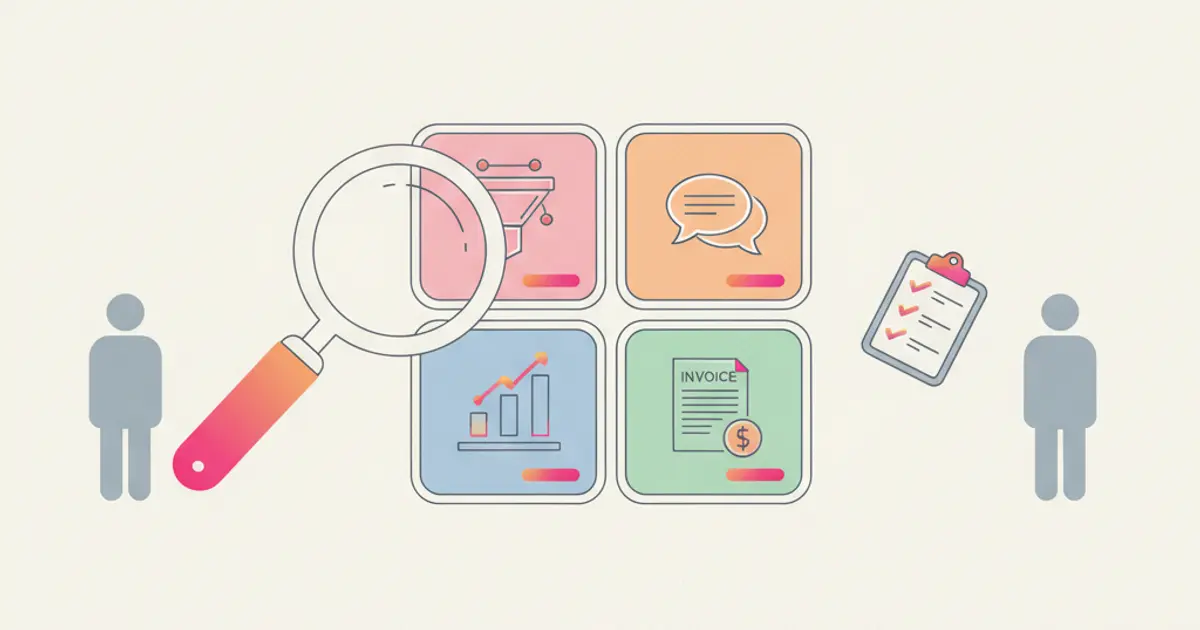
To use a free CRM trial to make a real decision, write down before day one the three processes you want to test and the criteria you will judge on, load your real customer list, and run those processes with real work and the people who will use the tool every day. Split the trial into phases: setup in the first days, daily use in the middle, a decision meeting a few days before the end. A trial used this way answers one question: does this tool make your actual week easier?
If you are about to start a trial and worry that thirty days will pass with a few clicks around an empty dashboard, by the end of this guide you will have a plan, a checklist for each phase and a simple way to say yes or no on solid grounds.
What you need before you start the trial
The clock starts when you sign up, so do the preparation first. None of it requires the tool.
- Your customer list in Excel or CSV. Export it from wherever it lives today: a spreadsheet, the phone address book, your invoicing system. It does not have to be clean. A trial with ten invented contacts tells you nothing about how the tool handles your three hundred real ones.
- Three real processes to test, written in a few lines each. For example: "a new enquiry arrives on WhatsApp, someone replies, we send a quote, the client signs"; "a client signs and the work starts"; "every Monday we check who needs a follow up". Three is enough. More and you end up testing features instead of your business.
- The names of who joins the trial. In a team of one to five, that usually means everyone who talks to customers, plus whoever handles invoices. If someone who will use the tool daily is not in the trial, their objections arrive after you have paid.
- Your decision criteria, written down. Four or five questions with a yes or no answer, decided now, while you are neutral. You will find a template further down.
- Two dates in the calendar. A short check in the middle of the trial and a decision meeting a few days before the end, never on the last day.
If you are still at the stage of deciding which tools deserve a trial at all, the guide on how to choose a CRM for an SME covers the criteria for the shortlist. This guide starts after that: one tool, thirty days, one decision.
How to evaluate a CRM trial, phase by phase
- Days 1 to 3: load your real data. Import your customer list on the first day. If the file is messy, do not spend a week cleaning it: the guide on importing a customer list into a CRM shows which columns matter and how to test twenty rows before the rest. At the end of this phase you should be able to search any active customer by name and find their record.
- Days 2 to 5: set up only what your three processes need. One pipeline with the stages you actually use, the fields you actually fill in, the users who joined the trial. Skip reports, automations and integrations for now. You will know this phase is done when each process can run from start to finish inside the tool, even if roughly.
- Days 4 to 7: run the first process with live work. Take the next real enquiry and handle it entirely in the CRM: create the lead, write the notes, set the next step, send the quote. Do not copy it into the old spreadsheet "just in case". If you keep a parallel system, you test the parallel system.
- Week 2: bring in the team. Each person handles their own customers in the tool for a full week. Give them one instruction, not a manual: "every customer conversation leaves a note and a next step". At the end of the week, ask each of them what they had to do twice because of the tool.
- Week 2 or 3: test the second and third process. This is where you try the parts that save time across the team: a quote from your service catalogue, an automation that starts when a deal is signed, the handover from sales to whoever delivers. One process at a time, each with a real case.
- Mid-trial check: fifteen minutes. Open your written criteria and mark what you already know. Anything still unanswered becomes the focus of the next ten days. This stops the trial from drifting.
- Week 3: test the awkward cases. The client who has two companies, the deal that went cold and came back, the colleague who is away for a week and whose customers someone else has to follow. Daily routine works in almost any tool; the exceptions are where you see whether it fits.
- Days 24 to 27: hold the decision meeting. Not on the last day, when there is no time left to check a doubt. Go through the criteria with everyone who took part, one by one, and write the answer next to each.
- Days 28 to 30: decide and act. If the answer is yes, choose a plan on the pricing page and keep working without interruption: the data and the habits are already there. If it is no, export your data and close the account, so you leave with everything you put in.
Phases overlap, and that is fine. What matters is that by the end of week one at least one real process has run inside the tool.
The criteria to decide at the end of the trial
Write these before the trial and answer them at the decision meeting. Adapt the wording, keep the yes or no format.
| Criterion | The question to answer | How you find out during the trial |
|---|---|---|
| Daily use | Did each person in the team use it on most working days without being reminded? | Ask them, and look at who wrote notes in week 3 |
| Your processes | Did all three processes run from start to finish inside the tool? | You tested each one with a real case |
| Time | Is there a task that now takes less time than before? Name it. | Compare one process with how you did it last month |
| Information | Can anyone answer "where are we with this client?" without asking a colleague? | Pick three customers at random and try |
| Exit | If you stop, can you take your data with you? | Check the export before the decision meeting |
If a criterion gets a "maybe", it means it was not tested. Better to test it in the next two days than to decide on a guess. If two or more criteria get a clear no, that is your answer, whatever the feature list says.
Common mistakes
Testing with fake data. Invented contacts never have the duplicate names, missing VAT numbers and half written notes your real list has. The tool looks perfect, then the real import arrives after you have paid. Import the real file on day one.
Testing alone. The owner tries it in the evening, likes it, buys it, and the team meets it for the first time on a Monday morning. The people who will write in it every day should be in from week two, and their answers should count at the decision meeting.
Waiting until the last day. A trial left open in a browser tab expires without anything being learned. The calendar dates you set before signing up are what prevent this: a mid-trial check and a meeting before the end.
Testing every feature instead of your own processes. Thirty days spent opening every menu produce an opinion on the menus. Three processes tested properly produce a decision. Features you do not need this year can be explored once you have chosen.
If you run a service agency or a professional firm
Your three processes are likely to be: enquiry to quote, quote to signed contract, signed contract to start of work. Test the last one carefully, because it is where information gets lost between whoever sells and whoever delivers. During the trial, check whether the tool keeps on the client record what was sold, what was agreed and who is responsible, and whether the start of the work can be triggered by the signature instead of an email between colleagues. Give the customer record structure a real test too: owner, status and next action on every active client.
If you sell on WhatsApp
If most of your enquiries arrive on WhatsApp, the trial has to include WhatsApp, or you are testing a tool you will not use. Check three things with real chats: that conversations are attached to the right customer record, that more than one person in the team can reply from the company number, and that the chats stay with the company if a colleague leaves. Run the trial on the number you actually sell with, not a spare one with no traffic.
If you use an invoicing tool
Do not try to move your invoicing into the trial. Test the link between the two instead: when a deal is signed, how does it become an invoice, and how many times do you type the same client data? Bring two or three recent real deals and follow them to the invoice. If you invoice in Italy with Fatture in Cloud, check whether the integration is included in the plan you are considering, and test it with a real client during the trial.
How the Flusia trial works
Flusia is an Italian CRM for small and medium businesses that keeps leads, customers, notes and history, quotes and WhatsApp conversations in one place. You can try it free for 30 days with no card required, and signing up takes about two minutes. To save you the import step, the team imports your client list within 24 hours: you send the file as it is, even messy, and you find it inside Flusia ready to use. If you want to see it with your own data before starting, the pricing page offers a thirty minute demo with no commitment, and there is an optional guided onboarding.
During the trial you can test the processes described above with the functions Flusia actually has: customer and lead records with a pipeline, notes and history on each record, WhatsApp inside the CRM with your existing number or the Business API, shared by several operators, quotes from a catalogue that the client signs via a link, automations that start, for example, the onboarding when a deal is signed, and an AI suggestion of the next step on a lead. The Fatture in Cloud integration is part of the Matrix plan. Plans and prices are on the pricing page, where you can also start the trial. If you decide not to continue, you can export your data and close the account.
How long it takes and what comes next
Preparation takes about two hours: one to export the customer list, one to write the three processes and the criteria. During the trial, plan half a day in the first week for import and setup, then a few minutes a day per person for normal use, fifteen minutes for the mid-trial check and an hour for the decision meeting.
Once you have decided, the next step is to turn the trial setup into a stable one: the guide on configuring your CRM in the first 30 days picks up exactly where this one ends. If you have not started yet, you can begin the 30-day trial from the pricing page, no card required.
Frequently asked questions
How long should a CRM trial last to make a decision? Long enough to see each process run more than once with real work. Thirty days, like the Flusia trial, is enough for a team of one to five people, provided the import happens in the first days and not in week three.
Should I import my real customer data into a free trial? Yes, it is the only way the trial tells you something true. Start with active customers only if the full archive is large, and before the end check how to export your data, so you know what happens if you do not continue.
Who in a small team should take part in the trial? Everyone who will write in the CRM every day, usually whoever talks to customers and whoever handles quotes and invoices. In a team of two or three, that means all of you.
What should I do on the last day of the trial? Ideally nothing new: the decision should already have been made at a meeting a few days earlier. The last days are for acting on it, either choosing a plan and carrying on, or exporting your data and closing the account.
Try Flusia free for 30 days
No credit card required. We import your client list within 24 hours.
Get startedShare this article
Written by
Luca Bosso
Founder of Flusia
Related articles
How to Configure Your CRM in the First 30 Days: Complete Checklist
A step-by-step checklist to set up your CRM properly in the first 30 days: data import, pipeline, automations and team onboarding.
How to Choose the Right CRM for Your SME: Complete 2026 Guide
A practical guide to choosing the right CRM for your Italian SME in 2026: features, pricing models, red flags and what actually matters.
How to Organize Customer Records in One Place
Bring customer data, interaction history, account owners and next actions into one place: what to gather first, the steps in order, and the mistakes to avoid.