Free CRM vs Paid CRM: What You Really Lose with Free
Free CRMs look tempting, but what do you actually give up? We analyze hidden limits, missing features and the real cost of free tools.

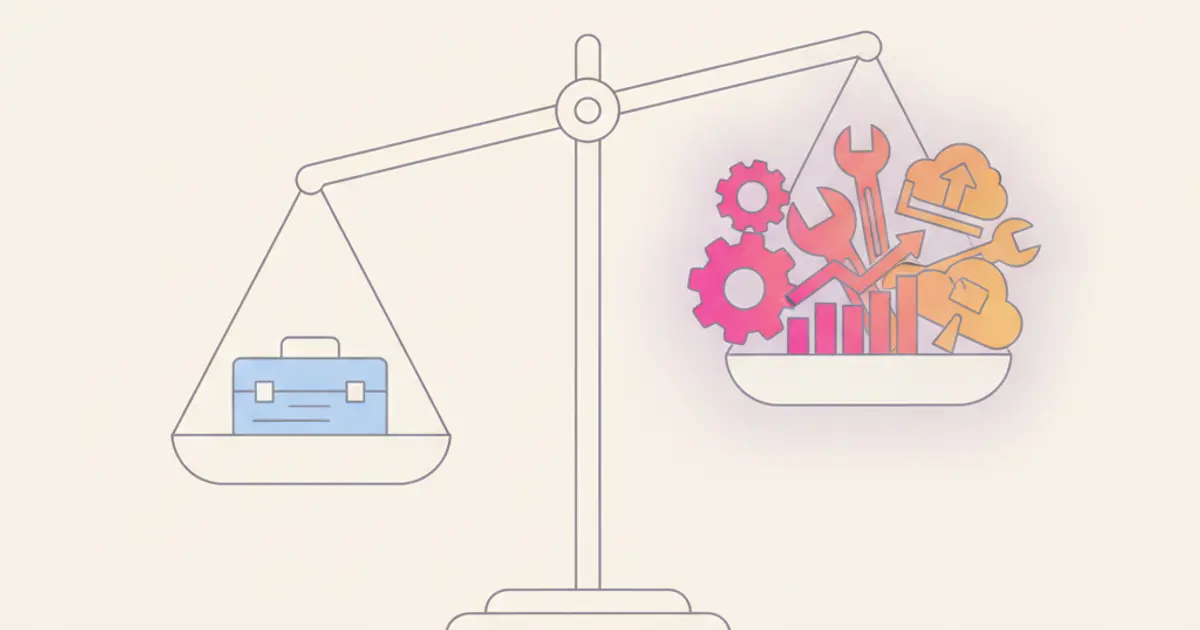
Free is the most expensive word in software. Every business owner who's spent six months on a free CRM before migrating to a paid one knows this. The initial savings feel real — zero on the invoice, zero commitment, zero risk. But the costs show up elsewhere: in the hours your sales team wastes on manual tasks that should be automated, in the leads that slip through cracks because there's no proper scoring, in the customer data scattered across three different free tools that don't talk to each other.
This isn't an argument against free software on principle. Free CRM plans serve a purpose — they let solo entrepreneurs and micro-teams get started without financial commitment. The problem begins when a growing business confuses "free to start" with "free to scale." A typical free plan works fine for tracking 10 contacts. It becomes a bottleneck at 500. The automations you need at that stage cost more per month than most dedicated CRMs.
In this article, we'll dissect what free CRM plans actually include, what they deliberately exclude, and at what point the hidden costs of free surpass the transparent costs of paid. No scare tactics — just math, real scenarios, and a framework to decide what's right for your business stage.
What free CRMs actually offer
Let's give credit where it's due. Free CRM plans are not useless. They typically provide basic contact management with standard fields — name, email, phone number, company. You can store a few hundred to a few thousand contacts, depending on the provider, and organize them into rudimentary categories.
Deal tracking is usually included, though often limited to a single pipeline view with a fixed number of stages. You can move deals through the pipeline, assign them to team members, and see a basic overview of your sales activity. For a solo operator managing a handful of opportunities, this can be perfectly adequate.
Reporting on free plans tends to be pre-built and non-customizable. You get a few standard charts — deals by stage, deals by owner, maybe a monthly revenue summary — but you cannot create your own dashboards, define custom metrics, or cross-reference data in ways that answer your specific business questions.
Mobile access is typically available but limited. You can view contact records and perhaps update a deal status, but more advanced features are either absent or locked behind an upgrade prompt. Email logging exists in some form, but it is often manual or subject to daily limits.
The honest assessment is that free CRM plans are designed for discovery, not for operation. They give you enough functionality to understand what a CRM can do and to decide whether the category of software is right for you. They are not designed to run a growing business, and the limitations are intentional — they exist to encourage you to upgrade when you hit the boundaries.
The seven things you lose with a free CRM
1. Automations and workflows
This is the most consequential limitation, and it is the one that costs you the most in real terms. Without automatic workflows, every repetitive task in your sales process must be performed by hand. A new lead comes in, and someone has to manually assign it. A follow-up email needs to go out three days after a meeting, and someone has to remember to send it. A deal sits stagnant for two weeks, and nobody notices because there is no alert.
The time cost of this manual work is substantial. For a team of five sales reps, the absence of basic automations — lead assignment, follow-up reminders, deal stage notifications — can easily consume five to ten hours per week in aggregate. That is five to ten hours of your team doing administrative work instead of selling. Over a year, the cost of those lost hours far exceeds the price of a CRM subscription that includes automation.
2. Advanced reporting and analytics
Free plans give you canned reports. Paid plans give you the ability to answer your own questions. Without custom dashboards, you cannot track the KPIs that matter specifically to your business. You cannot build a sales report that shows revenue by product category, by sales rep, by quarter, filtered by lead source. You cannot forecast future revenue based on pipeline data. You cannot measure the ROI of your marketing efforts with any precision.
The result is decision-making based on gut feeling rather than data. And while gut feeling works for some decisions, it consistently underperforms data-driven approaches when the stakes are high and the variables are many.
3. Integrations
A CRM in isolation is a contact list with extra steps. The real power emerges when your CRM connects to the other tools your business depends on — your invoicing platform, your WhatsApp Business account, your email marketing system, your e-commerce store. Free plans typically offer limited or no API access, no native integrations, and lock third-party connectors behind the paywall.
This forces you into workarounds. You export a CSV here, copy-paste data there, and maintain mental models of how information flows between systems. Each workaround introduces latency, error potential, and cognitive overhead. The irony is that the time spent maintaining these workarounds often exceeds the subscription cost of a CRM that includes the integrations natively.
4. Storage and contact limits
Free plans impose hard ceilings on the number of contacts you can store, the amount of file storage available, and sometimes the number of emails you can send per day. These limits are rarely a problem in the first month but become painful constraints as your business grows.
The contact cap is particularly insidious. When you hit the limit, you face a choice: delete existing contacts to make room for new ones, or upgrade. Neither feels like a "free" experience. File storage limits prevent you from attaching documents, proposals, and contracts to client records — functionality that is essential for any business that deals in paperwork.
5. User roles and permissions
In a free CRM, access control is typically all or nothing. Everyone sees everything, or the restrictions are so crude that they create more problems than they solve. For a business with multiple team members, this is both a practical and a compliance concern.
Your sales intern should not see the margin analysis on key accounts. Your support team does not need access to the sales pipeline. And under GDPR, you are expected to implement the principle of least privilege — giving each user access only to the data they need to perform their role. Free CRMs rarely offer the role-based permissions required to achieve this, leaving you exposed to both internal data leaks and regulatory risk.
6. Customer support
When something goes wrong with a free tool — a sync breaks, data disappears, a feature stops working — your recourse is a community forum and a self-service knowledge base. There is no priority queue, no SLA, no direct line to someone who can help. For a tool that your business depends on daily, this is a meaningful risk.
The support gap is most acutely felt during onboarding and migration. Setting up a CRM correctly requires guidance — field mapping, pipeline configuration, workflow design. Without access to expert support, teams make configuration mistakes early on that compound over time and become expensive to fix later.
7. Branding and professionalism
Many free CRMs insert their own branding into client-facing elements — emails, portals, shared documents. The "Powered by..." watermark on your client portal or email templates undermines the professional image you have worked to build. For businesses where trust and credibility are central to the client relationship — consulting firms, professional services, agencies — this branding compromise is not trivial.
The real math: when free costs more than paid
To make this concrete, consider three scenarios that represent different stages of business growth.
Scenario 1: Solo freelancer with fewer than 50 contacts. A free CRM is genuinely adequate at this stage. You manage a small number of relationships, your processes are simple, and the time savings from automation are minimal because the volume is low. Start with free, and revisit the decision when you feel the friction.
Scenario 2: Team of five with 500-plus contacts. This is where free plans start breaking. You need automations to manage the volume. You need role-based access so the intern cannot see strategic accounts. You need integrations to avoid the export-import dance. You need reporting to understand what is working. The workarounds to compensate for these missing features — extra time, additional free tools, manual processes — cost your team an estimated 10 to 15 hours per week collectively. At an average loaded cost of 30 euros per hour, that is 300 to 450 euros per month in hidden costs. Most paid CRMs cost less than half of that.
Scenario 3: Growing SME with 15 or more users. At this scale, a free CRM is actively harmful. The contact limits are restrictive, the lack of automation creates chaos, the absence of reporting means management is flying blind, and the compliance gaps become genuine legal exposure. The cost of the "free" approach is not just inefficiency — it is lost deals, regulatory risk, and team frustration that manifests as turnover.
The migration tax: switching later costs more
One of the strongest arguments for starting with the right CRM from the beginning is the migration cost that builds over time. The longer you use a free tool, the more painful the switch becomes.
Data export from free plans is often limited. Some providers restrict CSV exports on the free tier, and even when exports are available, custom fields, notes, and activity history frequently do not come along. You end up migrating contacts but losing context — the notes from that crucial client meeting, the deal history that shows seasonal patterns, the email thread that documents a negotiation.
Reconfiguring workflows from scratch in a new system takes time and effort. The team needs retraining, and there is an inevitable productivity dip during the transition period. Integrations that you set up with workarounds need to be rebuilt. All of this has a real cost, and it increases with every month you spend on the free tool.
The practical advice is straightforward: if you can see that your business will need automations, integrations, or multi-user access within the next six to twelve months, invest in a paid CRM from day one. The setup cost is the same whether you start now or start later, but the migration tax only applies if you start free and switch later. For guidance on choosing the right CRM for your SME, we have a comprehensive guide that walks through the decision framework. And if you are curious about where the CRM industry is heading, our article on CRM trends for 2026 provides useful context for long-term planning.
How to choose: a decision framework
Rather than prescribing a universal answer, here is a simple framework you can apply to your own situation.
If you have fewer than three users and under 100 contacts, and your primary need is basic contact storage, a free plan is a reasonable starting point. Use the free period to learn what a CRM can do and to clarify your requirements.
If you need automations, integrations, or invoicing, go paid from day one. These capabilities are not nice-to-haves — they are the features that generate the return on investment. A CRM without automation is a database. A CRM with automation is a productivity multiplier.
If you are already on a free plan and feeling the limits, migrate before the pain intensifies. The longer you wait, the more data you accumulate in a system that you will eventually leave, and the higher the migration cost becomes. The best time to switch was three months ago. The second best time is now. Our guide on configuring your CRM in the first 30 days makes the transition smoother by providing a clear roadmap for setup and adoption.
Share this article
Written by
Luca Bosso
Founder of Flusia
Related articles
How to Choose the Right CRM for Your SME: Complete 2026 Guide
A practical guide to choosing the right CRM for your Italian SME in 2026: features, pricing models, red flags and what actually matters.
Your CRM Is a Spreadsheet? Here's Why You're Limiting Growth
Understand the real cost of managing clients in Excel and when it is time to switch to a proper CRM for your growing SME.
Why 79% of Italian SMEs Don't Use a CRM (and What They're Missing)
79% of Italian SMEs don't use a CRM. Discover the 5 most common objections, how much NOT having a CRM costs, and when to start.