How to Reduce No-Shows With Appointment Reminders
How to set up automatic appointment reminders: how many to send, how far ahead, on which channel, what to write and how to handle cancellations.

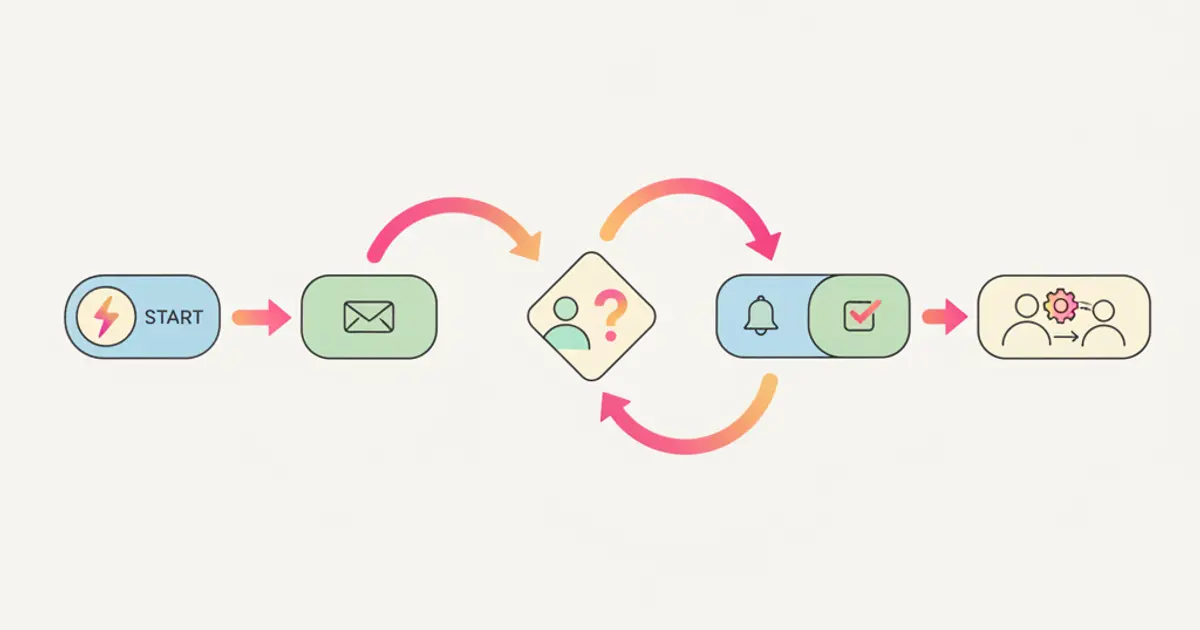
To reduce no-shows, set two automatic reminders on every appointment: one twenty-four hours out, for whoever forgot and still has time to reorganise, and a short one two or three hours before, for whoever remembers but is about to run late. The channel is the one that client already replies on (email for appointments booked in advance, WhatsApp for close ones), and the message carries date, time, place or link, plus a way to cancel in one tap. Easy cancellation is not a loss: a slot freed the night before is resold, a gap found in the morning is not.
If you regularly keep an hour free for a client who never shows up and never calls, by the end of this guide you will have a written rule on how many reminders to send, when, on which channel and with what wording.
What you need before you start
- One calendar with everything in it. If half your visits live in a shared calendar and half in a notebook, reminders reach half your clients and look unreliable to all of them.
- The right contact details on every appointment: a valid email, a mobile number, or both. This breaks most setups: the rule runs, but three appointments out of twenty have no contact and nobody notices.
- The message text written in advance, one per appointment type: a first consultation, a follow-up and a site survey carry different practical information.
- A cancellation rule you have actually decided: how many hours ahead a client can cancel alone, and what happens past that point.
- Someone who owns the freed slot. A reminder that produces cancellations with nobody filling the gap moves the problem, it does not solve it.
- If clients cannot yet book on their own, start there: the guide to online booking covers appointment types and availability.
When to send the reminder: how many and how far ahead
No-shows have two causes and need two messages. Forgetting is beaten with lead time: at twenty-four hours the client can still reorganise. Lateness is beaten from close range: at two or three hours you will not change anyone's day, but you will move their departure by twenty minutes.
Set the first reminder at twenty-four hours. It leaves room for both sides: if the client cancels then, you have a whole evening to offer the slot to someone else. Expect cancellations to rise at first: those are gaps you used to discover on the day.
Add the second reminder at two or three hours, for in-person appointments only. For a twenty-minute video call it is noise; for a visit or a site survey it matters, because that is when the client decides what time to leave. After it goes out, the appointment should be confirmed or cancelled, never pending.
Increase the lead time if the appointment was booked a long way out. Someone who booked six weeks ago no longer has that date in mind: the first message goes three or four days ahead, to reopen the subject rather than just remind.
Stop at two reminders. The third adds no attendance: someone who gets three messages about a short appointment stops reading.
| Appointment type | First reminder | Second reminder | Notes |
|---|---|---|---|
| Short video call | 24 hours before | none | link visible in the text |
| Visit or consultation at your office | 24 hours before | 2-3 hours before | address and floor in the text |
| Site survey at the client | 48 hours before | same morning | give a time window, not an exact time |
| Booked more than 30 days ahead | 3-4 days before | 24 hours before | the first asks for explicit confirmation |
Which channel to use: email, SMS or WhatsApp
There is one practical rule: send the reminder where that client has already replied at least once. A new channel adds a recognition step ("who is this number?") exactly when you want reading to be instant.
Email is right for appointments booked in advance and for anything with attachments or instructions: documents to bring, parking directions, the video call link. Its known weakness is that a few hours before the appointment it may go unread, so it cannot carry the second reminder alone.
SMS arrives even without a data connection and gets read almost immediately; in exchange it costs per message and leaves no room beyond the essentials. It works as a second reminder for confirmed appointments, and where part of the client base does not use messaging apps.
WhatsApp works well for clients who already write to you there and for close appointments, because the message lands in the same place as previous conversations and replying is one tap. Two conditions: the number has to be the company one, not the personal phone of whoever owns the client, and somebody has to read the replies. A reminder that gets "can we move to Friday?" and nobody sees is worse than no reminder. Covering the channel outside working hours is the subject of the guide on automatic replies on WhatsApp, and in Flusia conversations stay in the CRM linked to the client instead of on people's phones.
On the data side, the care is the same as for any client communication: use the details the client gave you for that relationship and record where they came from. A service reminder differs from a commercial message, which needs consent: the reference points remain your national data protection authority and your own adviser.
What to write inside the reminder
A reminder has one job: to tell the reader in three seconds where to be, when, and what to do if they cannot make it. Everything else weakens it.
Put the date, time and weekday in the first line. "Thursday 3 September at 15:30" can be checked against a personal calendar at a glance; "your next appointment is confirmed" cannot.
Write the location in operational terms, not formal ones. Not "at our premises", but the street, the number, the floor and where to park. For a video call, put the link visibly in the text, not behind a button some mail clients hide.
Name the person they are meeting. "Giulia Marchetti will be expecting you" turns an appointment with a company into an appointment with someone.
Give a way to cancel in the same line where you ask for confirmation. A link to cancel or move, or a direct number. If cancelling is harder than not turning up, you get the not turning up.
Add the two or three things to bring. Documents, reports, floor plans: plenty of appointments generate a second one over a missing paper.
An example for an office visit, with made-up details:
Hello Marco Ferrari, a reminder about your appointment on Thursday 3 September at 15:30, via Verdi 12, second floor (buzzer: Studio). Giulia Marchetti will be expecting you. Please bring the documentation from your last inspection. If you cannot make it, you can move or cancel here: [link]. Studio Verdi, 030 1234567.
How to handle client cancellations and rescheduling
The reminder is half the work. The other half is what happens when the client says they cannot come.
1. Allow self-service cancellation up to a stated limit. Twelve or twenty-four hours ahead, depending on how hard the slot is to refill. Put the limit in the original confirmation, or it looks invented on the spot.
2. Turn the cancellation into a reschedule in the same step. Whoever cancels should immediately see the next free dates, not an "appointment cancelled" notice. That is the difference between moving the date and losing the client, who otherwise postpones until they have time.
3. Make the freed slot bookable again on its own. If the cancellation happens on a booking page connected to the calendar, the hour reopens without anyone releasing it by hand: you can see how the online booking side is organised and what the appointment carries.
4. Tell whoever was waiting. If you keep a list of clients who said "let me know if something opens up earlier", it takes one message to two or three names.
5. Record the reason in one line. Illness, work, forgot, changed their mind. After thirty cancellations those lines tell you whether the problem is your hours, your lead time or the clients you attract.
6. Decide what happens past the limit. The sensible routes are asking for direct contact or applying a condition stated up front, such as a deposit for paid consultations. The one that fails is not deciding.
If you run a practice with a tight schedule
With thirty or forty-five minute appointments back to back, an absence is not just a lost hour: it is the hour you would have given to someone on the waiting list. Three things change here.
The first is explicit confirmation: with the twenty-four hour reminder you ask for an answer ("confirmed" or "need to move") and treat silence as a risk to check, not as a yes. The second is a real waiting list, names with the time windows that would suit them: without one, an early cancellation buys you nothing. The third is a minimum booking notice: people who book for an hour from now show up less often than people who book for next week.
In a practice, practical content beats politeness: what to bring, how to get in, whether to arrive ten minutes early for the paperwork.
If you do site visits and on-site work
When you are the one travelling, a no-show costs double: you lose the hour and the journey. The first difference is that the reminder moves to forty-eight hours, because at that distance a cancelled survey is replaced with another in the same area, and on the morning it is not. The second is that the time becomes a window: "between 9 and 11" is a promise you keep even in traffic, "at 9:15" is not, and missed windows erode trust faster than client absences do.
Third point, decisive: whoever is driving needs the reminder too. An automation that warns the client and not the technician produces ready clients and nobody ringing the bell. Notifying client and team together is covered in the guide to automatic workflows: in Flusia workflows start from an event (an appointment booked, a status change) and can send emails and WhatsApp messages without anyone writing them.
Alternative method: active confirmation instead of a plain reminder
A reminder informs; an active confirmation asks. It is the same message with a request at the end ("reply CONFIRM or MOVE") and it changes the outcome, because it pulls the decision from the day of the appointment to the day before.
It works like this: twenty-four or forty-eight hours out, the confirmation request goes out. Whoever confirms gets only the short same-day reminder; whoever asks to move enters the rescheduling flow; whoever does not answer by a stated deadline (say 6pm the previous day) lands in a short list somebody clears once a day with a phone call.
The advantage is that manual work concentrates on a handful of names instead of the whole calendar. The drawback is that somebody has to look at that list: without that, active confirmation is just a reminder with an extra question. It is worth it when the cost of an absence is high (long visits, travel, booked rooms), much less when appointments are short and easy to replace. The criteria for what to automate and what to leave by hand are in the guide on how to automate manual team tasks.
Common mistakes
Sending the reminder only to the client. If whoever is receiving them, or travelling to them, does not get the same notice, you have halved the problem instead of solving it.
Using one text for every appointment type. A first consultation needs directions, a follow-up does not. A generic text says nothing useful and stops being read.
Not updating the calendar after a cancellation. A cancellation received on WhatsApp and never carried into the calendar produces the exact gap you wanted to avoid.
Treating the reminder as a sales message. Offers and service links inside the message that should say where and when make it easy to archive unread.
How long it takes and what comes next
Setting this up usually takes two hours: half an hour to decide timings and channels per appointment type, an hour to write the texts (which you reuse for years) and half an hour for the cancellation rule and the contact details in your records. The slow part is writing the texts, not configuring the sends.
After a month, look at three numbers: how many appointments were cancelled in advance, how many were missed with no warning, and how many freed slots were reassigned. The next step is giving clients a place to see their appointments alongside quotes and documents: that is what the client portal does.
Frequently asked questions
How many reminders should you send for one appointment? Two: one at twenty-four hours, for people who forgot and still have time to reorganise, and a short one two or three hours before for in-person appointments. A third adds no attendance and trains clients to ignore your messages. For bookings made over a month ahead, move the first to three or four days out.
Is email or WhatsApp better for reminders? It depends on the distance from the appointment. Email is fine at twenty-four or forty-eight hours, because it carries directions, attachments and links; for the same-day message a channel read immediately, such as WhatsApp or SMS, is more reliable. The rule is still the channel that client replies on.
Should you let clients cancel with one click? Yes, up to a limit in hours stated from the original confirmation onwards. A convenient cancellation arrives earlier and the slot gets reassigned; an inconvenient one becomes a silent absence on the morning. Past the limit, asking for direct contact is reasonable.
Are automatic reminders enough to make clients show up? They help, but not alone. A reminder works if the appointment was clear from the start (type, duration, place), if cancelling and moving are easy, and if somebody fills the freed slots. For high-cost appointments, active confirmation gives more control.
Share this article
Written by
Luca Bosso
Founder of Flusia
Related articles
How to Manage Online Bookings and Appointments
How to let clients book appointments from a public page: appointment types, real availability, calendar sync, automatic reminders and no double bookings.
Job management software: what it must do
How to choose job management software: the features that actually matter, how to test them during a trial, and the questions to ask in a demo.
How to Manage Service Jobs and Site Visits
How to manage service jobs and site visits: logging the request, scheduling the visit, briefing the technician, closing the job and quoting the extra work.