How to Record a Meeting and Get an Automatic Transcription
Discover how to record meetings on Meet, Zoom and Teams and get automatic AI transcriptions with tasks and recaps directly in your CRM.

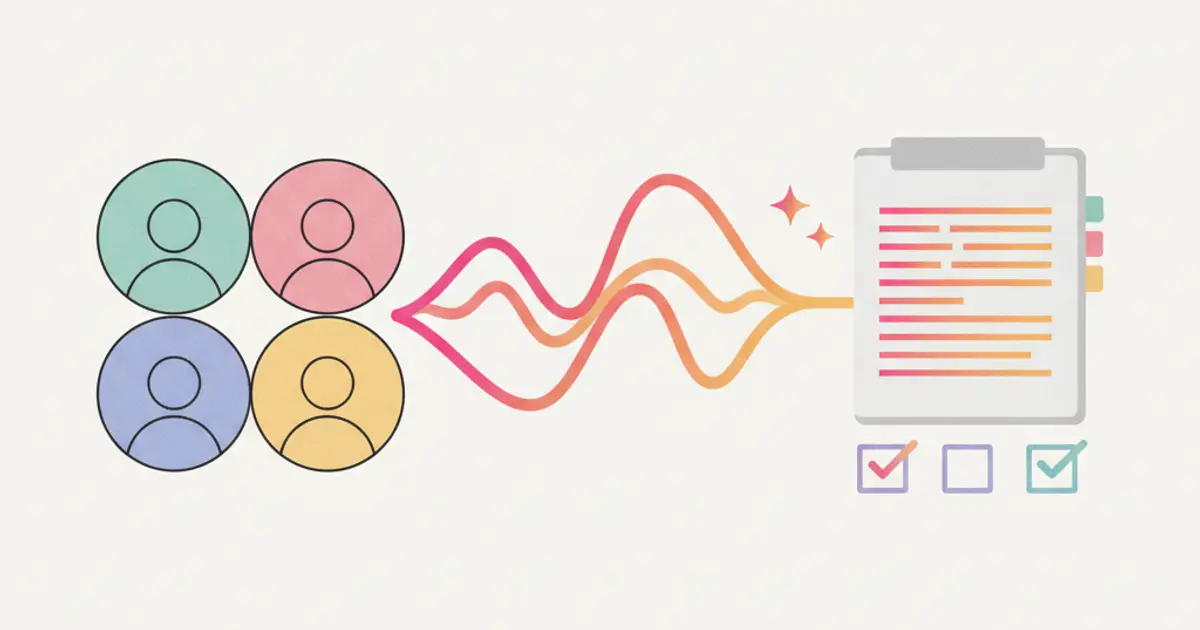
The meeting is over. Forty-five dense minutes of information, decisions and commitments. You close the call and think: "I should write a summary." But your next meeting starts in ten minutes, then there is a client to call back, then the backlog of emails. The summary never gets written. And a week from now, when someone asks "what did we decide on that point?", nobody will remember with certainty.
The problem with meeting notes is as old as meetings themselves. Taking notes distracts you from the conversation. Not taking notes means losing information. Delegating the note-taking to someone means that person is not truly participating in the discussion.
The solution is not to take better notes — it is to stop taking them altogether. Artificial intelligence can now listen, transcribe, summarize, and even extract action items from a meeting. And all of it can land directly in your CRM, linked to the right client or the right project. Here is how it works.
The problem with traditional note-taking
If you have ever sat in a meeting furiously scribbling while trying to follow the conversation, you already know the fundamental tension: you cannot fully participate and fully document at the same time. The person taking notes is always half a step behind, catching fragments of sentences while the discussion moves on. The result is a set of notes that are subjective, incomplete, and heavily filtered through one person's understanding.
Even when notes are taken diligently, they often end up in a document that nobody revisits. They are saved to a shared drive, filed in a folder, and quietly forgotten. The decisions made during the meeting — who is responsible for what, by when, and with what priority — evaporate into the air unless someone explicitly follows up.
This creates a costly paradox. Meetings exist to make decisions and align teams. But without proper documentation, the decisions made in those meetings lack durability. Two weeks later, team members have different recollections of what was agreed. Commitments that felt clear in the moment become ambiguous. And the meeting has to happen again, this time to clarify what the first meeting was supposed to resolve.
The hidden cost is significant. Research estimates that professionals spend over a third of their working week in meetings, and a substantial portion of that time is lost to redundancy — repeating discussions because the outcomes of previous ones were not recorded. For growing businesses, this is not just an annoyance; it is a structural drag on productivity. If you want to explore broader productivity improvements through automating manual tasks, we cover that topic in a dedicated article.
Integration with Google Meet, Zoom and Teams
The system connects directly to the video conferencing platforms your team already uses — Google Meet, Zoom, and Microsoft Teams. There is no need to switch platforms or adopt a new meeting tool. Setup involves a simple authorization process that takes just a few clicks, and once connected, the integration works quietly in the background.
When a meeting begins, recording starts automatically. There is no visible bot joining the call to distract participants or create awkward moments. The recording happens transparently, though it is important to note that participants are informed that the meeting is being recorded, in compliance with privacy regulations and professional courtesy.
The recording itself is stored directly in your CRM, linked to the relevant contact or project. This means you do not need to hunt through Google Drive or a Zoom account to find last week's client call. You open the client record, and the recording is there alongside their deal history, task list, and communication log. The audio can be played back at any point, and specific passages can be located quickly using the transcription search feature described below.
This integration is designed to fit into your existing workflow, not replace it. You continue using Meet, Zoom, or Teams exactly as you always have. The only difference is that after every call, the intelligence extracted from that meeting flows into your CRM automatically, turning ephemeral conversations into durable, searchable records.
How AI transcription works
Once the meeting ends, the audio recording is processed by artificial intelligence in near real-time. The AI does not simply convert sound to text — it performs several layers of analysis that make the resulting transcript genuinely useful.
Speaker diarization is the first layer. The AI recognizes different voices and attributes each segment of speech to the person who said it. This means the transcript reads like a conversation, not a monologue. You can see who said what, which is critical for attributing commitments, opinions, and decisions to specific individuals.
The transcription engine handles multiple languages, supporting English, Italian, and a growing list of other languages. It adapts to accents, technical jargon, and the natural imperfections of human speech — overlapping voices, half-finished sentences, filler words. While no transcription system is perfect, modern AI achieves accuracy levels that are comparable to a skilled human note-taker, with the advantage of capturing every single word rather than selectively recording what seems important.
Processing time depends on the length of the meeting, but in most cases the full transcript is available within minutes of the call ending. You do not wait hours or days — by the time you grab a coffee after a 45-minute call, the transcript is ready.
One of the most powerful features is full-text search across all your transcripts. Need to find the exact moment when the client discussed their budget constraints? Search for "budget" and the system surfaces every instance across all recorded meetings. This turns your meeting history into a searchable knowledge base — a resource that grows more valuable with every call you record. For more on how AI is transforming CRM workflows, our article on AI in CRM: 10 things you can do today provides a broader perspective.
Tasks generated automatically from the call
Perhaps the most impactful feature of AI-powered meeting transcription is the ability to extract action items from the conversation and turn them into tasks in your CRM. When someone says "Marco, can you send the quote by Friday?" the AI recognizes this as a commitment. It identifies the assignee (Marco), the deliverable (sending the quote), and the deadline (Friday), and creates a draft task with these details pre-filled.
Each extracted task is linked to the relevant project or contact record, ensuring it appears in the right context. The assignee receives an automatic notification, so they do not need to have taken their own notes during the meeting to know what is expected of them.
The system distinguishes between certain tasks and suggestions. When the AI has high confidence that a statement represents a genuine commitment — clear language, a named individual, an explicit deadline — it marks the task accordingly. When the language is more ambiguous ("we should probably look into that at some point"), the task is flagged as a suggestion with a lower confidence level. This distinction lets you review and confirm the extracted tasks before they are created, giving you a safety net against misinterpretation.
The practical impact of this feature is profound. No verbal commitment made during a meeting is ever forgotten. The handshake agreements, the casual "I'll take care of that," the end-of-meeting "let's circle back next week" — all of it is captured, formalized, and tracked. For teams that manage complex projects with multiple stakeholders, this eliminates one of the most common sources of miscommunication and dropped balls. If your team uses project management with Gantt and Kanban views, these auto-generated tasks integrate directly into your existing boards.
Automatic meeting recap
Beyond the raw transcript and the extracted tasks, the AI generates a structured summary of every meeting. This recap is not a condensed version of the transcript — it is an intelligent synthesis that identifies the topics discussed, the decisions made, and the next steps agreed upon.
The recap is saved directly on the contact or project record in your CRM, making it accessible to anyone who needs it — including team members who were not present at the meeting. It can also be automatically shared via email to all participants, ensuring everyone walks away with the same understanding of what happened and what comes next.
The format is designed for quick scanning. Rather than reading through a 45-minute transcript, you review a summary that captures the essential points in a structured format. Topics are organized logically, decisions are clearly stated, and next steps are listed with owners and deadlines. If a specific detail matters and the summary is not enough, you can always jump to the full transcript and search for the exact passage.
Over time, the real value of automatic recaps becomes apparent through the meeting history they create. Every call with a client is documented in chronological order on their record. Need to review what was discussed three months ago before a renewal meeting? Open the client record, scroll to the recap from that date, and you have it. No digging through email threads, no asking colleagues, no relying on memory.
This builds what might be called a persistent organizational memory — a searchable, structured record of every important conversation your company has. New team members can get up to speed on a client relationship by reading the recap history. Managers can review the progression of a deal by scanning the meeting summaries. And when disputes arise about what was agreed, there is an objective record to consult.
The combination of recording, transcription, task extraction, and automatic recaps transforms meetings from time-consuming obligations into productive, well-documented interactions. For businesses that want to build on this with broader automation, our guide on automatic workflows explores how meeting outcomes can trigger downstream processes. And if your team communicates frequently between meetings, the integrated team chat keeps those conversations documented as well.
Share this article
Written by
Luca Bosso
Founder of Flusia
Related articles
The Future of CRM: AI, Automation and Why 2026 Is the Turning Point
2026 CRM trends: conversational AI, end-to-end automation, CRM as a business operating system. Discover what will change in the next 2 years.
AI in CRM: 10 Things Artificial Intelligence Does for You (While You Work)
Discover 10 practical ways AI inside your CRM automates tasks, scores leads, transcribes meetings and helps your team sell smarter in 2026.
Your Team Wastes 5 Hours a Week on Manual Tasks: Here's How to Automate
Discover which repetitive tasks drain your team's time and how workflow automation can give you back 5+ hours every week.