CRM for E-commerce: Orders, Warehouse and Customer Service Integrated
How an e-commerce CRM unifies order management, warehouse tracking and customer support to boost online sales and reduce operational chaos.


Running an e-commerce business without a CRM is like running a restaurant without a kitchen display system. Orders come in, but nobody has a unified view of what's happening. The WooCommerce dashboard shows orders. The warehouse spreadsheet tracks stock. The email inbox handles customer complaints. And somewhere between these three disconnected systems, packages get delayed, stock runs out without warning, and loyal customers get treated like strangers.
The e-commerce landscape in 2026 demands more than just a good storefront. Customers expect real-time order updates, instant support on WhatsApp, personalized offers based on purchase history, and seamless returns. Delivering all of this requires a system that connects your store, your warehouse, and your customer relationships in a single view. That's what a CRM built for e-commerce does — and it's fundamentally different from adding a generic CRM on top of your existing tools.
This guide explores how integrating your e-commerce platform with a proper CRM transforms operations. From automatic order sync and inventory management to customer segmentation and post-purchase follow-ups, we'll cover the complete picture. Whether you're running a WooCommerce store with 100 orders a month or a multi-channel operation with thousands, the principles are the same: unified data, automated workflows, and customer relationships that actually grow.
The e-commerce operations challenge
The root of most e-commerce operational problems is data fragmentation. Order data lives in the store platform. Customer data — the real relationship data, not just shipping addresses — exists in spreadsheets or nowhere at all. Support conversations happen in email or WhatsApp without any connection to the order they reference. Inventory is tracked in yet another system, often a spreadsheet that is updated manually and therefore perpetually out of date.
This fragmentation creates a cascade of daily frustrations. When a customer calls about an order, the support agent has no immediate access to the order details, the shipping status, or the customer's previous interactions. They need to ask for the order number, look it up in WooCommerce, check the shipping platform separately, and try to piece together the context. The customer, meanwhile, is waiting, growing more frustrated with every passing minute.
Manual stock management is another persistent pain point. When a product sells on the website, someone needs to update the inventory count. When a return comes in, the stock needs to be adjusted. When a new shipment arrives from a supplier, the quantities need to be added. Each of these steps is manual, and each one introduces the possibility of error. The consequence of getting it wrong — selling a product you do not have — is among the most damaging experiences you can create for a customer.
Returns and exchanges, which are a normal part of e-commerce, become disproportionately complex when managed through informal channels. Without a systematic process, returns are tracked through sticky notes, memory, and scattered email threads. Refunds are delayed, restocking is inconsistent, and the customer experience during what is already a negative moment becomes even worse. If you have been dealing with these challenges through workarounds and manual processes, our article on why most Italian SMEs still do not use a CRM explores the broader context of this adoption gap.
How a CRM transforms e-commerce operations
Unified order management
The foundation of an e-commerce CRM is real-time order synchronization with your WooCommerce store. Every order that comes in through the website appears immediately in the CRM, linked to the customer record. If the customer is making their first purchase, a new contact is created automatically with the information from the order. If they are a returning customer, the order is added to their existing history, building a progressively richer profile with every transaction.
Order status tracking follows the order from purchase through delivery. As the order moves from "new" to "in preparation" to "shipped" to "delivered," each status change is recorded and can trigger automated actions — a confirmation email, a shipping notification via WhatsApp, a delivery follow-up requesting a review. The entire post-purchase communication flow can run on autopilot, ensuring every customer receives timely, relevant updates without manual effort from your team.
Multi-channel order aggregation is critical for businesses that sell through more than one channel. Orders from the website, from marketplaces, from B2B phone orders, and from in-person sales all feed into the same system. This eliminates the scenario where a customer who bought online and in-store appears as two separate people in your records. A unified order history per customer, regardless of channel, is the foundation for meaningful personalization and effective customer service.
Warehouse and inventory integration
Stock levels visible inside the CRM transform inventory from a back-office concern into a real-time operational input. Sales reps can check availability before promising a delivery date. Support agents can tell a customer immediately whether a product is in stock. Marketing can avoid promoting products that are running low.
Low-stock alerts trigger automatically when inventory drops below configured thresholds, and these alerts can be connected to automated workflows — notifying the purchasing team, pausing a marketing campaign for that product, or flagging the item for reorder. Product variation tracking handles the complexity of products with multiple attributes — size, color, material — each with its own independent stock level.
The preparation workflow — from confirmed order to packaged shipment — is managed within the CRM. Preparation zones guide warehouse staff to the correct picking location. The pick-pack-ship process is structured and trackable, reducing errors and improving fulfillment speed. For a detailed look at warehouse management capabilities, our article on warehouse management in CRM covers the topic comprehensively.
Customer 360 view
The most transformative aspect of an e-commerce CRM is the complete customer profile it assembles. Every touchpoint — orders, support interactions, marketing emails, WhatsApp conversations, website visits, returns — is consolidated into a single view. When you open a customer record, you see not just their contact information but their entire relationship with your business.
Purchase history shows what they have bought, when, how much they spent, and how frequently they order. Support ticket history sits alongside orders, so you can see whether a customer who is placing a new order had a negative experience last time that might need proactive attention. Customer lifetime value is calculated automatically, giving you a concrete number that represents how much each customer has contributed to your business over time.
Segmentation by purchase frequency, average order value, and product category enables targeted marketing that feels personal rather than generic. A customer who buys running shoes every three months receives a different communication than one who made a single purchase a year ago. This level of personalization, which would be impossible with disconnected systems, drives repeat purchases and builds loyalty. For a broader perspective on data-driven customer relationships, our article on automatic lead scoring explores how similar principles apply earlier in the customer journey.
Automations that save hours every day
Post-purchase workflows
The post-purchase experience is where e-commerce brands differentiate themselves, and automation makes it scalable. A well-designed post-purchase workflow begins with an order confirmation and proceeds through shipping notification, delivery confirmation, a follow-up message asking about the experience, and a review request. Each message is triggered automatically by an order status change, ensuring consistent timing and tone.
Personalized thank-you emails based on order value add a human touch at scale. A first-time buyer receives a welcome message introducing your brand story. A repeat customer receives an acknowledgment of their loyalty. A high-value order triggers a personal note from the account manager. None of this requires manual intervention — the workflow engine handles it based on rules you define once.
WhatsApp messages at each order stage provide the instant, conversational communication that customers increasingly prefer over email. A shipping notification on WhatsApp has a near-perfect open rate, compared to the fifty percent or less typical of email. When the customer replies with a question, the conversation is logged on their record, maintaining full context.
Inventory automations
Inventory-related automations prevent the two most costly scenarios in e-commerce: stockouts and overstocking. When stock drops below a threshold, the system can automatically notify the supplier, create a purchase order draft, and pause marketing campaigns for that product. When a product is restocked, customers who expressed interest or were on a waitlist can be notified automatically.
Seasonal demand patterns, visible through order history analysis, can trigger preemptive alerts before high-demand periods. If a product historically sells three times as fast in November, the system flags the need to increase stock well before the rush begins.
Customer service automations
Support efficiency improves dramatically when ticket routing is automated. A support request related to a shipping issue is assigned to the logistics team. A product question goes to the product specialist. A return request triggers the return process workflow, including automatic communication to the customer about the next steps.
VIP customers — those with high lifetime value or frequent purchases — can be flagged for priority handling, ensuring that your most valuable relationships receive the attention they deserve. This priority routing happens automatically based on the customer's profile data, not based on who happens to pick up the phone.
Real-world scenario: from chaos to control
Consider a typical e-commerce SME before and after CRM integration. Before, the team spent approximately three hours daily on manual order management — checking WooCommerce, updating inventory spreadsheets, copying order details into shipping forms, and responding to customer inquiries without context. Support response times averaged over 24 hours because agents needed to research each case from scratch.
After integrating their e-commerce platform with a CRM, orders sync automatically and inventory updates in real time. Customer inquiries include the full order context, so agents respond in minutes rather than hours. Post-purchase communication runs automatically, reducing the volume of "where is my order?" inquiries by more than half. The measurable impact: a sixty percent reduction in support response time, twenty-five percent fewer stockouts, and a noticeable improvement in customer satisfaction scores.
The financial impact extends beyond efficiency gains. Faster invoicing and more consistent follow-up reduce the average payment collection time. Personalized post-purchase emails drive repeat purchases. Customer segmentation enables targeted promotions that convert at higher rates than mass campaigns. The CRM does not just save time — it generates revenue.
Choosing an e-commerce CRM: what to look for
When evaluating a CRM for your e-commerce business, several criteria separate a platform that will genuinely transform your operations from one that will become another disconnected tool.
Native WooCommerce integration is non-negotiable. A connection built directly into the CRM, with bidirectional sync and real-time data flow, performs fundamentally differently from a third-party connector workaround. Ask whether orders, products, customers, and stock levels all sync natively, and ask what happens when the sync encounters an error.
Warehouse management should be included, not bolted on as a separate subscription. If inventory tracking requires a third tool, you have replicated the fragmentation problem rather than solving it. The CRM should handle products, variants, stock levels, movements, and preparation workflows within the same interface where you manage customers and orders.
WhatsApp integration is increasingly essential for e-commerce customer communication. The ability to send order updates, receive support inquiries, and maintain full conversation history on the customer record sets modern CRM platforms apart from traditional ones. Our article on WhatsApp as a sales channel explores this capability in depth.
Reporting capabilities should let you analyze revenue per product, per customer, per channel, and per time period. If you cannot answer "which products are most profitable?" and "which customers are most valuable?" from within your CRM, the tool is not providing the strategic insight your business needs. And finally, consider scalability: the CRM that handles your current volume should also handle ten times that volume without requiring a migration. For a comprehensive comparison of what to look for, our guide on how to choose a CRM for SMEs covers the full decision framework.
Share this article
Written by
Luca Bosso
Founder of Flusia
Related articles
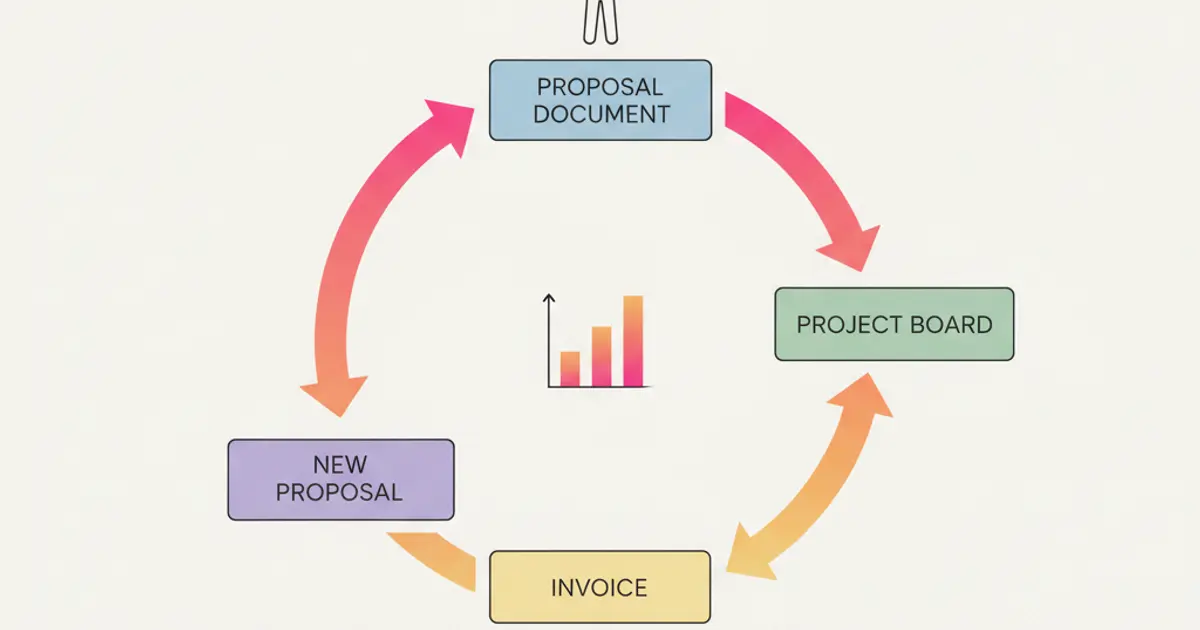
CRM for Consultants: From Proposal to Invoice in One Flow
How freelancers and consultants use a CRM to manage leads, send proposals, track projects and automate invoicing in a single streamlined workflow.

Client Management for Digital Agencies: The Full Guide
How digital and advertising agencies manage clients in one place: pipeline, projects, billing and a step by step setup you can complete in a week.

CRM for Professional Firms: Clients, Documents and Deadlines Under Control
How professional firms use CRM to manage clients, track documents, automate deadlines and streamline billing in one unified platform.