CRM for Marketing Agencies: Client Management & Billing
Client management for agencies in one place: track leads, run client projects, and bill retainers or hours from the same record. Set up in a week.

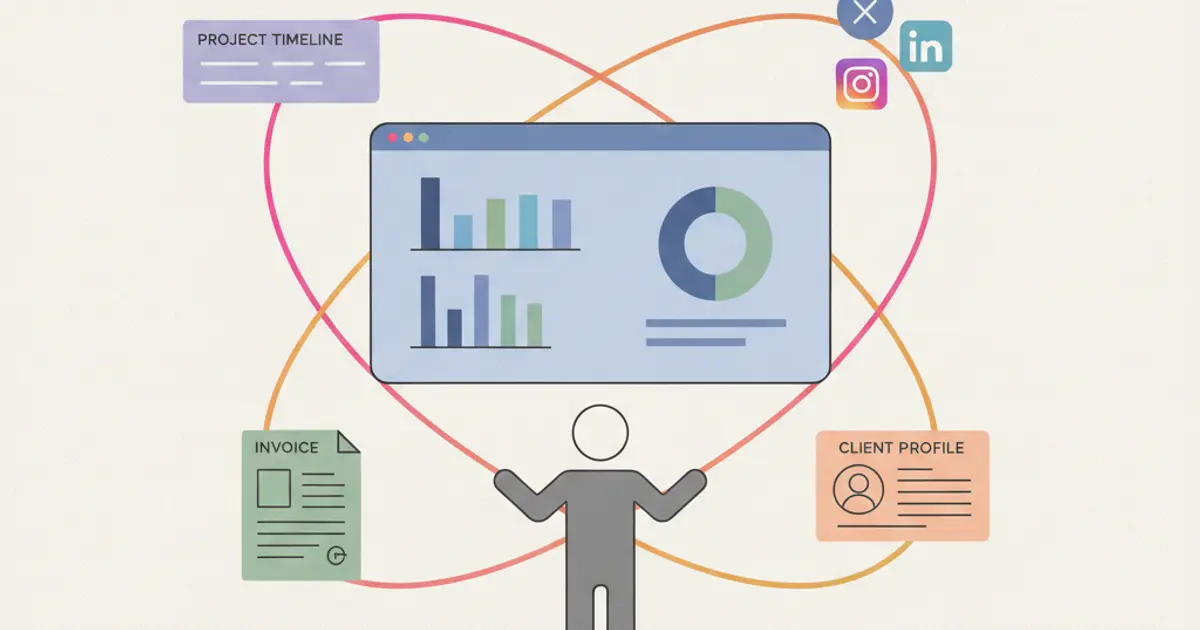
Client management for a digital agency means keeping four things on the same record: the commercial relationship, the projects you deliver, the hours and costs behind them, and the invoices. When those four live in separate tools, work gets done twice and margin disappears quietly. The practical fix is a single system where sales, delivery and billing read and write the same client data, plus a setup routine you follow once for every new account.
Marketing agencies live in a paradox: they help other businesses organize their customer journeys while their own internal operations run on a patchwork of disconnected tools. Separate tools for projects, spreadsheets for budgets, WhatsApp groups for client communication, a separate invoicing platform, and maybe a CRM that only the sales team actually uses. If this sounds familiar, you are also losing time on work that nobody bills.
The core challenge is that clients are not contacts in a database. Each client is a web of active projects, recurring retainers, billable hours, deliverables, feedback loops and invoices. When those live in five tools, things fall through the cracks: a deadline moves but the invoice schedule does not, a new lead sits unanswered in an inbox, an account manager spends twenty minutes assembling a status update from three platforms.
A system designed for agencies connects those dots natively, not through integrations that break or workarounds only one person understands. This guide covers what that looks like in practice and how to set it up.
Why generic CRMs don't work for agencies
The mismatch is about what happens after a deal closes. Most CRMs are built around a sales-centric model: you track leads, move them through a pipeline, close the deal, and the tool's job is essentially done. For an agency, closing the deal is where the real work begins. Delivery is where the value is created and where most operational problems appear: projects, task assignments, hours, client feedback, deadlines.
Project management tools solve delivery but introduce their own gap. They have no concept of a sales pipeline, no lead tracking, no invoicing. You end up with a CRM for sales, a separate tool for delivery and a manual handoff in between. That handoff is where information gets lost: the requirements discussed during the sales process, the agreed deliverables, the budget constraints. The delivery team starts without the full context, which is how scope creep and uncomfortable conversations begin.
The result is what agencies sometimes call the "tool tax": four or five subscriptions, each with its own login, its own data format and its own quirks. Beyond the fees, the real cost is the time spent navigating between systems, duplicating data and synchronizing by hand what should flow on its own.
What an agency CRM should include
Sales pipeline for new business
A proper pipeline tracks every lead from first contact to signed contract, with stages that reflect your actual process: initial inquiry, discovery call, proposal sent, negotiation, contract signed.
Deal value tracking at each stage gives you a realistic view of upcoming revenue, which is what capacity planning depends on. If three large deals are likely to close next month, you can prepare resources now instead of scrambling later. Win and loss analysis by source and service type shows which business development activities produce results.
Project management for delivery
Once a deal closes it should become a project with structured tasks, without anyone retyping the scope. A Kanban board shows the work in progress across all client projects, assignments make ownership explicit, and milestones tell you at a glance whether a project is on schedule.
A client portal extends this visibility to the client. Instead of fielding weekly "where are we?" emails, you give clients a login where they can see progress, review deliverables and leave feedback. It lightens the account manager's week and gives the client a straight answer at any hour.
Time tracking inside the project structure is what makes profitability visible for agencies that bill hourly. When someone logs hours against a task, the data feeds invoicing and margin analysis, so you can see not only whether a project shipped on time but whether it shipped profitably. For complex deliveries, our guide on project management with Gantt and Kanban goes into the planning side.
Invoicing and financial tracking
Agency billing is rarely uniform. Retainer clients need recurring invoices at fixed intervals, project clients need invoices tied to milestones, some engagements are hourly and others fixed fee. Handling all of that by hand is how invoices get forgotten.
When invoicing sits in the same system as projects and deals, invoices can be generated from the work itself: a milestone closes and a draft appears, a retainer cycle ends and the recurring invoice fires, with line items pulled from the project record instead of retyped.
Commission tracking for sales reps and revenue per client complete the picture, showing which clients and which services carry the best margins and where your revenue is concentrated. For agencies using Fatture in Cloud, the native integration removes the last manual step in billing.
Client communication hub
Agency and client talk across several channels: email, WhatsApp, phone calls, video meetings, portal messages. When those conversations sit in different tools, context is lost. Centralizing them means every message, call and meeting note lands on the client record, available to whoever picks up the account next.
Internal communication follows the same logic. Project channels let the team discuss deliverables and share files without cluttering a general purpose chat, and meeting notes stored next to the client record build a memory that survives staff turnover.
Real agency workflows with a unified CRM
The point of a unified system is visible in how these workflows connect.
From lead to active client: a lead arrives from your website or a referral, enters the pipeline and moves through qualification, proposal and negotiation. When the deal is marked as won, the project is created from a task template, the account manager is assigned, the delivery team is notified and the first invoice can be issued. No manual handoff, nothing lost in transition.
Monthly retainer management: recurring tasks are generated at the start of each billing cycle, the team logs hours against them, and at the end of the cycle the invoice is built from the tracked hours or the fixed fee. Payment is tracked and the cycle starts again, with human attention needed only for the client work itself.
Campaign reporting: when the tasks tied to a campaign are done, the client reviews the deliverables in the portal and leaves feedback there. The team plans the next sprint from that feedback, and approvals, revisions and decisions stay documented in one place.
Client billing for agencies: four models, one system
The real question an agency asks a client management system is not whether it can issue invoices, but whether it can bill the way the agency actually bills. Agencies normally run four payment models at once, and each one starts from a different point in the work. A system that covers one of them leaves the other three on a spreadsheet.
| Model | Where the invoice comes from | What you configure once | Where the risk hides |
|---|---|---|---|
| Monthly retainer | the service frequency | the service as recurring, with its interval | extra work nobody records |
| Project milestones | the instalment tied to progress | the payment plan on the quote, deposit included | milestones move, the plan does not |
| Hourly | hours logged against tasks | selling price and internal cost per service | hours reconstructed at month end |
| Performance based | the commission on the closed deal | the commission structure per user and service | fees agreed verbally, never written down |
The retainer is the easiest to automate and the easiest to erode. You set the service as recurring with its interval once, and from then on the invoice appears on its own each cycle. The delicate part is not issuing it, it is the scope: when the client asks for one extra landing page, that request has to become a separate task or quote on the client record, otherwise it silently becomes part of the retainer without anyone deciding so.
Milestone billing works only if the payment plan is written on the quote, not decided afterwards. A deposit on signature, one instalment midway, the balance on delivery: when those three lines carry their amounts from the start, every invoice is already agreed and nobody has to renegotiate internally each time. When a milestone slips, what you update is the instalment date, not the invoice, and that is precisely where spreadsheets lose track.
Hourly work is the model most often underbilled. For it to hold, hours have to be logged on the task while the work happens, with selling price and internal cost kept apart: the first one bills the client, the second one tells you whether the account is worth keeping. If the two figures are the same number, margin per client does not exist as data.
Performance based fees apply to agencies paid on what they bring in, and to external referrers who bring work. The commission structure is set per user and per service, so the calculation follows the closed deal instead of being rebuilt by hand on a spreadsheet at quarter end.
What actually breaks agencies is the fifth case, the mixed one: a retainer client who also buys milestone projects and occasional extra hours. When those three flows live in three tools, nobody knows what that client is really worth and the renewal conversation happens on instinct. When retainer, instalments and hours sit on one record, invoicing tied to quotes gives you a per client total you can read before renewing, and the lines come from services already priced in your quote catalogue instead of being retyped.
The impact on agency profitability
Moving from a multi-tool patchwork to a single system changes three things, and only the first one is about saved time.
Time spent on coordination goes down: less navigating between tools, less duplicate data entry, fewer messages asking where a file is. How much depends on the size of the team and on how disciplined the old setup was, so measure it on your own agency rather than trusting a generic figure.
Invoicing gets closer to the work. When invoices are tied to milestones or to a recurring cycle, the gap between work delivered and payment requested shrinks, simply because nobody has to remember to start the process.
Client relationships get less fragile. When the account manager has the full history in one place, when approvals are recorded and meetings are followed up, the experience stops depending on one person's memory. That matters in a business where replacing a client costs far more than keeping one.
How to set up client management in your agency, step by step
If you are moving from spreadsheets and scattered tools, do not migrate everything at once. Set up one client end to end, check that the data flows, then repeat. The sequence below takes about a week of part time work for a team of five to ten people.
What you need before you start
- An export of your current client list (company name, contact person, email, phone, current status) in CSV
- The list of services you sell with standard prices, so quotes stop being written from scratch
- The stages of your real sales process, as you run it and not as you wish you did
- Admin access for whoever configures roles, and a decision on who sees financial data
- Your invoicing details, plus the credentials of your accounting tool if you connect it
1. Import your clients and mark their status. Start from the CSV and bring in companies, contacts and current status, so a prospect stays a lead and an active account becomes a client. Once the import is done you have a single list where every name is either a lead you are chasing or a client you are delivering for, and duplicated address books stop being the source of truth.
2. Build your pipeline stages before touching deals. Recreate the stages you listed earlier, from first inquiry to signed contract. Keep them few and unambiguous: if two people would classify the same conversation differently, the stage is badly named. You will end up with a board where every open opportunity sits in exactly one column, which is what makes forecasting possible. The sales pipeline guide covers how to size the stages.
3. Turn your service list into reusable quote lines. Load your services with their standard price and unit, so a quote becomes a selection instead of a document written by hand. New quotes now carry consistent wording and pricing, and the agreed scope stays attached to the client record instead of living in someone's outbox.
4. Connect the won deal to a project template. Decide, for each type of engagement you sell, the tasks that always happen and who owns them. When a deal is marked as won, the project is created from that template with the right tasks and the right owners, and the delivery team starts with the scope that was actually sold. The template is also where you set the milestones you will bill against.
5. Set roles and permissions before you invite the team. Account managers, delivery people, freelancers and administration do not need the same visibility, and financial figures are the usual place where agencies get this wrong. Configure the roles first, then send the invitations, so nobody sees margins by accident on day one. Our guide on roles and permissions walks through a typical structure.
6. Switch on invoicing last, on one client only. Take a single retainer account, set its recurring cycle and let one full cycle run before migrating the rest. At month end you will see whether the invoice picks up the right lines by itself, and only then move the other accounts over.
Common mistakes when agencies do this
- Migrating ten years of history. Import open opportunities and active clients; archived accounts can stay in the old spreadsheet.
- Stages that describe your hopes. "Almost signed" is not a stage. If you cannot name the event that moves a deal forward, the pipeline will lie to you.
- Logging hours "later". Hours reconstructed at month end are estimates, and estimates make margin figures meaningless.
The whole sequence takes roughly a week, most of it spent agreeing internally on stages and roles rather than clicking. Once one client runs end to end, the natural next step is automating the handoffs between sales, delivery and billing.
Client management by agency type
The same building blocks get arranged differently depending on what you sell.
Digital and web agencies live on projects with a clear start and end, often mixed with maintenance retainers. The critical link is between the signed scope and the task list, because scope creep here is silent: three extra revision rounds do not look like a problem until you compare hours with the fee. Watch project profitability per engagement, not per client.
Advertising and creative agencies run many small deliverables for the same account, with approvals scattered across email threads. The gain comes from moving feedback into a place attached to the deliverable, and from a client portal where approvals are recorded rather than remembered.
Commercial and sales representation agencies manage a portfolio of accounts on behalf of the brands they represent, and get paid on results. What matters here is the account history, the follow up rhythm and commission tracking per agent, so that each representative sees their own portfolio while the agency owner sees the whole picture.
Small teams scaling up need the opposite of a heavy rollout: one client list, one pipeline, quotes that go out fast. The rest can wait until the team is too big to coordinate by talking.
How to choose a client management system for your agency
Start from the process you already run, not from a feature list. Write down what happens in your agency between the moment a client says yes and the moment the invoice is paid, then check every candidate against those exact steps. A client management tool for a marketing agency is not judged on how many features it shows in a demo, but on how few manual passages it leaves between sales, delivery and billing.
Two decisions are worth taking before you open any demo. The first is who in the team will actually use the system every day: if only the account managers touch it, hours and costs never get in, and margin per client stays invisible no matter what the tool can do. The second is what you want to stop doing, named out loud: the spreadsheet rebuilt every month, the status update assembled by hand, the invoice someone has to remember. If you are still comparing options at a general level, the criteria for choosing a CRM for a small business cover the part that is not specific to agencies, so you can use the table below only for what an agency does differently.
| What to check | Why it matters for an agency | How to test it in a demo |
|---|---|---|
| The link between a won deal and the project | In an agency the real work starts when the deal closes: if that handoff is manual, the scope you sold and the scope you deliver drift apart within weeks | Mark a demo deal as won and watch whether the project, its tasks and its owner appear without anyone retyping the scope |
| Hours logged on the task, not at month end | Hourly and mixed engagements are only profitable if hours are recorded while the work happens: hours reconstructed later are estimates, and estimates make margin figures meaningless | Ask someone to log time on a task during the demo, then look for that time in the client total and in the invoice draft |
| Separate permissions for financial data and delivery | Account managers, designers, administration and the owner do not need the same visibility, and margins and commissions are the fields agencies most often expose by accident | Create a delivery only user during the demo and try to open margins, commissions and invoices from that login |
| Access for freelancers and external collaborators | Agencies work with subcontractors on single projects, and giving them a full account is both expensive and wider than it needs to be | Invite a guest to one project only, then check what that guest can see of the other clients and of the numbers |
| Recurring and milestone billing on the same client | The same account often carries a monthly retainer, project instalments and occasional extra hours: if the system covers only one of the three, the other two go back on a spreadsheet | Set a recurring service and an instalment plan on the same demo client, then read what the client total shows |
| Client history readable by whoever takes over | Accounts change hands and people leave: a relationship that lives in one person's inbox is a relationship the agency can lose in a fortnight | Open a client record and ask whether a new account manager could run tomorrow's call from that single screen |
| Data export if you change tool later | Your client list, your quotes and your logged hours are the agency's asset, and an evaluation is calmer when leaving is technically simple | Ask to run a full export during the demo and look at the format and the content, not just at the fact that a button exists |
| A view of the work the client can read | Approvals and revisions scattered across email threads are where agency time disappears without ever being billed | Open the demo from the client side and read what a client would actually see, including where they would leave feedback |
No demo tells you what a normal week in your agency feels like, so do not decide on the demo alone. Before migrating everything, run one real client end to end inside the candidate system: the deal, the project, the hours, one full billing cycle. Pick an account you know well, ideally a retainer with some extra work on top, because that is the mixed case where the gaps appear. The sequence to follow is the one in the step by step setup earlier in this article, stopped deliberately after the first client: if at the end of the cycle the invoice is built from the work instead of being rebuilt by hand, the system fits your process and you can move the rest of the accounts. If most of your client management still lives in spreadsheets today, reading what changes when you move off a spreadsheet first is worth the ten minutes, because part of what feels like a tool problem is simply data that nobody shares.
Frequently asked questions
What is the difference between a CRM and a client management system for an agency? In practice, the difference is what happens after the deal is signed. A CRM in the narrow sense stops at the closed deal. Agency client management continues into delivery: projects, tasks, hours, approvals and the invoices that follow. If a tool cannot show you what is being delivered right now for a given client, it only covers half the job.
How long does it take to move an agency off spreadsheets? For a team of five to ten people, about a week of part time work to configure and one billing cycle to trust the numbers. The slow part is agreeing internally on pipeline stages and on who sees financial data, not the data import.
Can freelancers and subcontractors work inside the same system? Yes, and it is usually better than sending them briefs by email, provided you set permissions first. Give external collaborators access to the tasks and projects they work on, and keep commercial and financial data restricted to the internal team.
Can one system handle a retainer client and a project based client at the same time? Yes, and in an agency that is the norm rather than the exception: the retainer is set up as a recurring service with its interval, the project as a quote with an instalment plan. What matters is that both stay attached to the same client record, because that is the only way to know what the account is worth in total before you talk about renewal. The typical setup for agencies working this way is described on the agencies page.
How do you bill extra work outside the retainer without an argument? By turning it into a document the moment it is requested, not at month end. The extra request becomes a short separate quote with its own amount: if the client approves it, it shows up on the invoice, and if they do not, it stays on record as evidence that it was out of scope. The problem is rarely the price of the extra work, it is that the work gets done before it is written down anywhere.
How do we track profitability per client without asking the team for reports? The data has to come from work that already happens: hours logged against tasks, external costs attached to the project, revenue from the deal. If profitability requires someone to compile a monthly spreadsheet, it will be produced late and read by nobody. Dashboards built on sales and project data solve this without extra reporting work.
Is a generic project management tool enough as a client management system for an agency? It is enough for the delivery half, and that is exactly where the confusion starts. A generic project tool understands tasks, owners and deadlines, but it has nothing before the project and nothing after it, so a client only exists from the kickoff onwards. In an agency that leaves three things outside the system: the deals you have not closed yet, the hours priced against what you actually sold, and the billing that should follow the work. You can bridge the gap with exports and a spreadsheet, and plenty of agencies do for a year or two, but the bridge is manual and it breaks first in the busy months. A system built for agency client management keeps one client record from the first inquiry to the paid invoice, which is what makes revenue and margin per client readable without anyone compiling a report.
When is it worth changing client management system, and when is the problem the process? Change the system when the limit is structural: it cannot hold a retainer and a project on the same client, financial figures cannot be hidden from part of the team, external collaborators cannot be given narrow access, or getting your own data out is a manual job. No amount of discipline fixes those. The problem is the process instead when the tool could do it and nobody does: hours logged at month end, extra work agreed verbally, pipeline stages that two people would fill differently, a client history that lives in one inbox. Migrating in that situation moves the same habits into a new interface and costs you a month of setup. A quick way to tell the two apart: write down the last three things that went wrong on a client, and for each one ask whether the tool prevented the right behaviour or simply did not force it.
Share this article
Written by
Luca Bosso
Founder of Flusia
Related articles
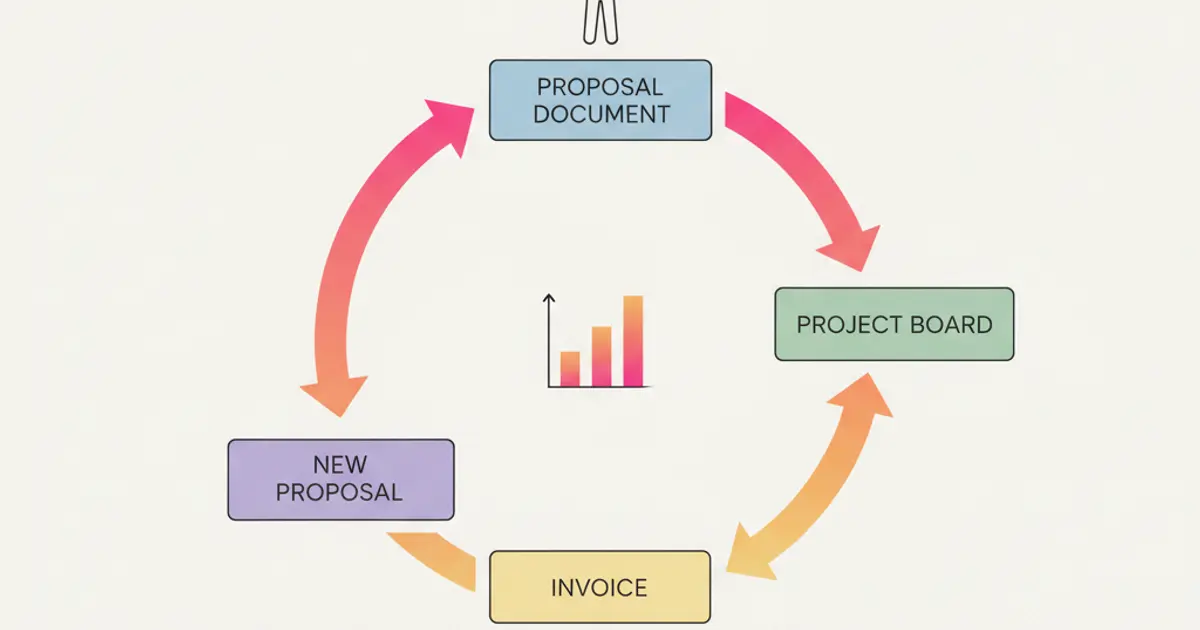
CRM for Consultants: From Proposal to Invoice in One Flow
How freelancers and consultants use a CRM to manage leads, send proposals, track projects and automate invoicing in a single streamlined workflow.

CRM for E-commerce: Orders, Warehouse and Customer Service Integrated
How an e-commerce CRM unifies order management, warehouse tracking and customer support to boost online sales and reduce operational chaos.
CRM for Professional Firms: Clients, Documents and Deadlines Under Control
How professional firms use CRM to manage clients, track documents, automate deadlines and streamline billing in one unified platform.