How to Send WhatsApp Messages to Multiple Customers
How to send WhatsApp messages to multiple customers: broadcast lists, the 256 contact limit, segmenting from your customer records and mistakes to avoid.

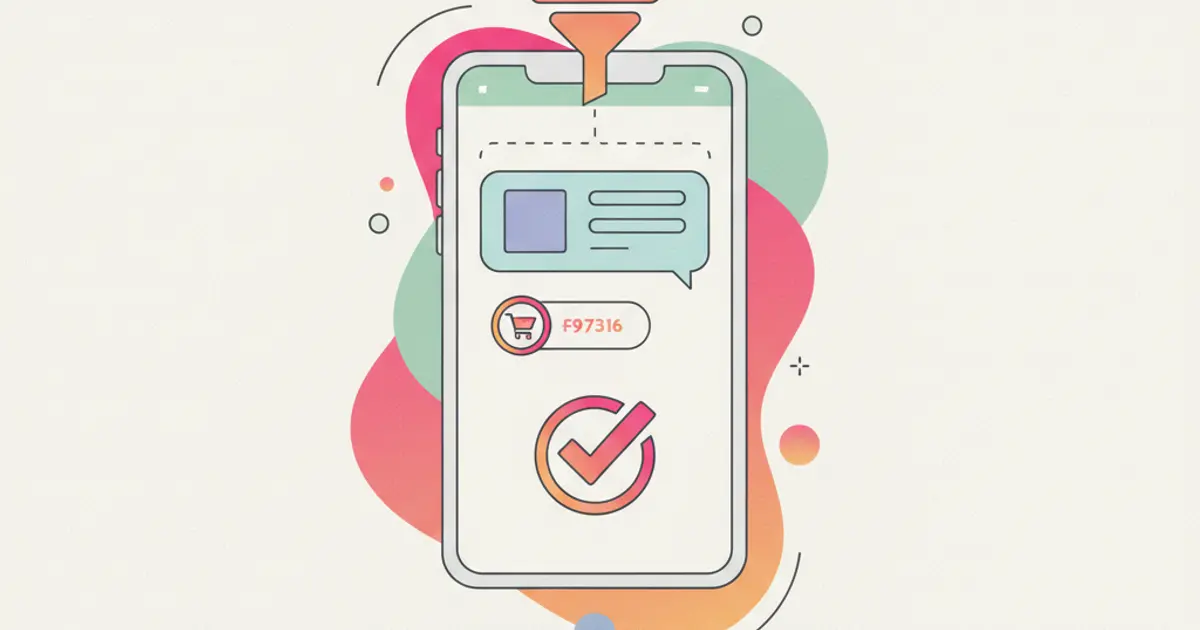
There are three real ways to send the same WhatsApp message to multiple customers: the broadcast list in the WhatsApp Business app, which delivers the text as a private chat to a maximum of 256 contacts per list; sending one by one from ready-made texts, which holds up while you are dealing with a few dozen people; and sending from a platform connected to your business number, using messages whose wording has been approved in advance, which is the route once contacts run into the hundreds. The choice comes down to two things: how many recipients there are, and whether you need to know who replied.
If you have something to tell a group of customers, a closure, a price change, a new service, and so far you have pasted the same text fifty times, by the end of this guide you will know which of the three methods fits your case, how to build the recipient list, and the two or three constraints that make a send pointless before it even starts.
What you need before you start
- A business number with the WhatsApp Business app installed, not the personal app. Broadcast lists exist on the regular app too, but the business profile, opening hours and quick replies do not: if this is the number you publish on your website, use the business version. If you have not set it up yet, the guide on automatic replies on WhatsApp starts exactly there.
- A clean address book, meaning customer numbers saved in international format, with the country code in front and no odd spacing. Badly written numbers do not throw an error: the message simply never arrives, and you find out days later.
- Consent to receive communications, collected in a verifiable way and covering the WhatsApp channel. The fact that a customer once wrote to you about a support issue is not in itself permission to send them offers.
- The text written and proofread, containing why you are writing and what the reader should do. A broadcast is written once and lands on everyone at the same time: there is no way to fix it after sending.
- A recipient list decided up front, not "the whole address book". This is the part that weighs most on the outcome, and the one we come back to below.
How to send to multiple customers from the WhatsApp Business app
The broadcast list is the feature built for this: you write once, the message reaches each recipient as an individual chat, and any replies come back as separate conversations. Nobody sees the other recipients.
- Open WhatsApp Business and tap the menu at the top right, New broadcast. On iPhone the path runs from the Chats tab, the compose button and then New broadcast list. Either way your address book opens.
- Select the contacts who should receive the message. You can go up to 256 contacts per list: past that the app stops letting you add names and you have to create a second list. Select with a criterion in mind, not everything on screen.
- Name the list so it tells you who is in it. "Maintenance customers, north area" still makes sense in six months, "List 2" does not. Only you see the name; recipients have no idea a list exists.
- Write the message and send it. You will then see a single conversation named after the list, with cumulative delivery ticks: tapping the message opens the breakdown of who received it and who read it.
- Reply in the individual chats. Anyone who answers writes to you in a normal one-to-one conversation. If more than one person answers that number, this is where the question of who has already picked up what appears, which is the subject of the guide on one WhatsApp number for the whole team.
There is one constraint most people discover after sending, and it is why a broadcast sometimes reaches only part of the list: the message is only delivered to recipients who have your number saved in their address book. Having their number is not enough. Anyone who does not have you saved receives nothing, and you see no error at all. It is a WhatsApp design choice to limit unwanted sending, and there is no way around it: you can only work with it, by asking customers to save the number the first time they write, and by putting it in your email signature and on your documents.
When you have more than a few hundred customers
Above a few hundred recipients the broadcast list stops being a tool and becomes manual labour: lists of 256 built by hand, updated whenever a customer joins, with no way of knowing what happened afterwards. At that point the channel has to be run from a platform connected to the business number, and three things change.
The wording is approved beforehand. To open a conversation with someone who has not written to you first, you use messages whose content has been submitted to Meta in advance and accepted. They are templates with fixed parts and variable fields such as a name, a date, an order number: you prepare them once, then reuse them. Text improvised on the spot will not go out.
There is a 24 hour window. When a customer replies, a 24 hour period opens in which you can write freely, as in a normal chat. Once it closes, reopening the conversation needs an approved message again. That is why it pays to send when someone can actually reply, rather than at seven on a Friday evening.
Replies land in one shared list. Deliveries, reads and answers do not sit inside one person's phone: they live on a shared screen, linked to the right customer. This is also where sending stops being an isolated event and becomes part of the sales process, as the guide on WhatsApp as a sales channel describes. For how a shared number works and how conversations stay attached to the customer record, see the Flusia business WhatsApp page.
How to segment customers before you write
The sending method matters less than who you put on the list. The right message sent to 80 chosen people works better than the same message sent to 800 names taken in bulk, and it costs less in blocks and opt-outs too.
The natural starting point is your CRM records, because that is the one place where customer information sits together and up to date. From there, these are the groups that come up most often.
| Group | How you find it | What you write to them |
|---|---|---|
| Quiet for 6 months | Last activity or last order beyond the threshold | A reconnection message, not a generic offer |
| Open quote, no decision | Quotes still in an active status | A short reminder with the expiry date |
| Bought a given service | Filter on the service or category purchased | The complementary service, or the renewal |
| Customers in one area | City or region field on the record | Local news: closures, callouts, events |
In Flusia these filters are built on your lead and customer records and the quotes linked to them, and the list that comes out is the basis both for WhatsApp and for a newsletter. If your records are still scattered across spreadsheets and phone contacts, the first step is not sending but collecting: the guide on importing your customer list into the CRM covers how to bring it in without duplicates.
One note that always applies: keep a record of where consent was collected and of anyone who asked not to be contacted again, and strip those names out of every future list. The subject is covered more fully in the guide on GDPR and data protection in the CRM. These are general pointers: for the rules that apply to you, refer to the guidance of your national data protection authority and check your own case with your adviser.
Alternative method: an email newsletter
WhatsApp is not always the right channel. If the message is long, if it carries a price list or an attachment, if the recipient is a company where the purchasing office reads it rather than a person with a phone in hand, email does a better job: no 256 recipient ceiling, no requirement that your number be saved, formatted text and trackable links.
The practical test is this: WhatsApp for short, urgent messages that ask for a reply, email for long ones that ask to be read at leisure. A two day unscheduled closure is WhatsApp. The new season catalogue is email. If you take the second route, the segmented list you prepared works exactly the same, and the mechanics are described in the guide on email marketing and newsletters from the CRM.
Common mistakes
Writing to people who never gave consent. This is the costliest mistake, because it does not just earn you a few blocks: a number reported as unwanted often enough can lose the ability to write to people who did not contact it first, and at that point you have lost the channel for everyone, including happy customers. A clean list of 200 names beats a patched together list of 2,000.
Using a group instead of a broadcast list. It looks like the same thing and it is not: in a group every participant sees everyone else's number, reads everyone's replies and can message the others directly. Besides being a problem for your customers' data, it produces thirty notifications each and at least a couple of irritated exits by the evening. Groups are for a job site or a shared project, not for a commercial announcement.
Sending everyone the same text. A message that suits anyone speaks to nobody. The difference between "We are pleased to announce our new service" and "Mark, your maintenance contract expires on 15 October, shall I confirm the renewal?" is not tone, it is that the second one is about the person reading it. Even splitting the list into three groups and changing the first line changes the number of replies.
How long it takes and what comes next
Preparing and sending a broadcast list from the app takes around twenty minutes: five for the text, ten to select contacts, the rest to reread before you press send. The long part sits upstream, in building the list: if your records are tidy it is five minutes of filtering, if they are spread across phone contacts and spreadsheets it can be half a day, once.
The natural next step is deciding what happens to the replies. A send to 200 customers that brings back twenty answers is only a good result if those twenty conversations end up somewhere other than the phone of whoever opened them first: that is where the shared handling described in the guide on one WhatsApp number for the whole team comes in.
Frequently asked questions
How many contacts can I put in a broadcast list? Up to 256 per list. You can create more than one and send the same text to each, but past two or three lists the manual handling becomes the bottleneck: every new customer has to be added by hand and you have no single view of who received what.
Why did the broadcast not reach everyone? In the vast majority of cases because those recipients do not have your number saved in their address book, which is the condition WhatsApp requires to deliver a broadcast. The other common causes are numbers saved without the country code, and contacts who have blocked you.
Do customers know they are on a broadcast list? No. The message arrives in their one-to-one chat with you, with no sign of the list and no other recipients' names. If they reply, the reply goes to you alone. That is the main difference from a group, where everyone sees everyone.
Can I message someone on WhatsApp who has never written to me? It depends on the method and on consent. From the app the contact has to be saved on both sides; from a platform connected to the business number you need a message with wording approved in advance. In both cases consent to receive that kind of communication is still the precondition: these are general pointers, so for your own case refer to the guidance of your national data protection authority and check with your adviser.
Share this article
Written by
Luca Bosso
Founder of Flusia
Related articles
How to Set Up Automatic Replies on WhatsApp
How to set up away messages, greetings and quick replies on WhatsApp Business: what to write, how to run them as a team and the mistakes that cost you leads.
How to Manage Customer Calls in Your CRM
How to manage customer calls in your CRM: log the outcome on the right contact, create a callback task with a due date, and never drop a promised call.
How to Organize Customer Records in One Place
Bring customer data, interaction history, account owners and next actions into one place: what to gather first, the steps in order, and the mistakes to avoid.