Project Management Guide: Gantt, Kanban and Task Management
A practical guide to managing projects with Gantt charts, Kanban boards and task tracking inside your CRM.

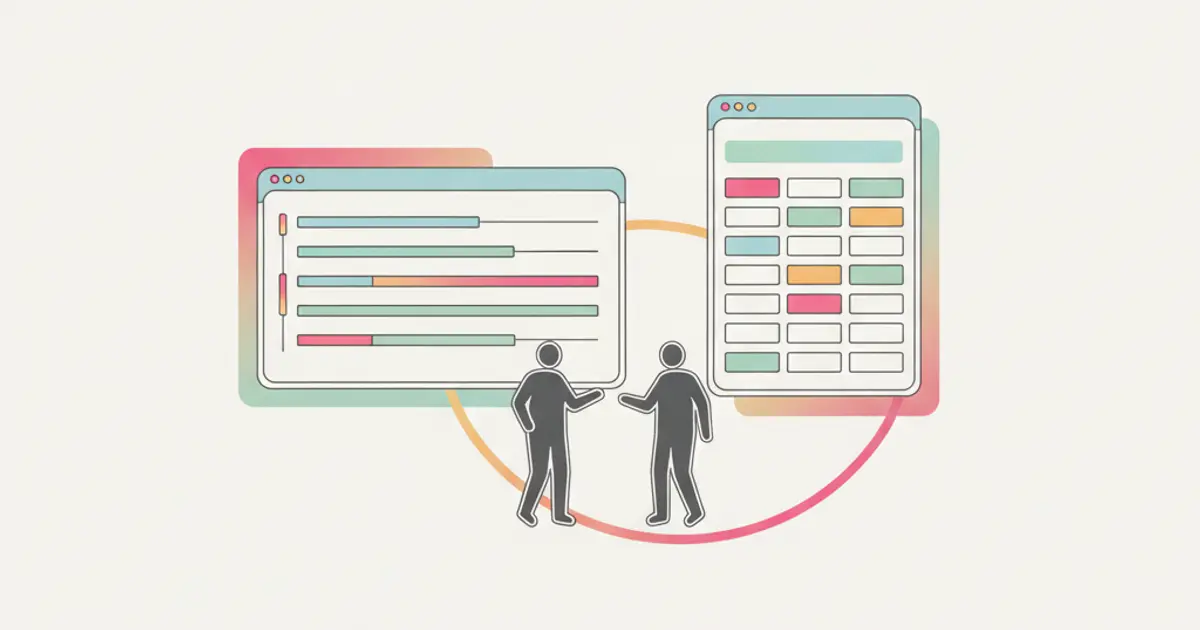
To manage client projects in a small business, use a Gantt chart when the client is waiting for a delivery date and a Kanban board when the work is recurring or arrives as requests, and open the project from the signed quote so nothing is copied by hand. Every task then needs an owner and a date.
You closed the deal. The client signed. Now the real work begins, and suddenly you realize the sales process was the easy part. Delivering the project on time, on budget, with a happy client at the end is where most SMEs struggle. Tasks get lost in chat messages, deadlines slip without anyone noticing, and the question "who is handling this?" echoes through the office daily.
The gap between selling and delivering is where small businesses lose margins, reputation and sleep. A well-structured project management system bridges that gap. But most SMEs either use nothing (email and memory) or tools that are completely disconnected from where the deal information lives.
What if your project management lived inside the same system as your sales pipeline? No data re-entry, no context switching, no "let me check the other tool." This guide shows you how to use Gantt charts, Kanban boards and task management to deliver projects that make clients come back.
Why project management fails in SMEs
The most common reason projects go off track in small businesses is not a lack of effort: it is a lack of structure. The sales team closes a deal with specific commitments: deliverables, timelines, pricing, expectations. But when the deal moves to the delivery team, the handoff is often incomplete. The project brief says one thing, the deal record says another, and the client's verbal instructions during the last call were never documented at all.
This information disconnect between sales and delivery creates problems from day one. Tasks are assigned based on incomplete information. Timelines are set without understanding the true scope. And when something goes wrong, as it inevitably does, nobody has the full picture needed to course-correct quickly.
The second failure mode is the illusion of control. Many teams hold weekly update meetings where everyone reports on their progress. This feels productive, but it is actually a lagging indicator: by the time someone reports a problem in a weekly meeting, the problem has been festering for days. In a fast-moving project, that delay is the difference between a minor adjustment and a major crisis.
Late delivery kills more than the current project. It kills recurring revenue and referrals. A client who receives their deliverable two weeks late does not just feel disappointed, they tell their network. In SMEs where word of mouth drives a significant portion of new business, the cost of late delivery extends far beyond the immediate project.
Kanban: visual simplicity for everyday work
Kanban is the project management approach that most teams adopt first, and for good reason. It is visual, intuitive, and requires almost no training to understand.
The concept is simple: a board with columns representing stages of work, and cards representing individual tasks that move from left to right as they progress. A typical setup might include four columns: To Do, In Progress, Review, and Done. Each card shows the task name, the person assigned to it, the due date, and optionally a checklist of subtasks.
The power of Kanban lies in its visual immediacy. A single glance at the board tells you everything: what is being worked on, what is waiting for review, what is done, and, critically, where the bottlenecks are forming. If you see fifteen cards piled up in "Review" and only two in "In Progress," you know that the review process is the constraint. No report needed, no meeting required: the board speaks for itself.
Kanban is the ideal approach for ongoing operational work with no fixed end date: client service delivery, content production, support ticket management. It excels in teams that need flexibility and fast reprioritization, where priorities shift daily and rigid timelines would create more friction than value.
Customizing the columns to match your specific workflow is essential. A marketing team might use "Briefing, Creation, Client Review, Revision, Published." A service team might use "Request Received, Scheduled, In Progress, Quality Check, Delivered." The columns should mirror the actual steps your team follows, not an abstract ideal.
Gantt: timeline control for complex projects
Where Kanban excels at showing what is happening, Gantt charts excel at showing when. A Gantt chart plots tasks on a horizontal timeline, with each task represented as a bar whose length indicates its duration. Start dates, end dates, and dependencies between tasks are all visible at once.
Dependencies are the killer feature of Gantt charts. When task B cannot start until task A is complete, the Gantt chart shows this relationship explicitly. If task A is delayed by three days, you instantly see the cascade effect on task B, task C, and every downstream activity. This visibility is critical for projects with sequential phases, such as a website redesign where design must be approved before development begins, or a product launch where manufacturing depends on finalized specifications.
Milestones mark critical checkpoints in the project timeline. They are not tasks with duration, they are points in time that represent significant achievements: "client approves design," "beta version delivered," "go-live." Milestones give both your team and your client a shared understanding of when major phases complete.
Resource allocation becomes manageable with Gantt views. When you can see that two of your team members are assigned to three projects simultaneously during the same week, you can redistribute the workload before the crunch happens, not after someone burns out or misses a deadline.
The trap to avoid with Gantt charts is over-planning. A Gantt with 200 tasks and 50 dependencies becomes a maintenance burden that nobody updates. For SMEs, the sweet spot is typically 10-30 tasks per project with key dependencies mapped. The chart should be a helpful tool, not a full-time job to maintain.
Gantt is the right choice for projects with fixed deadlines and sequential dependencies: construction projects, event planning, product development, and any engagement where a client needs to see a timeline. It is also invaluable when managing multiple concurrent projects and needing to understand how resources are allocated across them.
Gantt or Kanban: choose by type of work
What decides between Gantt and Kanban is not the size of the team but what the client is waiting for: a date, a regular rhythm, or a fast reply.
| Type of work | What the client is waiting for | View to lead with | What to keep an eye on |
|---|---|---|---|
| Project with a fixed deadline (website, event, launch) | the delivery date | Gantt | phases, approvals that block the next step, milestones |
| Recurring work or retainer (monthly content, reports, campaigns) | each cycle arriving on time | Kanban | one card per deliverable, the review column, who is waiting for whom |
| Support and assistance (requests, fixes, small changes) | a quick, predictable reply | Kanban sorted by priority | new requests, in progress, waiting for the client, closed |
| Setup project followed by a monthly fee | both, one after the other | Gantt until go-live, then Kanban | the date the work changes nature |
For doubtful cases, ask: if one task slips by three days, does the end date move? If yes, you need the chain of tasks on a timeline. If no, because the work keeps arriving, a board is enough and a Gantt is just something else to update.
The last row is the most common in agencies, and the one handled worst: the setup gets a careful plan, then after go-live the monthly work drifts back to chat messages. Decide in advance the day the project switches view. If you are still choosing the tool, the guide on what job management software must do lists the tests to run in a trial.
Task management: the foundation of both
Whether you prefer Kanban, Gantt, or a combination, task management is the foundation everything else is built on. Getting task management right means every piece of work is captured, assigned, tracked, and completed, so nothing falls through the cracks.
The most powerful task management starts at deal closure. When a sale is won, the CRM can automatically create a project with pre-defined tasks based on the service sold. A web design deal might generate tasks for "kickoff call, wireframe creation, design mockup, client review, development, QA testing, launch." The handoff from sales to delivery is seamless because the project inherits all the deal context.
Checklists inside tasks break large pieces of work into manageable steps. A task like "prepare client presentation" might include sub-items for "gather analytics data, create slide deck, review with manager, send to client." As each item is checked off, progress becomes visible at a granular level.
Assignments and notifications ensure accountability. Every task has an owner and a due date. When a deadline approaches, the assignee receives a reminder. When a task is overdue, the assignee and their manager are both notified. This is not micromanagement: it is structured awareness that prevents small delays from snowballing into project failures.
Tags and priorities allow teams to filter through the noise. Urgent tasks surface above routine ones. Tasks tagged by client, project phase, or skill area can be filtered to show each team member exactly what they need to focus on.
From signed quote to project: step by step
In a services business the project should open when the client accepts the quote, not at the first operational meeting: everything the team needs is already written there. The aim of these steps is that nobody copies it anywhere else.
-
Describe each service once, with its standard tasks. In the services catalog, give every service the tasks it always involves: for a website, kick-off call, content collection, design, client review, development, go-live. Result: a template you write once.
-
Build the quote from the catalog. Pick the services in the quote instead of writing free-text lines. Result: each line carries the work it implies. If quotes still live in a word processor, see the guide to quoting software.
-
Send the quote and let the client sign it from the link. No printing or scanning. Result: acceptance is recorded with its date, which becomes the start of the work.
-
Open the project that was created at signature. At signature the project is created with the tasks of the services sold already inside, linked to client and quote. Result: delivery starts from the same record as the sale.
-
Assign an owner and a date to every task. The template gives you the steps, not the people. Result: no task without a name. Then open the Gantt view for a fixed deadline, or the Kanban board for recurring work, as in the table above.
-
Hold the kick-off with the client. Share the plan and who approves on their side. Result: the first week starts with clear rules. The full checklist is in the client onboarding process guide.
The common mistake here is a template so detailed that every project starts by deleting half its tasks: keep only the steps that happen every time. For numbering, hours and closing jobs, the method continues in how to manage client jobs.
To try it with one of your own services, see how projects start from the signed quote in Flusia: free 30-day trial, no credit card.
Combining views for maximum visibility
The real power emerges when you combine Kanban, Gantt, and task management into a unified project dashboard that serves different audiences with the same underlying data.
The project overview dashboard shows health status, progress percentage, and overdue alerts across all active projects. At a leadership level, this view answers the question "are we on track?" without requiring a single meeting.
Switching between Kanban and Gantt views based on context is natural. Use Kanban for the daily standup: "what are you working on today?" Use Gantt for the client review meeting: "here is where we stand on the timeline." Both views reflect the same tasks, the same assignments, and the same statuses. There is no duplicated data and no conflicting information.
A client portal gives your clients visibility into project progress without exposing internal discussions or sensitive data. Clients can see which milestones have been reached, which tasks are in progress, and when the next delivery is expected. Status updates can tell the client when a milestone is completed, which cuts down the "where are we?" emails.
Project data also feeds into revenue and margin reports. When you know the estimated hours, the actual hours logged, and the deal value, you can calculate project profitability in real time. This insight helps you price future projects accurately and identify which types of engagements are most profitable, data that directly improves your sales strategy.
Best practices for SME teams
If you are introducing structured project management for the first time, start simple. Three columns and five tasks per project is enough to prove the concept. Resist the urge to create an elaborate system on day one. Let the team use a basic structure for two weeks, then add complexity where they feel the need for it.
Establish a weekly review ritual: a 15-minute meeting where the team walks through the Kanban board or Gantt chart together. This is not a status update meeting (those can happen asynchronously). It is a brief alignment session focused on blockers, risks, and reprioritization. Fifteen minutes of prevention averts hours of crisis management.
Templates are a multiplier for teams that deliver similar types of projects repeatedly. Create a project blueprint for each recurring service type: a standard website project, a monthly retainer, a consulting engagement. When a new deal closes, the template generates the full task structure in seconds, pre-populated with assignments, durations, and checklists. This ensures consistency and dramatically reduces setup time.
Integrating project management with invoicing creates a natural billing rhythm. Instead of invoicing based on dates, you invoice based on milestones: when "Phase 1 Complete" is marked done, the corresponding invoice is ready to be issued without anyone chasing the team for it. Clients appreciate milestone-based billing because it ties payment to value delivered, and cash flow tends to be steadier because you bill as soon as work is completed.
This rhythm matters most for agencies with client projects, where eight or ten accounts are in delivery at the same time and each one has its own milestones, approval steps and revision rounds. Our guide on managing client projects in an agency goes through how to keep the boards readable when several projects run in parallel, and how to tell at a glance which client is waiting on you and which one you are waiting on.
The metric that matters most for project delivery is on-time delivery rate. Track it religiously. If your team delivers 90% of projects on time, you have a healthy operation. If the number is below 70%, you have a systemic issue that no amount of working harder will fix, because it requires structural changes to how you plan, assign, and monitor work. And with the right tools inside your CRM, those structural changes are surprisingly straightforward to implement.
Flusia is an Italian CRM for small and mid-sized service businesses and agencies: sales pipeline, quotes from a services catalog with signature by link, projects that open at signature with the tasks of the services sold, Gantt and task views, and the Fatture in Cloud integration in one place. You can try it free for 30 days, no credit card required.
If your projects get stuck at the handover, start with the six steps above and a single service. When you are ready to try it on real work, see how projects start from the signed quote in Flusia, with a free 30-day trial and no credit card, and check the plans on the pricing page.
Frequently asked questions
Can the same project use both Gantt and Kanban? Yes, and it is often the best way to work: the Gantt shows the tasks on a timeline for planning and client meetings, the board shows the same tasks by status for daily work. Nobody updates two lists.
How many tasks should a service template contain? Only the steps that happen every time you deliver that service. If tasks regularly get deleted at the start of a project, the template is too detailed; work specific to one client is added by hand.
Should the project be opened before the client signs? Better not. Until the quote is accepted, scope and dates can still change. Prepare the template in advance and let the project start from the signed quote.
Share this article
Written by
Luca Bosso
Founder of Flusia
Related articles
Job management software: what it must do
How to choose job management software: the features that actually matter, how to test them during a trial, and the questions to ask in a demo.
How to Manage Service Jobs and Site Visits
How to manage service jobs and site visits: logging the request, scheduling the visit, briefing the technician, closing the job and quoting the extra work.
How to Sync Contract Data With Your CRM
How to sync contract data between your CRM and your management software: who owns each field, which way the sync runs and how to check nothing is lost.