What Is a CRM and What Is It For? A Plain-Language Guide for SMBs
What a CRM is, what it actually does and when an SMB needs one: a plain definition, concrete examples, the difference with Excel and real costs.

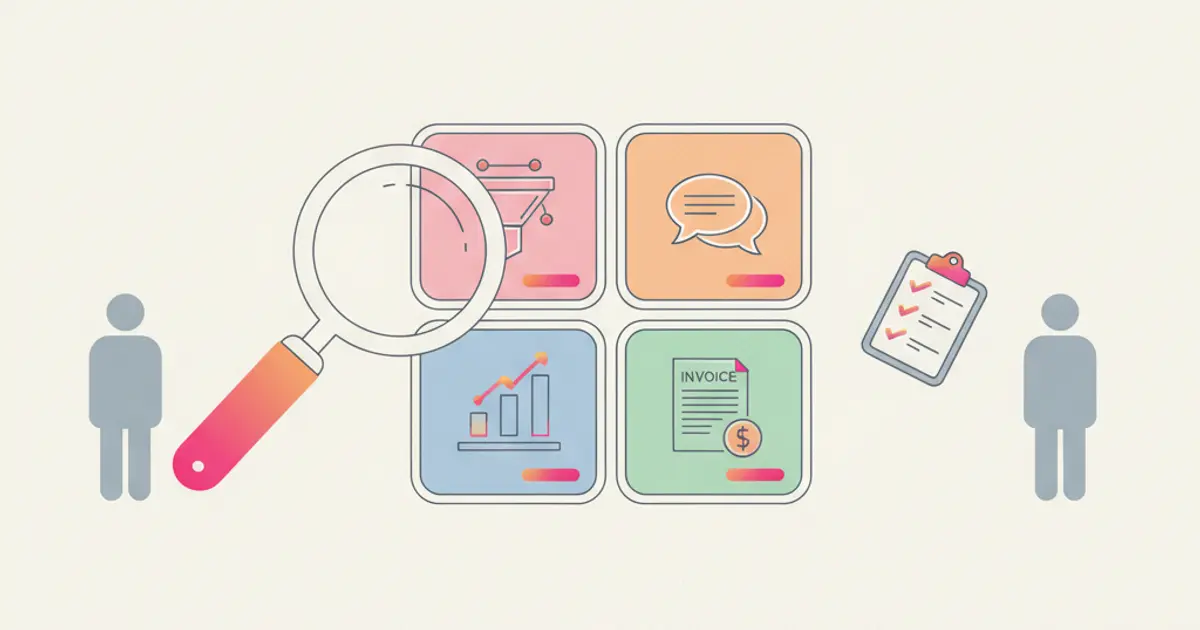
A CRM (Customer Relationship Management) is software that gathers everything about your clients and prospects in one place: who they are, how you met them, what you discussed, which quotes they received and where every deal stands. In practice, it is your company's commercial memory, the one that today probably lives across a phone address book, WhatsApp chats, a spreadsheet and the head of whoever does the selling.
If you searched "what is a CRM", someone probably mentioned it to you, or you feel your clients are becoming too many to manage from memory. This guide answers the questions that actually matter: what it does in practice, when you need one and when you don't, and what it costs.
What a CRM is: the plain definition
CRM literally means "customer relationship management". CRM software is the tool that makes that management possible: a platform where every client has a record with their data, the history of every touchpoint, documents, team notes and the next things to do.
The difference from an address book or a spreadsheet is that a CRM does not just record who the client is, but what is happening with them: the deal in progress, the quote sent and not yet signed, the call scheduled for Friday, the colleague who owns the relationship. And it does this for the whole company, not for a single salesperson.
What it does in practice: an example
Picture a small agency or firm where three people handle clients. A request comes in from the website: without a CRM, it lands in an inbox and someone will deal with it "as soon as possible". With a CRM, the request automatically becomes a lead assigned to a person, with a status ("new", "contacted", "quote sent") visible to everyone.
From there, every step stays on record: the qualification call, the quote with online signature, the WhatsApp messages exchanged, the follow-up reminder. If the person handling the client goes on holiday or leaves the company, whoever takes over opens the record and knows everything. No information lives only in one person's memory anymore.
The concrete benefits for an SMB are three:
- No lost requests. Every lead has an owner and a status: no more forgotten emails or "I thought you were on it". We cover this in detail in how to manage leads without losing them.
- Selling with a method. The sales pipeline shows how many deals are open, at what stage and for what value: decisions get made on numbers, not gut feeling.
- Time saved. Repetitive work (welcome emails, reminders, assignments) is done by automations, not by people.
What a CRM is NOT
Three frequent misunderstandings are worth clearing up.
It is not accounting software. A CRM manages the relationship and the sale; invoices and bookkeeping stay in your invoicing tool. The two worlds do talk to each other, though: a modern CRM integrates with invoicing, as we do with Fatture in Cloud, so an accepted quote becomes an invoice without retyping anything.
It is not only for large companies. The opposite is true: a large company's structure compensates for missing tools, while in an SMB every lost client hurts. Data shows that most Italian SMBs still do not use a CRM, and that is a competitive disadvantage for those who stay out.
It is not a smarter spreadsheet. Excel records data; a CRM runs processes: it remembers deadlines, assigns tasks, sends messages, updates statuses. The full comparison is in CRM vs Excel.
When an SMB actually needs one: 5 signals
Not every business needs a CRM from day one. These five signals tell you the moment has come:
- You have lost at least one request because nobody saw it or replied too late.
- You cannot say how many deals are open and for what total value.
- Client information lives in personal phones (contacts, WhatsApp) and leaves with the people.
- Follow-ups depend on memory: quotes go out and are not chased consistently.
- Handovers are painful: when someone is away, their clients are uncovered.
If two or more of these sound familiar, a CRM pays for itself within weeks. If instead you have a handful of stable clients and no active sales work, you can wait.
How much a CRM costs
For an SMB, cloud CRMs are priced as a monthly subscription based on plan and number of users. As a concrete reference: Flusia starts at 49 euro per month with a 30-day free trial, no credit card required. On top of the software there is the real cost, which is adoption time: importing clients, defining statuses, getting the team used to it. With a guide like how to configure your CRM in the first 30 days it is a matter of days, not months.
Be careful with "free": free CRM plans have limits designed to push you to the paid plan at the worst possible moment, once your data is already inside.
The CRM and the tools you already use
A common mistake is thinking of a CRM as "one more program to open". A well-built CRM absorbs the tools you already use: a team WhatsApp number shared by everyone, Google email and calendar, website forms that create leads on their own, invoicing. That is the real selection criterion: how many things you stop doing by hand. For a structured evaluation, see our guide on how to choose a CRM for your SME.
Frequently asked questions
What does CRM stand for? Customer Relationship Management. It refers both to the strategy and to the software that makes it possible.
Is a CRM useful even without a sales team? Yes: anyone who receives requests and sends quotes (firms, agencies, structured artisans, e-commerce) has a sales process, even if they do not call it that.
How long does it take to get started? With a cloud CRM, the account is live the same day. The real work is importing contacts and defining the flow: realistically one or two weeks to be fully up to speed.
Is client data safe? It depends on where it lives. Always check that the vendor hosts data in the European Union and complies with GDPR: it is one of the reasons Flusia exists as an Italian CRM with EU-hosted data.
Share this article
Written by
Luca Bosso
Founder of Flusia
Related articles
How Much Does a CRM Cost for a Small Business?
How much does a CRM cost? The budget items a small business has to plan for: subscription, data migration, training, integrations and internal time.
How to Use a Free CRM Trial to Make a Real Decision
Use a free CRM trial to decide: prepare your real customer list and three processes, test them with your team week by week, then judge on written criteria.
How to Organize Customer Records in One Place
Bring customer data, interaction history, account owners and next actions into one place: what to gather first, the steps in order, and the mistakes to avoid.